Create high-converting popups without the complexity.
Nanflows
Get started
Nanflows Sliding Cart · WordPress plugin

WooCommerce Cart Drawer

A cart drawer that opens from wherever shoppers look for the cart: a floating button, your menu, the Mini-Cart block or a link in your content.

From $29 / year · 14-day refund

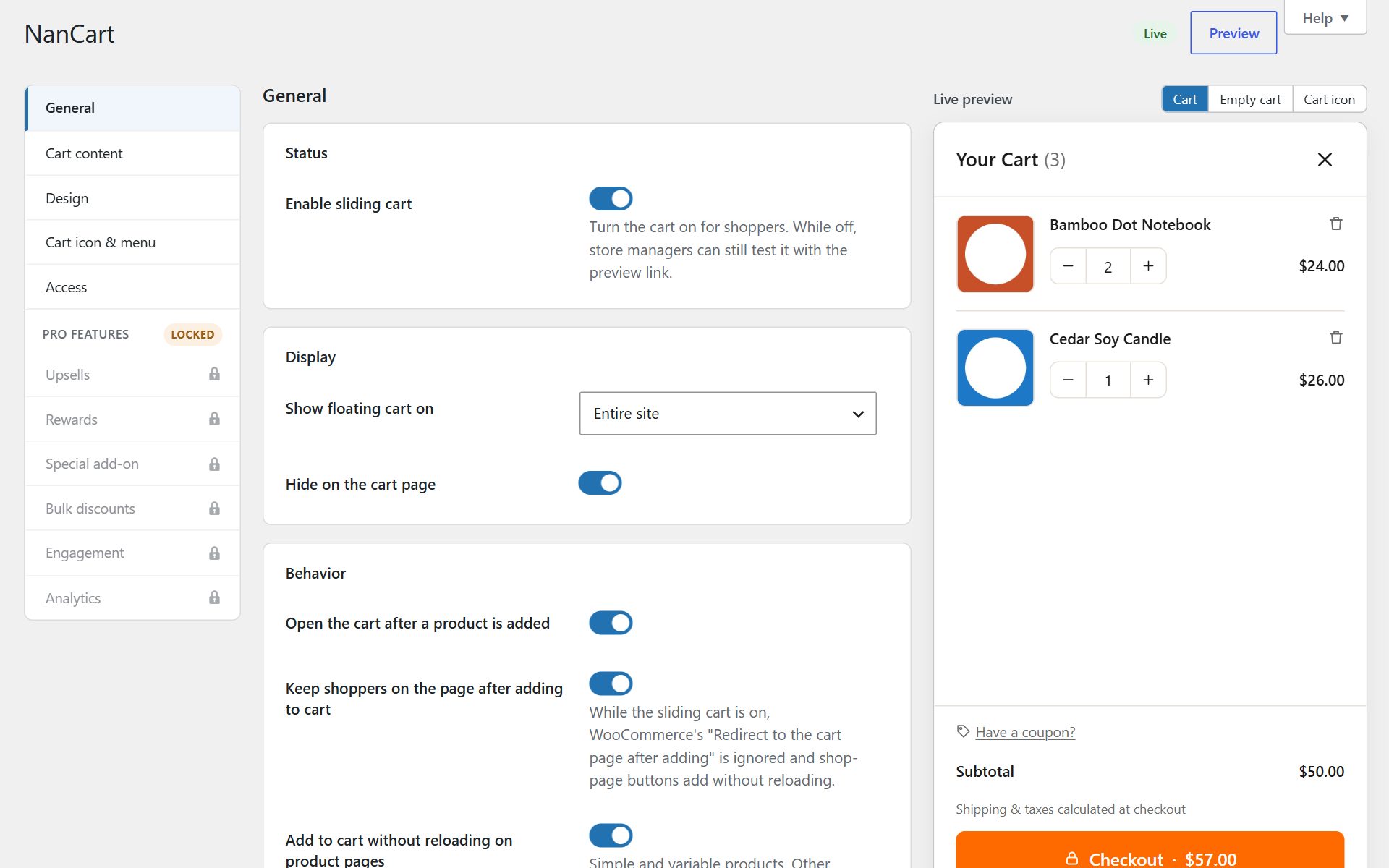
NanCart settings with the live cart preview
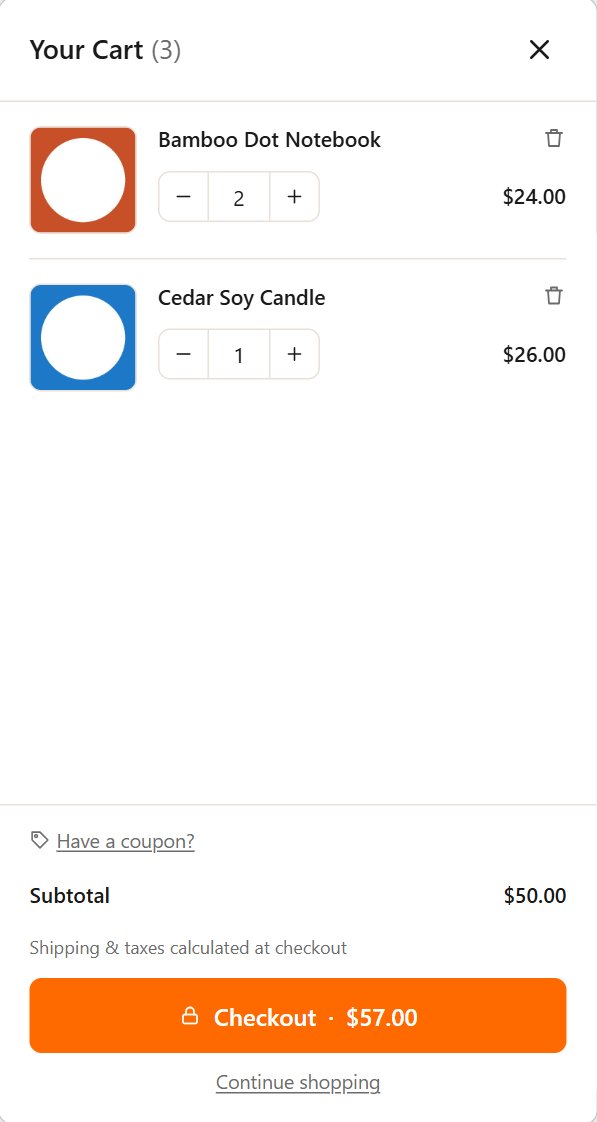
NanCart settings with the live cart preview on a phone

Overview

How it works

A cart drawer is only useful if shoppers can find it. Nanflows Sliding Cart gives the drawer several ways in, so it fits the theme you already have.

Use the floating cart button with its item count in any corner. Add a cart link to any menu, including block theme headers. The WooCommerce Mini-Cart block and most theme cart icons open the drawer instead of a small dropdown, and any link to #nfsc-cart opens it too.

Features

What you get with Nanflows Sliding Cart

01

Floating cart button

Item count, any corner, your size and colours.

02

Menu cart link

Add it under Appearance → Menus, in a block theme header, or with a shortcode.

03

Mini cart, upgraded

The Mini-Cart block and theme cart icons open the drawer instead of a dropdown.

04

A block and a link

A Cart button block, and any link to #nfsc-cart or with the nfsc-open class.

05

Shown where you want

Choose the pages where the drawer is available.

06

Live preview

See the drawer with your own products while you change its settings.

Screenshots

A closer look

Use cases

Stores that get the most from it

  • Block themes

    Put the cart link in a block theme header without editing template files.

  • Landing pages

    A “View cart” button on a campaign page opens the drawer instead of leaving it.

  • Headless menus

    Stores with a custom header add the nfsc-open class to their own cart icon.

Getting started

Set it up in three steps

  1. 01

    Install the free plugin

    The drawer opens on add to cart straight away.

  2. 02

    Choose its way in

    Floating button, menu link, Mini-Cart block, or all of them.

  3. 03

    Style it

    Colours, font, width and animation, with the live preview.

Pricing

Nanflows Sliding Cart plans

All about Nanflows Sliding Cart

Free

$0 forever

Unlimited sites · From WordPress.org

  • Cart slides in on add to cart, no page reload (simple and variable products)
  • Change quantities, remove items and switch options inside the cart
  • Sale prices struck through with a "Save 20%" badge
  • Coupon field, open or behind a link
  • Subtotal, shipping, tax and total rows
  • Checkout button with total, "View cart" and "Continue shopping" links
  • Express payment buttons from your gateway
  • Custom empty-cart message
  • Floating cart button with item count, any corner, your size and colours
  • Cart link in any menu or with a shortcode, incl. block theme headers
  • Mini-Cart block and theme cart icons open the drawer
  • Left or right side, widths, animation, colours, font and custom CSS
  • Live preview with your own products while you edit
  • Cart/Checkout blocks, HPOS, WPML, Polylang, currency switchers, cache plugins
  • Choose which roles may manage the settings
Download free

No account needed

Pro+ (yearly)

$99 / year

5 sites · Renews yearly, cancel any time

  • Everything in Free and Pro, plus
  • Use on up to 5 sites
  • Your licence
  • Move a licence to another site from your dashboard
  • 1 year of updates inside WordPress
  • Email support

14-day refund

FAQ

Questions

What is the difference between a mini cart and a cart drawer?

A mini cart is usually a small dropdown under the cart icon. A cart drawer is a full panel with quantities, coupon, totals and checkout. With Nanflows Sliding Cart, the mini cart icon opens the drawer.

Can I hide the floating button?

Yes. The drawer still opens on add to cart and from your menu link, Mini-Cart block or any cart link.

Do PayPal and other express buttons show in the drawer?

Yes, when your payment plugin offers mini-cart buttons, such as PayPal’s mini-cart option. They show under the checkout button.

Is it translation-ready?

Yes. It works with WPML and Polylang, and right-to-left languages.

Try Nanflows Sliding Cart free

Start with the free version from WordPress.org, and add Pro when you want more.

  • Free version
  • 14-day refund on Pro
  • Email support