
WooCommerce Floating Cart
A cart button that stays on screen in the corner you choose, with the item count on it. One tap opens the full cart, on any page.
From $39 / year · 14-day refund
Overview
How it works
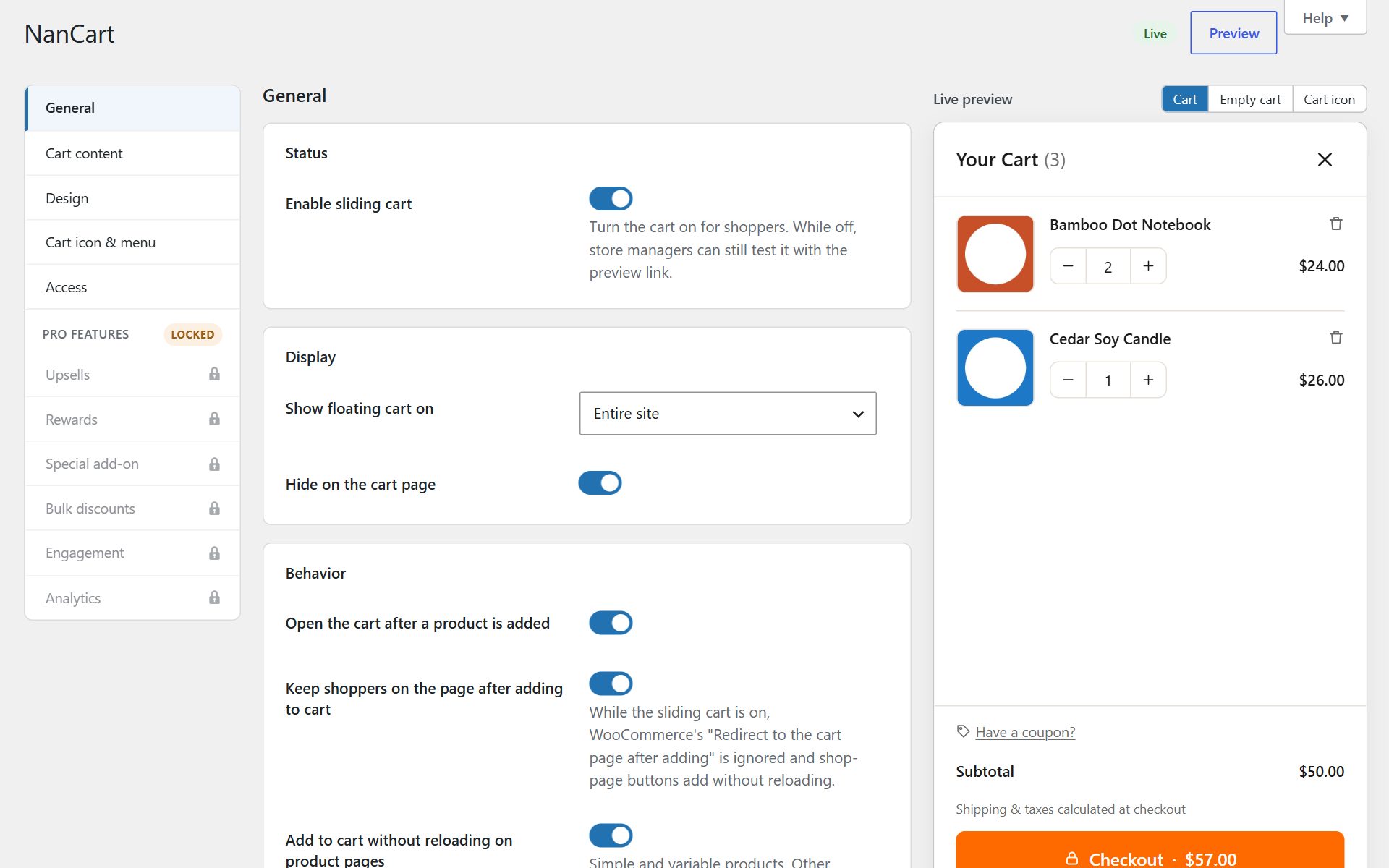
Shoppers should never have to scroll back to the header to find their cart. A floating cart icon stays in a corner of the screen while they browse, shows how many items are in the cart, and opens it with one tap.
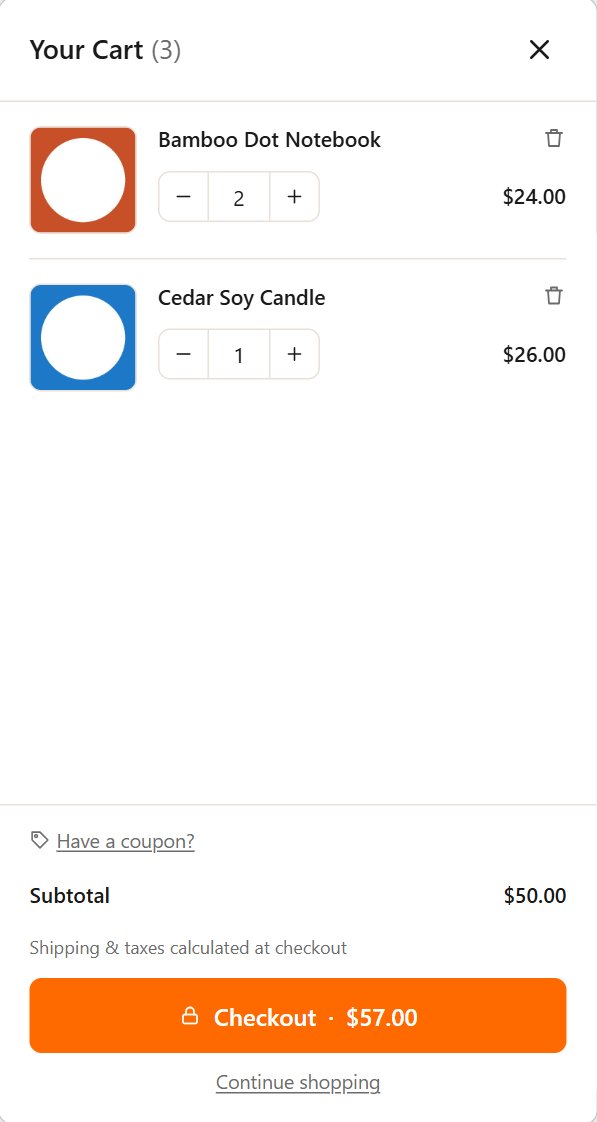
Nanflows Sliding Cart adds the floating cart icon in its free version. It opens a sliding cart with quantities, coupon, totals and checkout, so the icon leads somewhere useful instead of to a separate cart page.
Features
What you get with Nanflows Sliding Cart
Any corner
Bottom right, bottom left, top right or top left.
Item count badge
The number of items, updated the moment a product is added, in your badge colors.
Your size and shape
Button size from 36 to 96 pixels, round or square corners, your background and icon color.
Icons that match
Pick the icon, and an icon style used across the whole cart.
Hidden while empty
Optionally show the icon only once something is in the cart.
Opens a full cart
Quantities, coupon, totals, express payment buttons and checkout, without a page reload.
Screenshots
A closer look
Use cases
Stores that get the most from it
Long product pages
Shoppers deep in a product description still have the cart one tap away.
Phones
The header cart is often hidden in a menu on small screens. A floating button is always in reach of a thumb.
Themes without a header cart
Give any theme a cart button without editing its templates.
Getting started
Set it up in three steps
-
01
Install the free plugin
The floating cart icon is on by default, in the bottom right corner.
-
02
Place and style it
Choose the corner, size, colors and icon, watching the live preview.
-
03
Add more ways in
A menu cart link, the Mini-Cart block or any cart link can open the same cart.
Pricing
Nanflows Sliding Cart plans
| Plan | Price | Sites |
|---|---|---|
| Free | $0 forever | Unlimited sites, from WordPress.org |
| Pro (yearly) | $39 / year | 1 site |
| Pro+ (yearly) | $149 / year | 5 sites |
What each plan includes is on the Nanflows Sliding Cart page.
FAQ
Questions
Is the floating cart free?
Yes. The floating cart icon and the sliding cart it opens are in the free plugin on WordPress.org.
Can I move the floating cart button?
Yes, to any of the four corners, and you can change its size, roundness and colors.
Can I hide it when the cart is empty?
Yes. Turn on “Hide the icon while the cart is empty” and it appears once a product is added.
Can I turn the floating icon off?
Yes. The cart still opens on add to cart, and from a menu cart link, the Mini-Cart block or any link to the cart page.
Does the count update without a reload?
Yes. The count and the cart update in the background whenever a product is added, changed or removed.
Guides on this topic
Related
Try Nanflows Sliding Cart free
Start with the free version from WordPress.org, and add Pro when you want more.
- Free version
- 14-day refund on Pro
- Email support