In short: the Black Friday popups that sell are the ones with a job: collect emails for early access before the sale, announce the offer with a countdown to the real end, and catch shoppers who are about to leave. Show each one only on the pages it belongs to, once per visit at most, and never to people who already signed up. Nanflows Popup does the sign-ups, countdown bars, scheduling and frequency for free; Nanflows Popup Pro adds exit intent, unique coupon codes and offers after add to cart.
Black Friday is Friday, November 27, 2026, and Cyber Monday is November 30. Everything below is set up so you can build it this month, schedule it, and leave it alone that week.
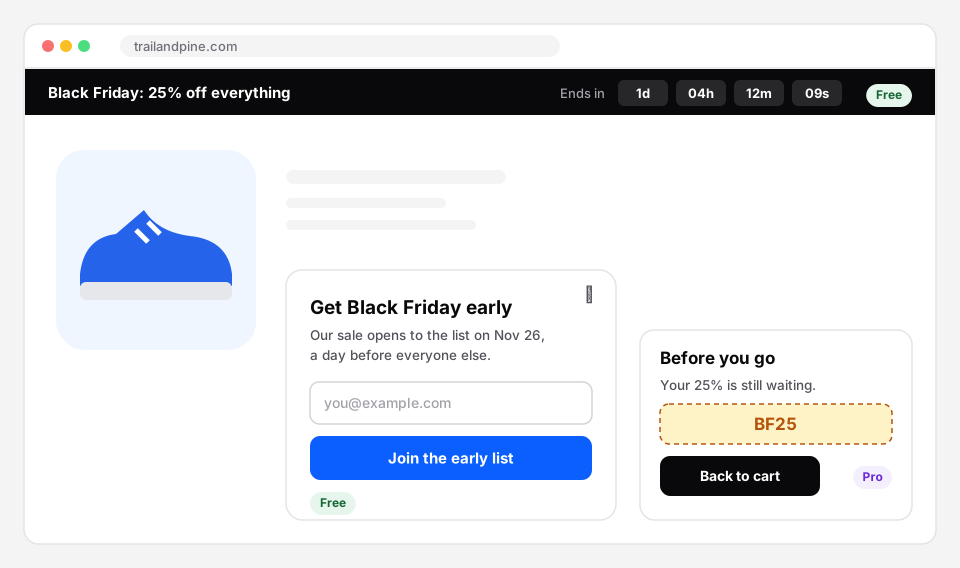 A countdown bar, an early access sign-up and a last-chance slide-in. The first two are free.
Before the sale: build the list
The cheapest Black Friday sales come from people who already wanted to hear from you. The weeks before are for collecting them.
1. The early access sign-up
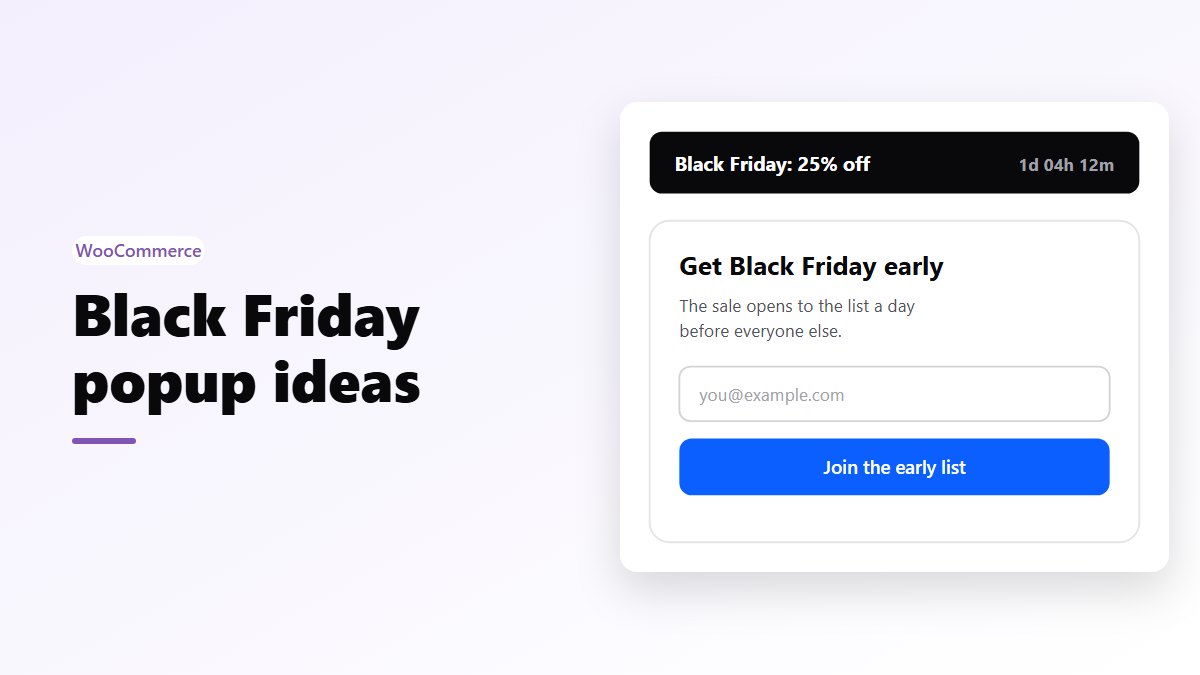
Offer the sale a day early to anyone who joins your list. It gives a real reason to sign up, and on the day you email a list that is waiting for you instead of paying for every visitor.
- Type: a modal in the middle of the page, or a slide-in on phones.
- Trigger: after 15 to 20 seconds, or after the visitor scrolls half a product page.
- Where: product and category pages. Leave out the cart and checkout.
- How often: once every 7 days, and never again for anyone who signed up.
- Copy: “Black Friday opens to the list on November 26. Get in a day early.” Say what they get and when.
In Nanflows Popup this is the newsletter template with an opt-in form. Leads are saved in your own database under Popups → Leads, and the built-in integrations send them on to the email tool you already use.
2. The gift guide teaser
Not everyone wants a discount email. Some want help choosing. An inline box inside your blog posts or category pages, “Our Black Friday gift guide: picks under $50”, collects a different kind of shopper and points them to the products you want to move.
- Type: an inline box, placed after the post content or with the
[nanflows_popup]shortcode. - Trigger: none, it sits in the page like any other block.
- Why it works: it doesn’t interrupt anything, so it can stay up all month.
During the sale: announce it, don’t shout it
3. A countdown bar to the real end
A thin bar at the top of every page tells people the sale is on, what it is and how long it lasts. It reaches everyone without covering the page.
- Type: a top banner, with the countdown element.
- Countdown: to the real end of your sale, for example Monday, November 30 at 11:59 pm. Nanflows Popup counts down to a fixed date in the visitor’s browser, so it stays right even behind a page cache.
- Schedule: set the start and end dates in the popup’s schedule so it appears and disappears on its own.
Keep it honest. The FTC’s 2022 staff report Bringing Dark Patterns to Light lists false countdown timers among the tricks it considers deceptive, and shoppers who see a timer reset learn not to trust you. More on that in urgency and scarcity done honestly.
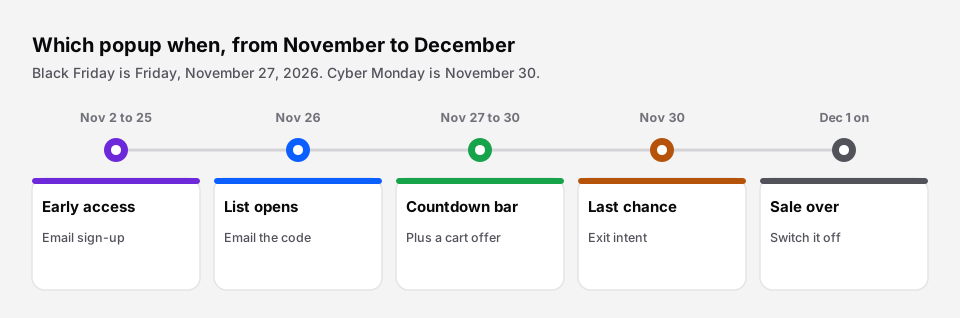 Which popup runs when. Everything switches itself off on December 1.
4. The offer, once per visit
For visitors who arrive on the day from search or social and don’t know about the sale, one popup with the code and the main offer is fair. One.
- Trigger: after 10 seconds or 40% of the page.
- How often: once per session. Hide it for 3 days after the visitor closes it.
- Copy: the offer in the headline (“25% off everything until Monday”), the code big enough to copy, and one button.
- Teaser tab: turn on the teaser tab after closing, so a small “25% off” tab stays at the edge of the screen. Shoppers who closed the popup too fast can open it again themselves.
5. A free shipping goal in a bottom bar
If your Black Friday offer includes free shipping above an amount, say so on every page, not only at checkout. A bottom bar that reads “Free shipping on orders over $60 this weekend” costs nothing to show and pushes the order value up. Pick the amount with the free shipping threshold calculator.
In the cart itself, a progress bar that shows how much is left works even better. That is what the free shipping bar in Nanflows Sliding Cart Pro does.
6. A bundle offer on the cart page
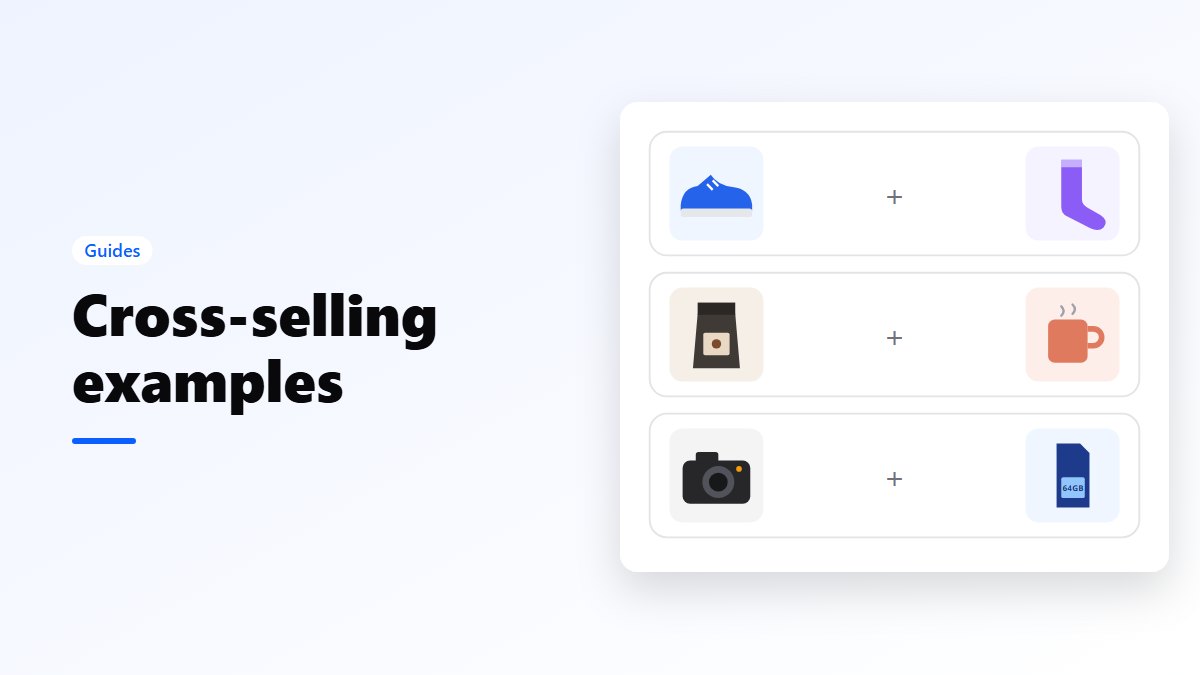
The cart page is where shoppers have already decided. A small inline box there, “Add the matching mug for $12 (save $4 this weekend)”, adds to the order without stopping anyone. Nanflows Popup can place an inline box at the WooCommerce spots on the cart and checkout pages.
7. Something after add to cart
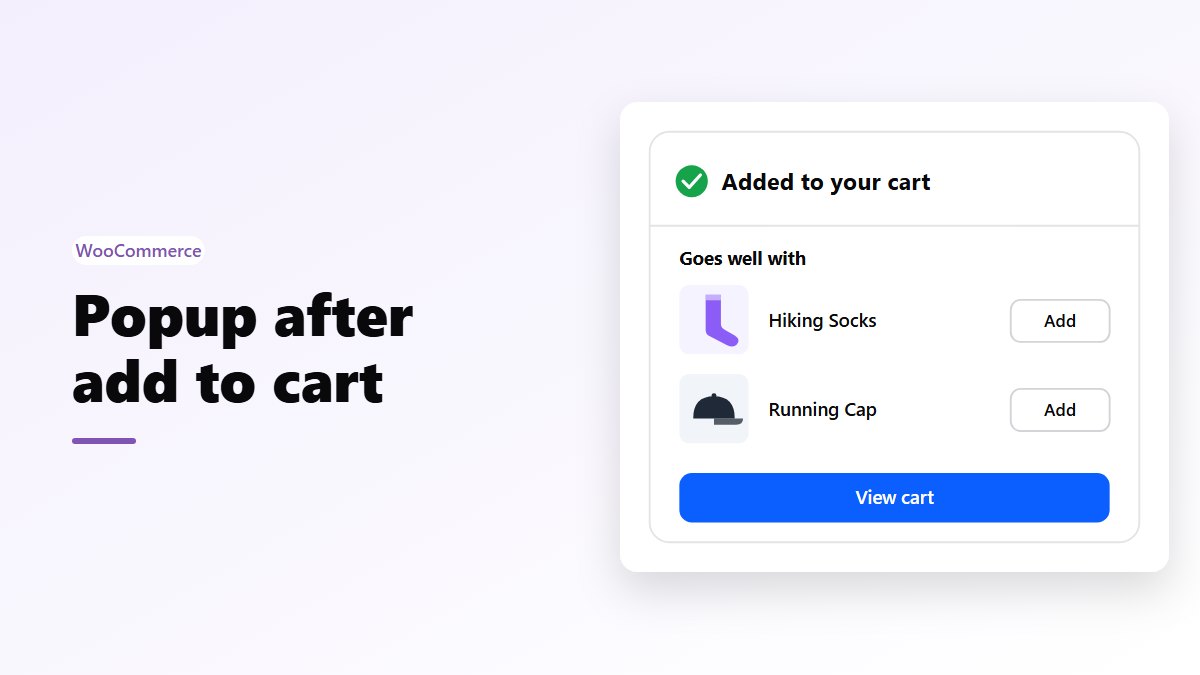
Right after a shopper adds a product, a small popup that confirms it and suggests one thing that goes with it does better than a generic discount. Unlike the others, this one answers what the shopper just did. Nanflows Popup Pro has upsells on add to cart; the whole setup is in a popup after add to cart.
The last day: one more chance
8. Exit intent on Cyber Monday
On the last day of the sale, a slide-in that appears when someone moves to close the tab, “Before you go: your 25% ends tonight”, is the one moment urgency is simply true.
- Trigger: exit intent (Nanflows Popup Pro). On phones, where there is no mouse to leave the page, use a time delay instead.
- Where: product pages and the cart. Not the checkout, where people are paying.
- How often: once. Someone who leaves twice has decided.
With Pro you can also give each visitor a unique code instead of one shared code, so it doesn’t end up on a coupon site an hour later.
9. After the sale: the next list
On December 1, switch the sale popups off and leave one quiet sign-up for the next one: “Missed Black Friday? We’ll tell you first next time.” It turns late visitors into next year’s early list.
Popup settings that keep shoppers happy
| Setting | Black Friday value | Why |
|---|---|---|
| Frequency | Once per session | One popup per visit is plenty |
| After closing | Hide for 3 to 7 days | Closing it is an answer |
| Signed up | Never show again | Don’t ask twice |
| Pages | Product, category, blog | Leave checkout alone |
| Phones | Slide-in or bottom bar | Full-screen popups block the page |
| Schedule | Start and end dates | It switches off by itself |
On phones, Google’s own guidance warns against popups that cover the main content as soon as someone lands from search, so pick a slide-in or a bar there. Nanflows Popup lets you choose the devices for each popup and set a separate size and position for phones.
Test it before the week
- Open the site in a private window, on a phone and on a computer, and walk through it like a shopper.
- Check that the code in the popup works at checkout, with the products it should and shouldn’t apply to.
- Clear your page cache after the last change. Then stop changing things: the Black Friday checklist has the full week-by-week plan.
Set it up with Nanflows Popup
- Free: Nanflows Popup on WordPress.org has modals, slide-ins, top banners, bottom bars and inline boxes, 47 templates including a countdown sale, time, scroll and click triggers, schedules, devices, frequency, the teaser tab and opt-in forms that save leads on your own site.
- Pro: Nanflows Popup Pro adds exit intent, unique WooCommerce coupons, upsells on add to cart, targeting by cart value and past orders, A/B tests and the revenue each popup brought in. $39 a year for one site, or $149 for five.
- More on popups: WordPress popup plugin and exit intent popups.
FAQ
Do popups work for Black Friday?
Yes, when each one has a job and a limit. An early access sign-up before the sale, one offer popup per visit and a last-chance message on the final day all help. Several popups on every page, every time, drive people away.
When should I start showing Black Friday popups?
Start the early access sign-up in early November, three to four weeks before November 27. Switch to the sale popups on the day the sale starts, and turn them off when it ends.
Should I use a countdown timer on a Black Friday popup?
Only if it counts down to the real end of the sale. A timer that restarts for every visitor is a fake deadline, which the FTC lists among deceptive design tricks.
Will popups hurt my SEO?
Popups that cover the page on phones as soon as someone arrives from Google can. Use a slide-in or a bar on phones, or wait until the visitor has scrolled or spent some time on the page.
How many popups should a store run at once?
One that interrupts (a modal or slide-in) and one that doesn’t (a bar or inline box) is a sensible maximum on any page. Use the frequency settings so a visitor sees each one once.