In short: Black Friday is Friday, November 27, 2026, and Cyber Monday is November 30. Pick offers that make orders bigger instead of discounting everything: bundles, a free shipping goal and a gift above a spend. Set them up by mid November, test checkout on a phone, then freeze plugin and theme updates from November 23. In WooCommerce, Nanflows Bundles handles the bundles and Nanflows Sliding Cart shows the free shipping goal in the cart.
The dates, and why the weekend matters
| Day | 2026 date |
|---|---|
| Thanksgiving | Thursday, November 26 |
| Black Friday | Friday, November 27 |
| Small Business Saturday | Saturday, November 28 |
| Cyber Monday | Monday, November 30 |
According to Adobe Analytics, US shoppers spent $11.8 billion online on Black Friday 2025 and $14.25 billion on Cyber Monday 2025, and $44.2 billion across the five days from Thanksgiving to Cyber Monday. Most of that goes to big retailers. A small store’s share is decided by two things: whether its offer is worth stopping for, and whether its checkout works when more people than usual try it at once.
The plan, week by week
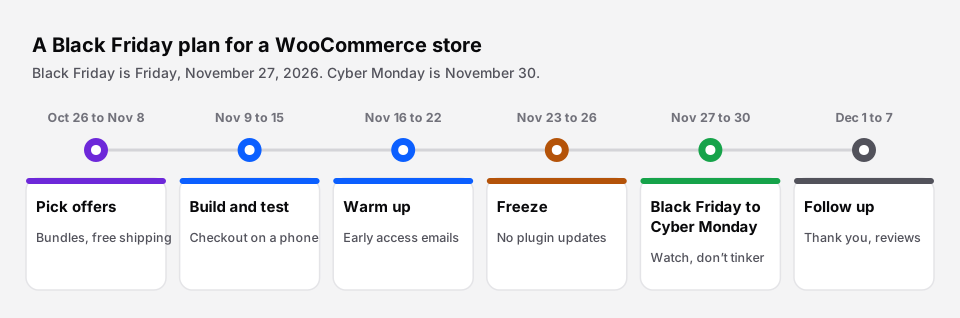 Six steps, starting about a month out.
Weeks 1 and 2 (Oct 26 to Nov 8): pick offers that raise order value
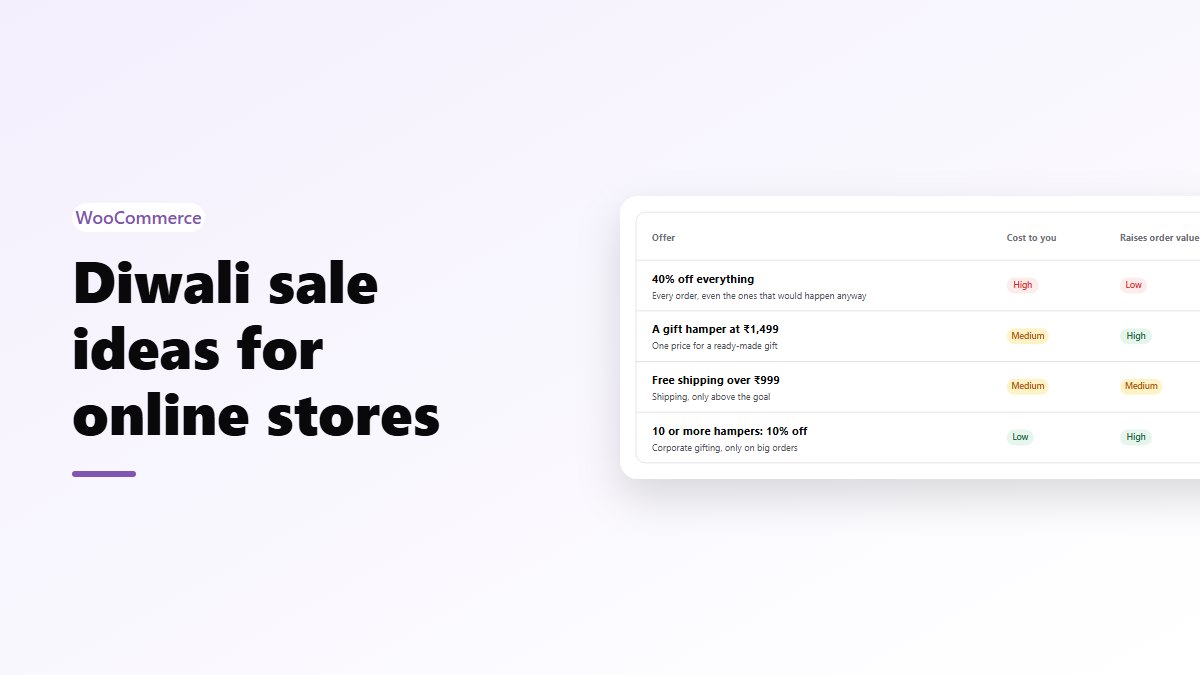
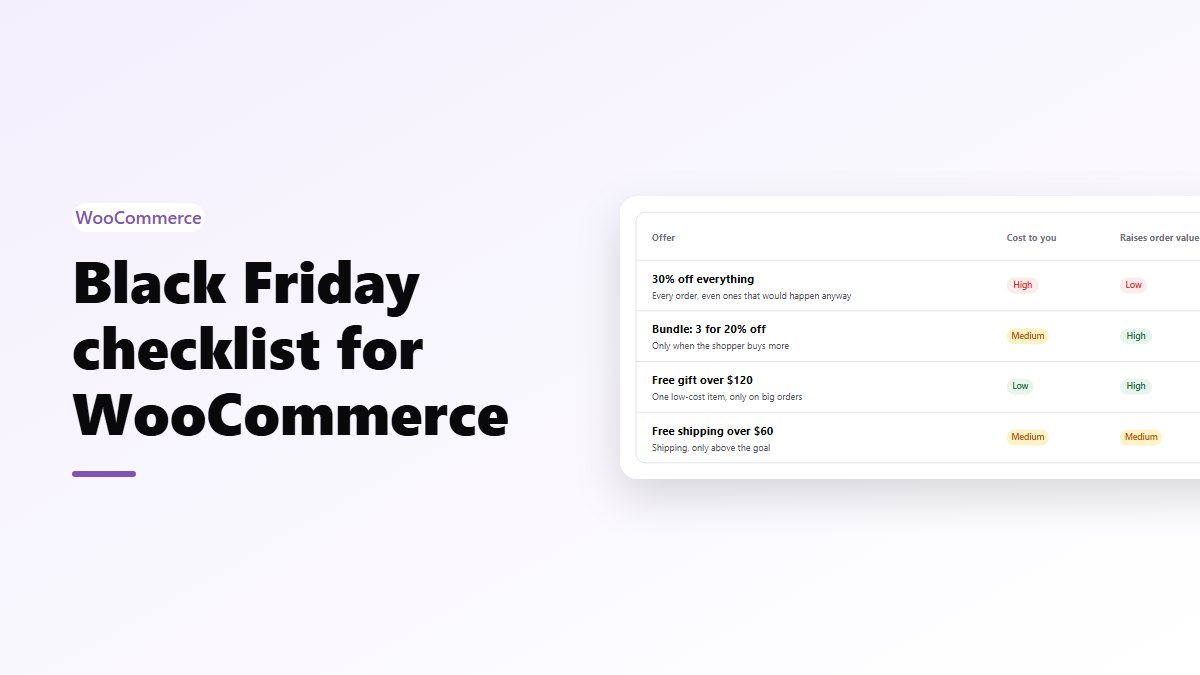
A sitewide discount is the easiest offer to run and the most expensive. It applies to every order, including the ones that would have happened at full price. Offers that only pay out when the shopper buys more protect your margin.
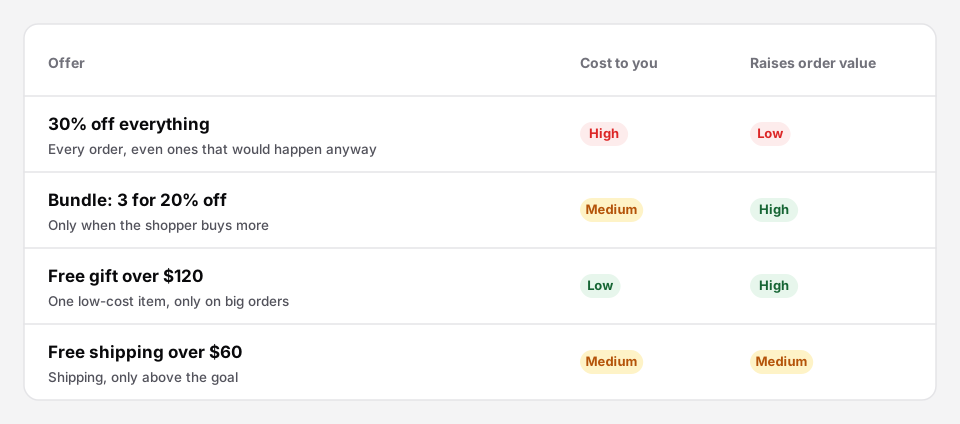 Rough guide. Your own margins decide the exact numbers.
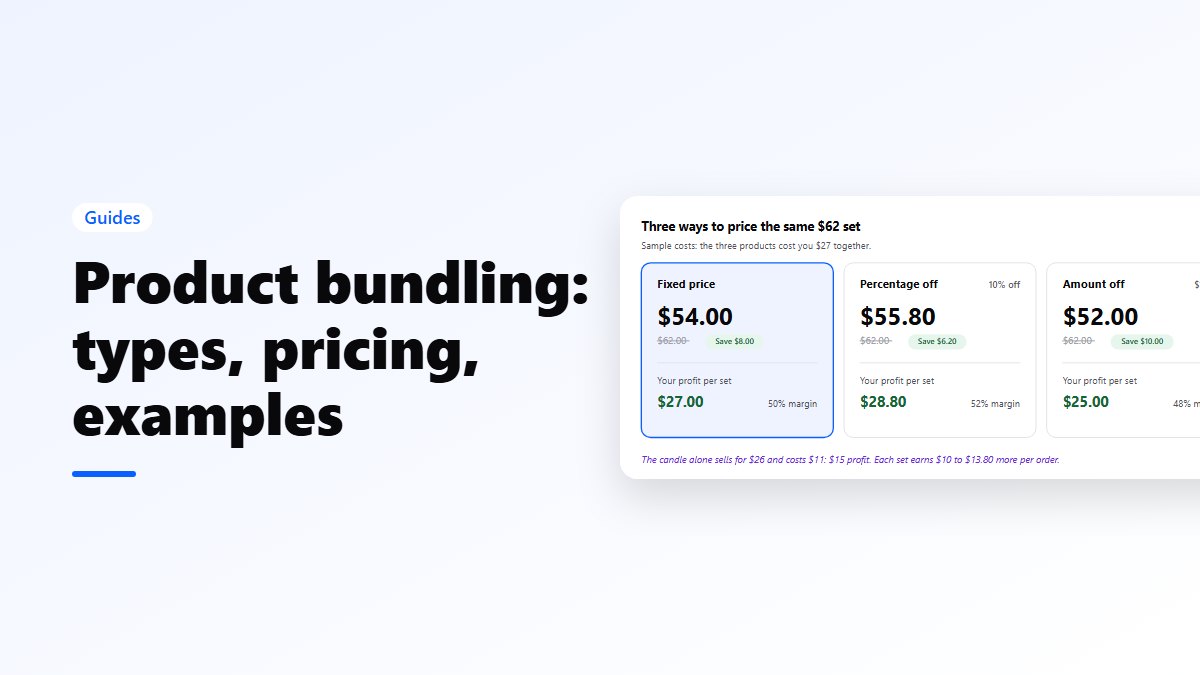
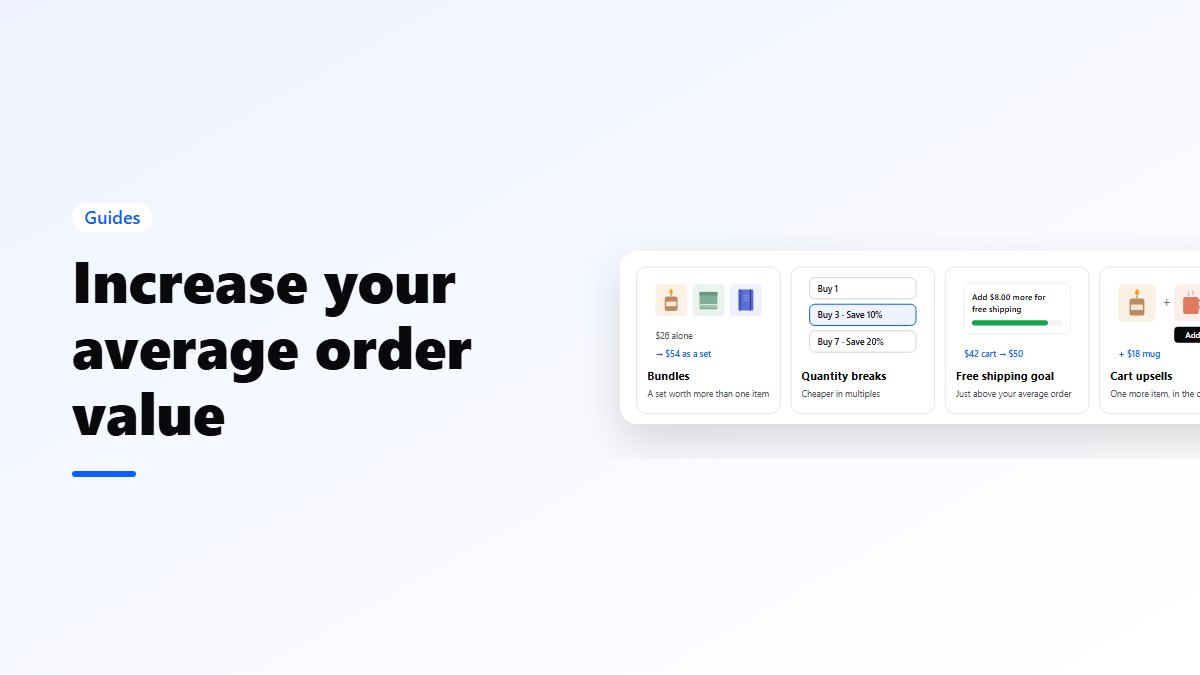
- Bundles. “The gift set: 3 for 20% off” costs you a discount only when three products sell together. Gift sets and starter kits suit November, when many buyers are shopping for someone else. See how to create product bundles in WooCommerce.
- A free shipping goal. Set it a little above your normal average order, so many orders are one item short. Check your average under WooCommerce → Analytics → Orders. More in free shipping bars.
- A gift above a spend. One product you buy in cheaply, added free above, say, $120. It often costs less than a percentage off the same order. See free gift with purchase.
- Quantity breaks for products people buy several of: coffee, candles, socks, supplements. See quantity discounts.
If you do run a straight discount, keep it on a few products and make the bundle the better deal.
Week 3 (Nov 9 to 15): build and test
- Schedule prices instead of changing them by hand. On a WooCommerce product, click Schedule next to the sale price and enter the start and end dates. With Nanflows Bundles Pro, a bundle has Sell from and Sell until dates in your store’s time zone, so the Black Friday set appears and disappears by itself.
- Check stock on bundles. A bundle should only sell while every product in it is in stock. Nanflows Bundles takes stock from the products inside, so a gift set can’t oversell its candle.
- Place real test orders on a phone. Guest checkout, a coupon, a bundle, an address in another state, Apple Pay or Google Pay if you offer them. Then refund them.
- Read your order emails. The customer’s confirmation is the first thing many buyers check when they wonder whether an order went through.
Week 4 (Nov 16 to 22): warm up your list
- Email your customers a short preview: the dates, what is on offer, and early access for subscribers if you can.
- Put the dates on your site, in an announcement bar or on the home page. People plan their Black Friday shopping.
- Check that your shipping cut-off dates for Christmas delivery are written down somewhere visible. You will be asked.
Nov 23 to 26: freeze
This is the week to stop changing things.
- No plugin, theme or WordPress updates unless one fixes a security problem. Updates are usually safe, but “usually” is not good enough for the busiest weekend of the year.
- Take a full backup of files and database, and know how to restore it.
- Check your caching. Cart, checkout and My account must be excluded from the page cache. A cached checkout during a sale is how stores end up with wrong totals and lost orders.
- Ask your host whether your plan has limits on PHP workers or traffic, and what happens when you hit them.
Nov 27 to 30: Black Friday to Cyber Monday
- Watch new orders, failed payments and stock a few times a day.
- Answer customer emails fast. A quick answer to “did my order go through?” saves a chargeback.
- Don’t redesign anything. If something breaks, fix that one thing.
Dec 1 to 7: follow up
- Thank first-time buyers with a short email, not another discount.
- Ask for reviews once orders have arrived, not before.
- Write down what sold, what you ran out of, and which offer brought the biggest orders. That note is next year’s plan.
Mistakes to avoid
- Discounting everything by 30% or more and finding out in December that the busiest weekend made less profit than a normal one.
- Fake urgency. A countdown that restarts for every visitor, or “ends tonight” that runs all week. Shoppers notice, and the FTC calls fake countdown timers a dark pattern. More in urgency and scarcity done honestly.
- A “was” price that was never charged. Under the FTC’s Guides Against Deceptive Pricing, a former price must be one you actually offered in good faith for a reasonable time.
- Testing on desktop only. A large share of Black Friday shopping happens on phones, so test there first.
Get the plugins
- Bundles: Nanflows Bundles on WordPress.org is free for fixed bundles and frequently bought together. Pro adds quantity breaks, mix & match, gift boxes, Buy X Get Y and sell-from and sell-until dates, from $39 a year on the Nanflows Bundles page.
- Side cart: Nanflows Sliding Cart on WordPress.org. Pro adds the free shipping bar, a free gift milestone and cart upsells, from $29 a year on the Nanflows Sliding Cart page.
- Related: how to increase average order value and how to reduce cart abandonment.
FAQ
When is Black Friday 2026?
Black Friday 2026 is Friday, November 27, the day after Thanksgiving (Thursday, November 26). Cyber Monday 2026 is Monday, November 30.
When should a WooCommerce store start preparing for Black Friday?
About a month before. Pick your offers by early November, build and test them by mid November, and stop making changes from the Monday of Thanksgiving week.
What are the best Black Friday offers for a small store?
Offers that only cost you money when the order gets bigger: bundles, a free shipping goal a little above your average order, a free gift above a spend, and quantity breaks. A sitewide discount is simpler but discounts orders you would have had anyway.
Should I update WordPress plugins before Black Friday?
Update in early November, then test. During Thanksgiving week, only install updates that fix a security problem, and take a full backup first.
How do I schedule a Black Friday sale in WooCommerce?
On each product, click Schedule next to the sale price and set the start and end dates. For bundles, Nanflows Bundles Pro has Sell from and Sell until dates, so a Black Friday bundle goes live and comes down on its own.