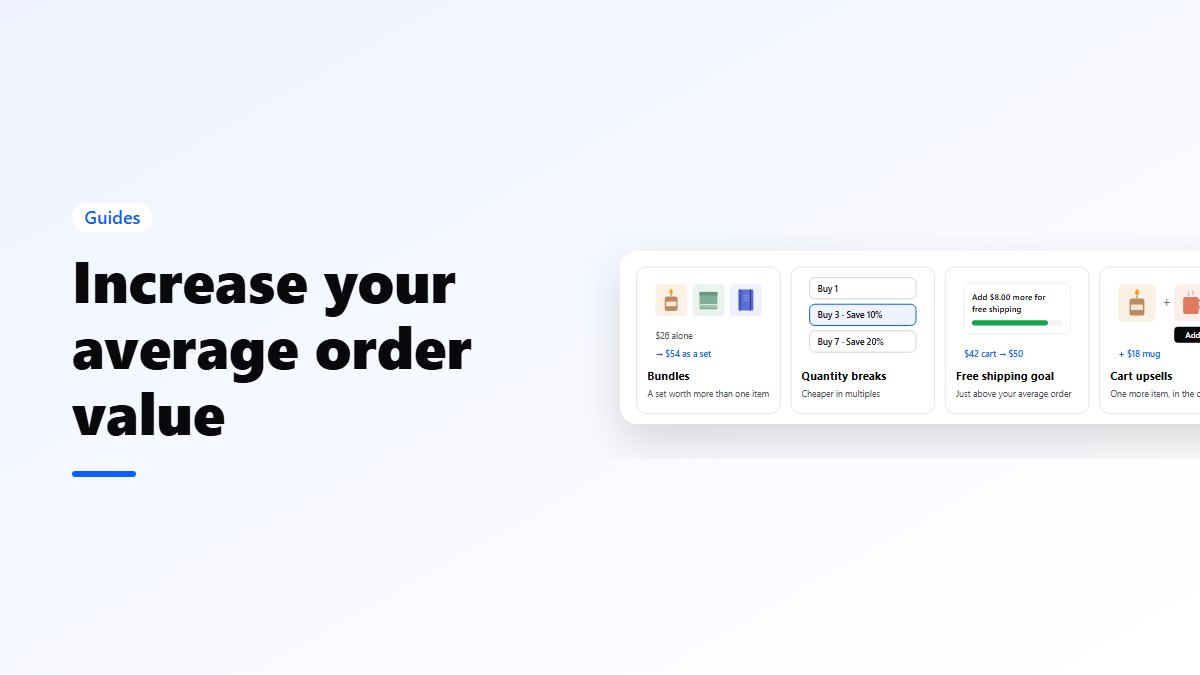
In short: product bundling means selling several products together, usually at a small saving, so customers buy more in one order. Most online stores use mixed bundling: the products are sold on their own and as a bundle. The main types are fixed bundles, frequently bought together, quantity breaks, mix & match, build your own, Buy X Get Y, gift boxes and variety packs. Price a bundle from your margin, not from the discount. On WooCommerce, Nanflows Bundles is free for fixed bundles and frequently bought together.
What is product bundling?
Product bundling is selling two or more products as one offer. The customer gets convenience, a saving or both. The store sells more items per order, moves slower products alongside best-sellers, and makes choosing easier.
There are two kinds:
- Pure bundling: the products are only sold together. Think of a console that only comes with its controller. It’s rare in online stores.
- Mixed bundling: the products are sold on their own and as a bundle, usually cheaper together. This is what almost every online store does.
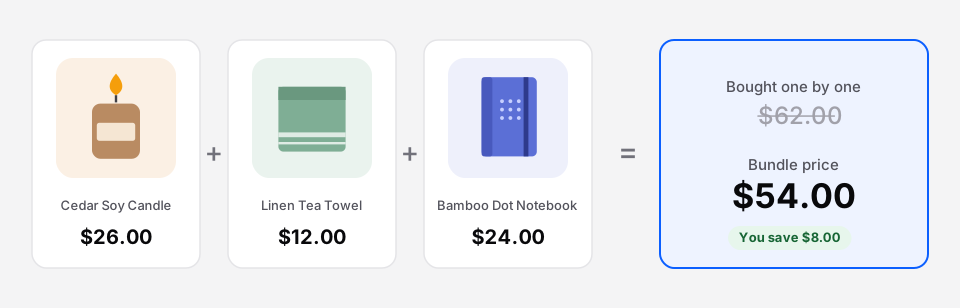 Mixed bundling: each product has its own price, and the set is cheaper together.
The main bundle types
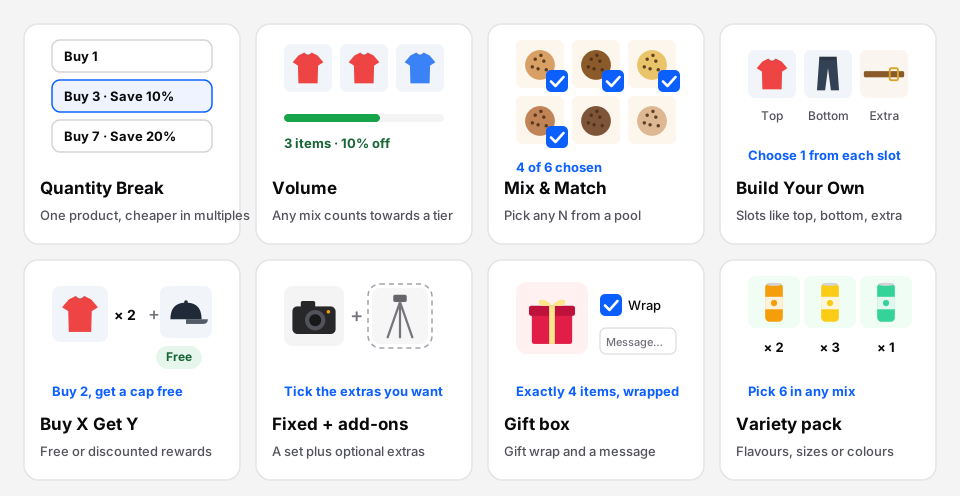 Most stores need two or three of these, not all of them.
- Fixed bundle: a set you choose, at one price. A starter kit, a skincare routine, a desk set. How to create one in WooCommerce.
- Frequently bought together: the main product plus extras the shopper can untick, added in one click. Guide.
- Quantity break: one product, cheaper per unit as the quantity grows. “Buy 3, save 10%.” Guide.
- Volume discount: like a quantity break, but any mix of products counts towards the tiers.
- Mix & match: pick any N products from a pool. “Any 6 cookies.” Guide.
- Build your own: fill slots, like “1 top, 1 bottom, 1 extra”. Guide.
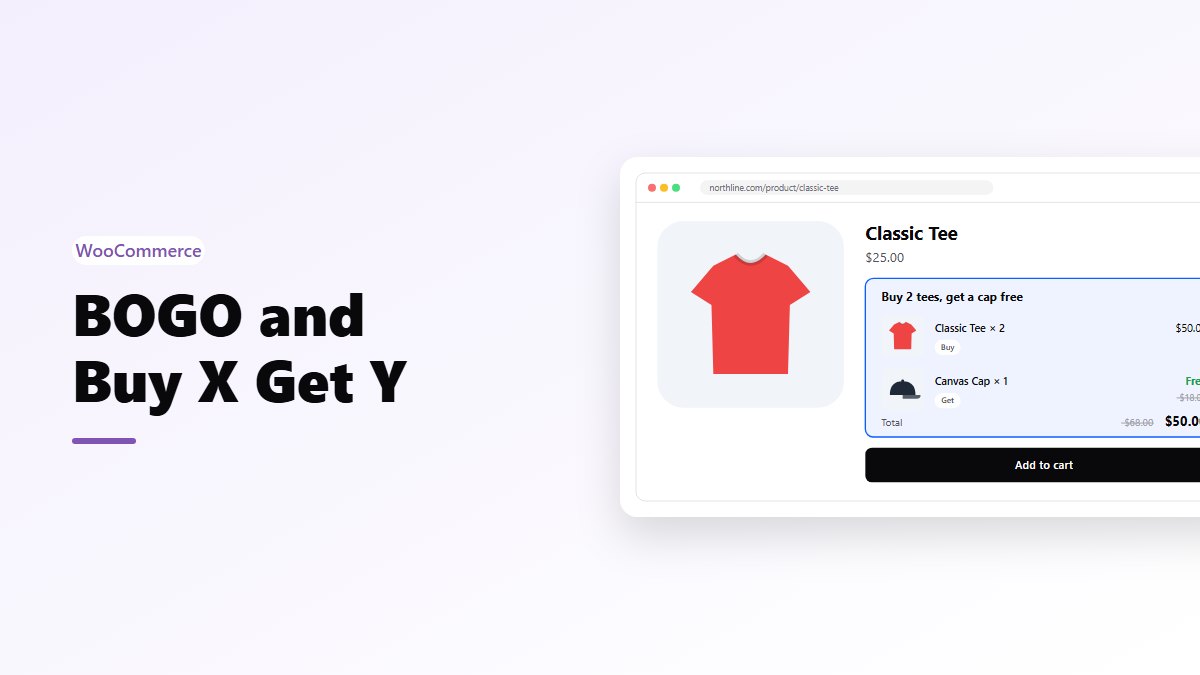
- Buy X Get Y: buy these, get those free or cheaper. BOGO is the simplest. Guide.
- Gift box: a box of N products, with optional gift wrap and a message. Guide.
- Variety pack: N units mixed freely from flavours, sizes or colours. Guide.
Which products to bundle
Start from what customers already do, not from what you want to clear:
- Look at your orders. Which products appear together most often? Those are your first bundles.
- Pair a best-seller with a slower product that genuinely goes with it. The best-seller carries the bundle.
- Complete a job. A bundle should answer one need: “everything for a first espresso”, “a week of lunches”.
- Keep it small. Two to four products is easier to understand than eight.
Avoid bundling products that don’t belong together just to move stock. Customers notice, and the bundle doesn’t sell.
How to price a bundle
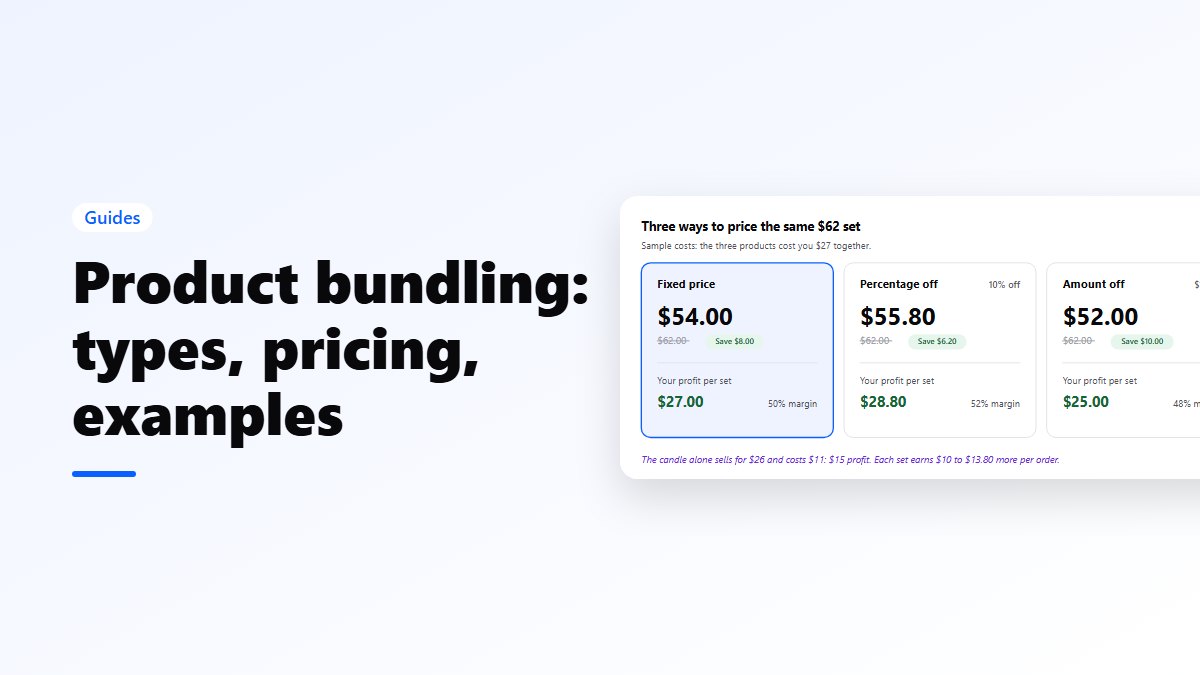
There are three common ways to price a bundle: a fixed price, a percentage off, or an amount off. The right one is the one that keeps your margin.
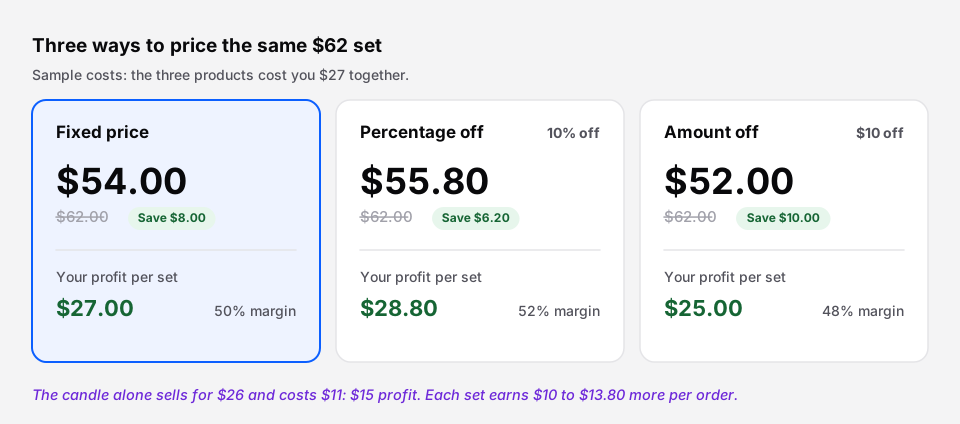 Every option here earns more per order than selling the candle alone.
A few rules that hold up:
- Work from profit, not from the discount. Add up what the products cost you, then choose the price. A 10% saving on three items can still earn far more than one item at full price.
- Make the saving visible. Show the price of the products bought one by one, crossed out, and the amount saved.
- Keep discounts modest. 5–15% is usually enough for a fixed bundle. The convenience is part of the value.
- Round to a clean number. $54 reads better than $55.80.
- Use bigger savings to move more units, in quantity breaks and Buy X Get Y, where the extra units carry the discount.
Examples by kind of store
- Beauty: cleanser, serum and moisturiser as “the morning routine”.
- Coffee: a quantity break on beans, or a starter kit with a grinder and filters.
- Clothing: build your own outfit, or Buy 2 tees, get a cap at half price.
- Food: mix & match boxes, variety packs of flavours.
- Electronics: the camera with a card and a bag, as frequently bought together.
- Gifts: seasonal gift boxes with wrap and a message.
Practical things to get right
- Stock. A bundle should only sell while every product in it is in stock. Good bundle tools take stock from the real products, not from a separate bundle count. Selling kits without overselling.
- Where it shows. Put the bundle on the product pages of what’s in it, or on chosen pages, not everywhere.
- The cart and orders. Each product should still appear on the order, so picking, packing and refunds work item by item.
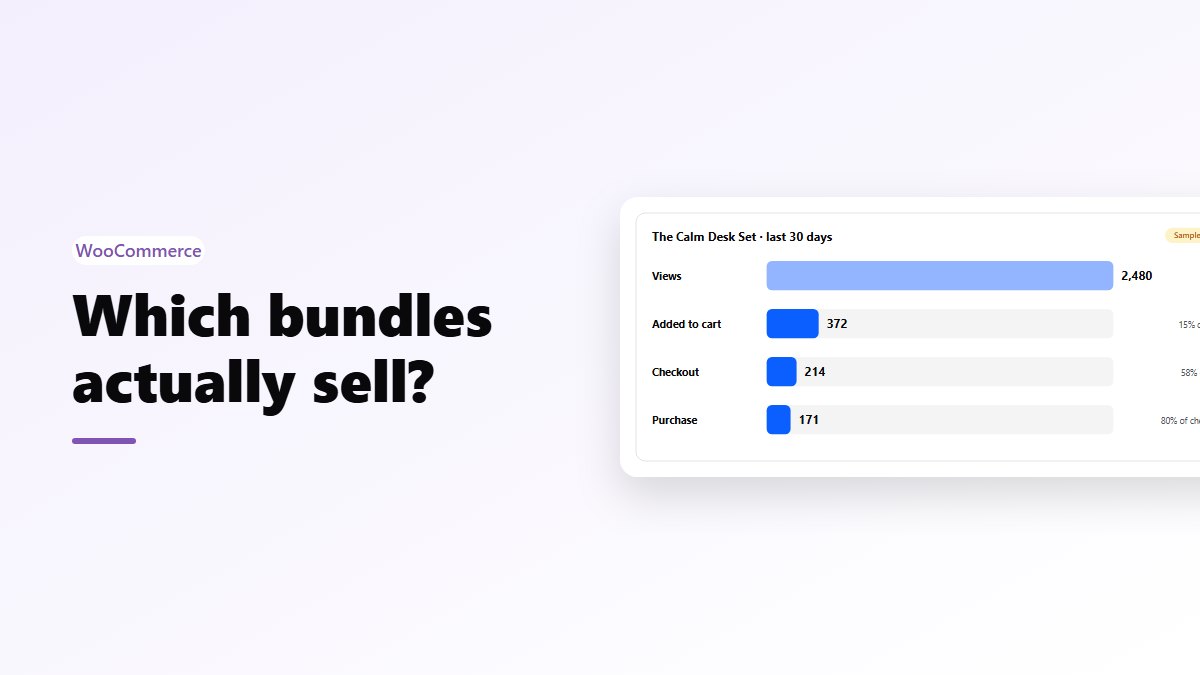
- Measure. Track bundle orders, revenue and which bundles convert. Bundle analytics.
Tools for product bundling
- WooCommerce: Nanflows Bundles is free for fixed bundles and frequently bought together, with stock from the real products and bundle analytics. Pro adds the other bundle types, from $39 a year. Every type is on WooCommerce product bundles. WooCommerce also sells its own Product Bundles extension. See how they compare, and the best WooCommerce bundle plugins.
- Shopify: Shopify’s free Bundles app covers fixed bundles and multipacks. Nanflows Bundles for Shopify adds the other types, A/B tests and subscriptions, with every feature on every plan. See the best Shopify bundle apps.
FAQ
What is product bundling?
Product bundling is selling two or more products together as one offer, usually at a lower price than buying them separately. It raises the number of items per order and the average order value.
What is the difference between pure and mixed bundling?
In pure bundling, the products are only sold together. In mixed bundling, they are sold separately and as a bundle. Most online stores use mixed bundling.
How much discount should a bundle have?
For a fixed bundle, 5–15% is usually enough. Work out the profit on the bundle from what the products cost you, and make sure it beats selling the main product on its own.
What are examples of product bundles?
A skincare routine of three products, a camera with a memory card and a bag, a pick-any-6 cookie box, “buy 3 coffees, save 10%”, and a holiday gift box with wrap and a message.
How do I create product bundles in WooCommerce?
Install a bundle plugin such as the free Nanflows Bundles, choose the products and quantities, set the bundle price, and pick the product pages where it shows. Our step-by-step guide covers it: how to create product bundles in WooCommerce.