In short: a build-your-own bundle splits a set into slots, such as one top, one bottom and one belt, each filled from its own products. Shoppers fill every slot and get the set at a bundle price. In WooCommerce, Nanflows Bundles Pro does it with up to 10 slots. Use it when a set has a structure; use mix and match when any N items will do.
Mix and match works when everything comes from one pile. But an outfit isn’t “any three items”; it’s a top, a bottom and something to finish it. That structure is what a build-your-own bundle adds.
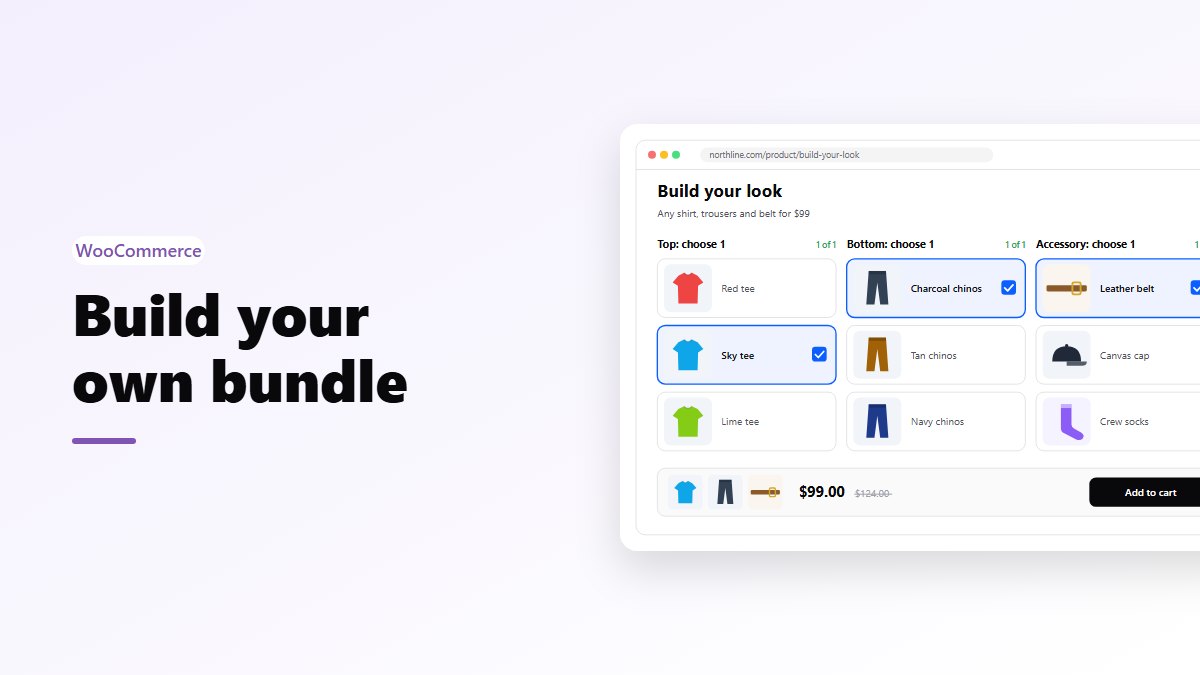
Each part of the bundle is a slot, with its own products. The shopper fills every slot, and the result is a complete set they chose themselves.
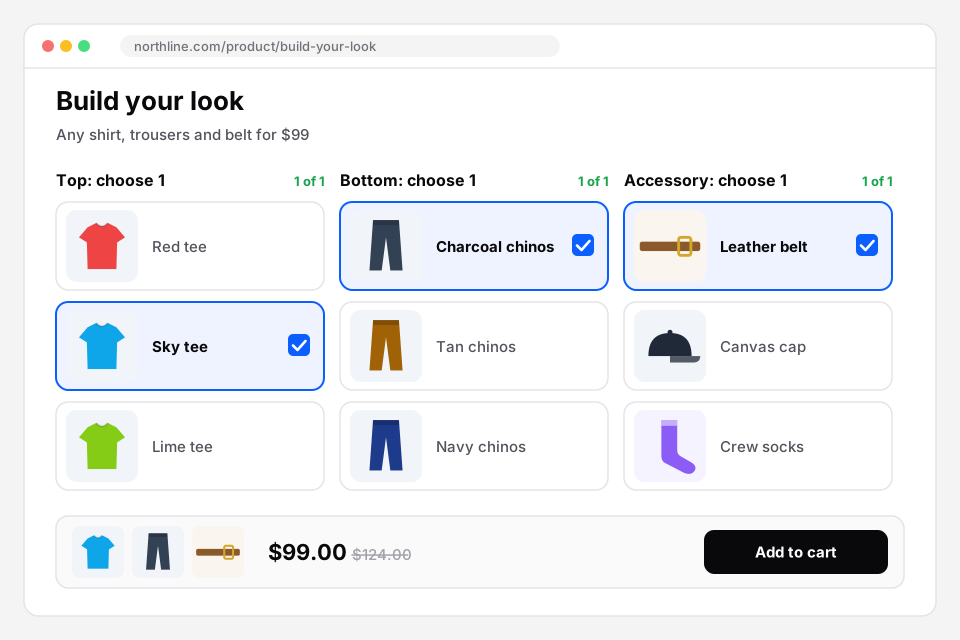 Build your own: one choice per slot, and the set’s price at the bottom. Sample store.
This post shows how to build one with Nanflows Bundles Pro.
Where slots make sense
- Clothing: Top: choose 1 · Bottom: choose 1 · Accessory: choose 1.
- Skincare: Cleanser · Serum · Moisturiser.
- Food and hampers: Something sweet · Something savoury · A drink.
- Tech: Device · Case · Charger.
- Stationery: Notebook · Pen · Ink.
If you can name the parts, slots fit.
Setting it up
- Bundles → Create Bundle → Build Your Own.
- Name the slots first. Each slot has a name and how many items to choose from it. You can have up to 10.
- Add the products, and put each one in a slot. Every product belongs to exactly one slot.
- Most of the same product: 1 by default, so nobody takes the same shirt twice.
- Set the price: a fixed price, a percentage off, an amount off, or no discount.
- Pick the pages and publish.
The editor checks the shape before it lets you publish. If a slot has no products, or a product isn’t in a slot, it says so: “Every slot needs products to choose from.”
Designing slots people actually finish
A build-your-own bundle only earns money when it’s finished. A few things help:
Lead with the main item. People choose the shirt, then match the trousers to it. Put the slot that drives the decision first.
Three or four slots. Ten is possible; it’s rarely a good idea. Every slot is another decision.
Name slots as the shopper thinks of them. “Top” beats “Upper garments”.
Keep choices in a slot manageable. Six good options beat thirty.
Make every slot sellable. If a slot’s products sell out, nobody can finish the bundle. Check stock on the smallest slot first.
Pricing
- A fixed price is clearest when the products in each slot cost about the same: “Any shirt, trousers and belt for $99.”
- A percentage off is safer when prices within a slot vary a lot: “20% off when you build your look.”
Gifts work differently
If the bundle is a present, a gift box is usually better: one pool, an exact number of items, and optional gift wrap and a message for whoever packs it.
In the cart and the order
The bundle goes to the cart as one item, with the shopper’s picks listed under it. In the order, each product shows a visible “Part of bundle” line, so whoever packs it knows what goes together. Stock comes off each product separately.
Make your first builder
- Nanflows Bundles Pro has build your own with up to 10 slots, plus mix & match and gift boxes. $39 a year for one site, or $149 for up to five, and a first purchase can be refunded within 14 days.
- It builds on the free Nanflows Bundles plugin from WordPress.org.
- More on WooCommerce product bundles, and all bundle plugins compared.
FAQ
Can a slot allow more than one pick?
Yes. Set “Items to choose” for that slot, for example Accessories: choose 2.
Can the same product be in two slots?
No, each product belongs to one slot. That keeps the choices clear.
Is this in the free plugin?
No, Build Your Own is a Pro bundle type. For a simpler choose-anything bundle, see mix and match.