In short: the free Nanflows Bundles plugin gives a WooCommerce store unlimited fixed bundles and “frequently bought together” offers, with stock taken from the products inside, cash on delivery rules per bundle and sales analytics. Pro adds eight more bundle types, percentage and amount-off pricing, sales rules and deeper reports, from $39 a year. Start free, and upgrade when you need one of those.
We sell Pro, so take this with that in mind. But a lot of stores never need it, and it’s better you find that out here than after paying.
What the free plugin does
The free plugin is on WordPress.org and has no limits on how many bundles you make. It covers two kinds of bundle:
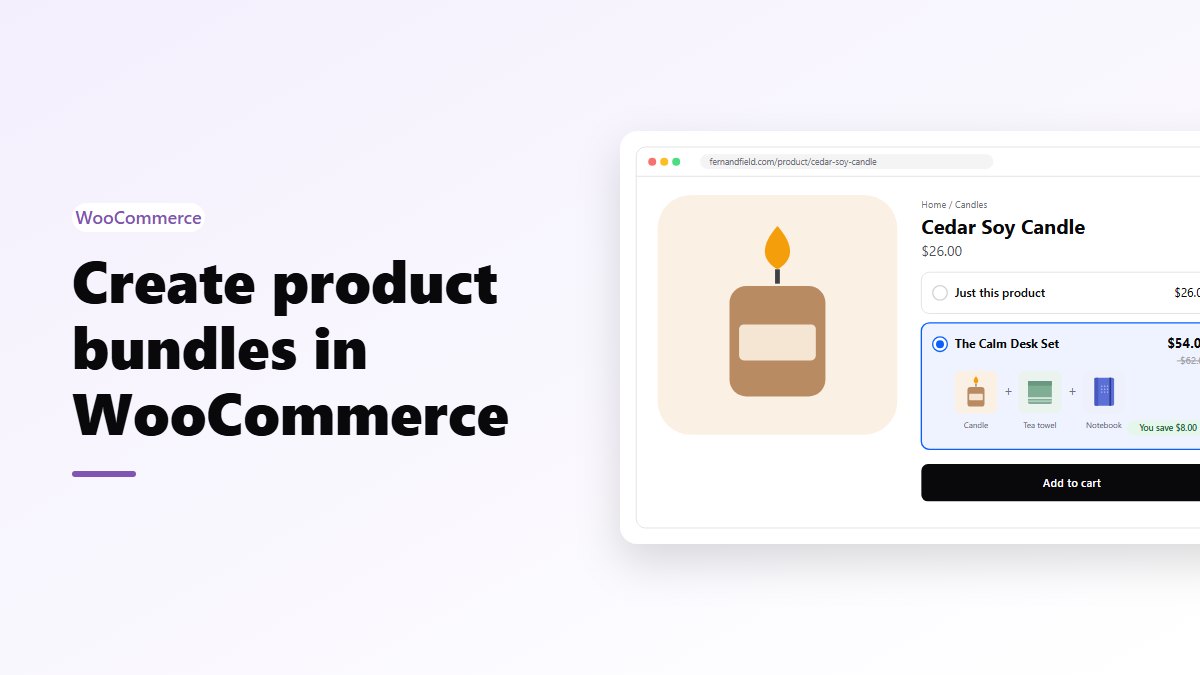
- Fixed bundles. You choose the products and how many of each, and set one price for the lot. A starter kit, a gift set, “the full routine”.
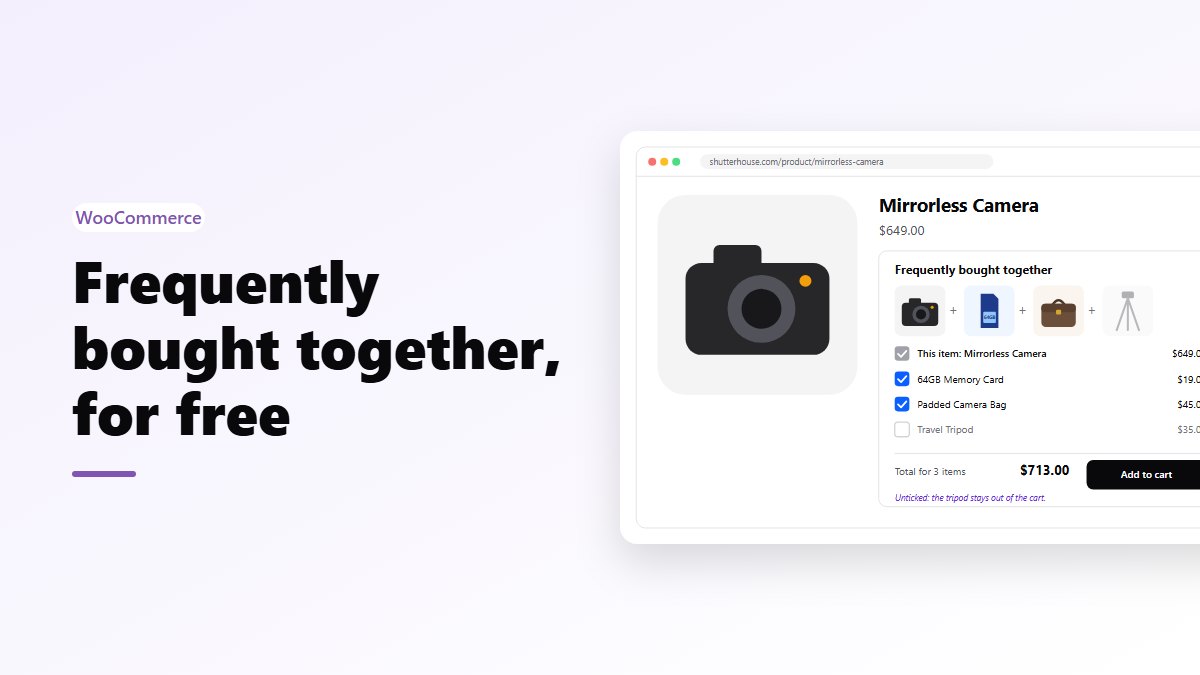
- Frequently bought together. A main product with up to 4 extras the shopper can untick, added to the cart in one click.
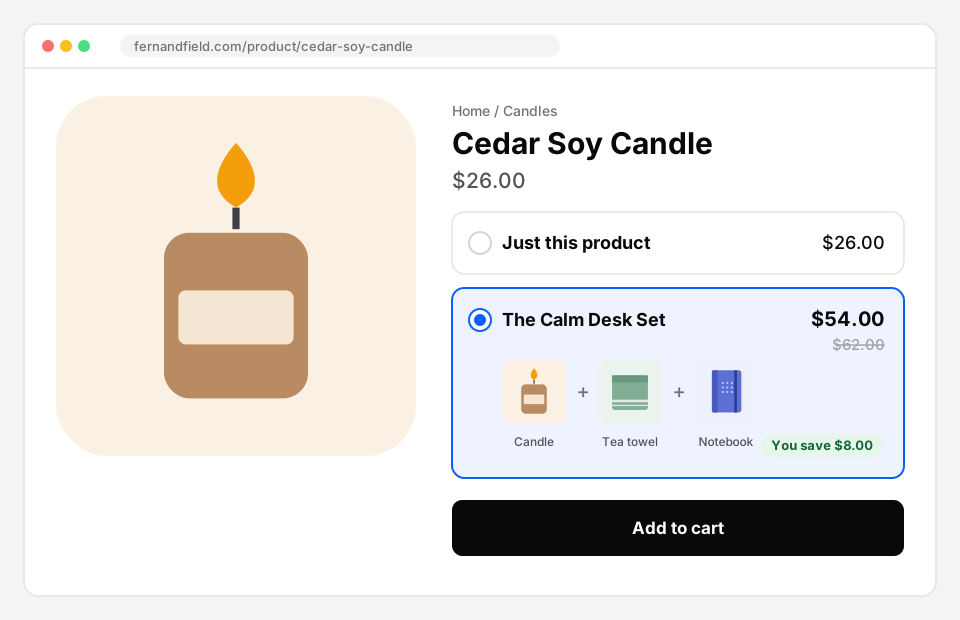 What the free plugin looks like on a product page: the product alone, or the bundle, with one Add to cart button.
Around those two, the free version already does the parts that are hard to get right:
- Stock comes from the real products inside. A bundle can only be sold while every product in it is in stock, and overselling is stopped at add to cart, in the cart and at checkout.
- Variable products work. You can fix the variation, or let the shopper pick the size or colour.
- Cash on delivery, prepaid or both, set per bundle.
- The normal WooCommerce checkout, classic or blocks, with your gateways, taxes, shipping and coupons.
- Bundles on chosen product pages or whole categories, plus a block and a shortcode for anywhere else.
- Analytics: bundle orders, revenue, units, average bundle value, and prepaid vs COD, by day.
One thing worth knowing: in the free version, “frequently bought together” sells the products at their own prices. It makes buying the set one click instead of four, but it doesn’t discount it. If you want “10% off when bought together”, that’s Pro.
What Pro adds
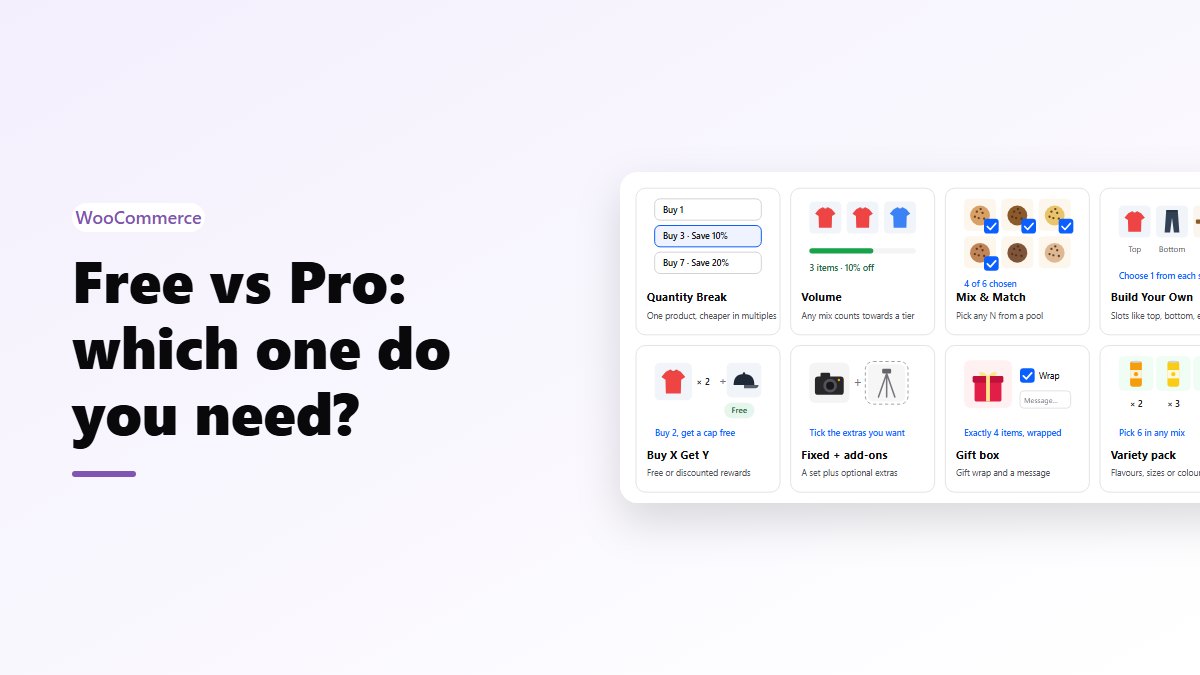
Eight more bundle types
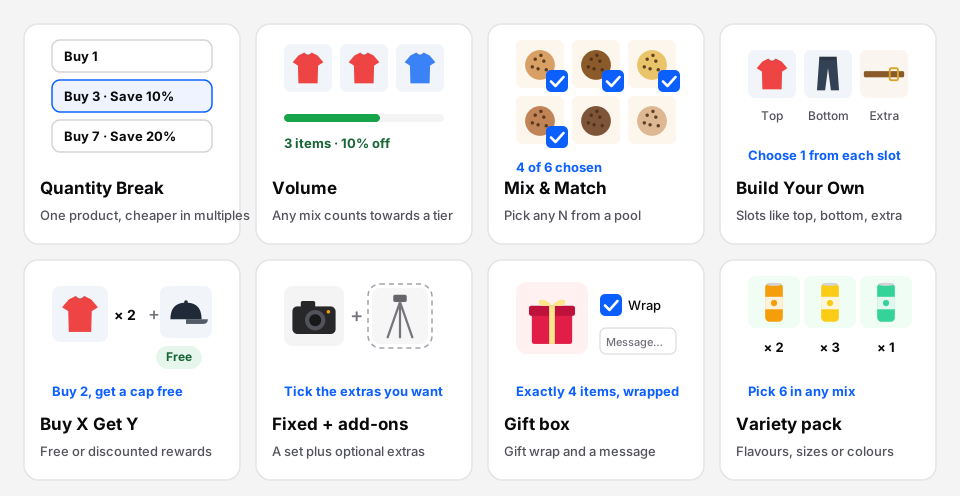 The eight bundle types in Pro, at a glance.
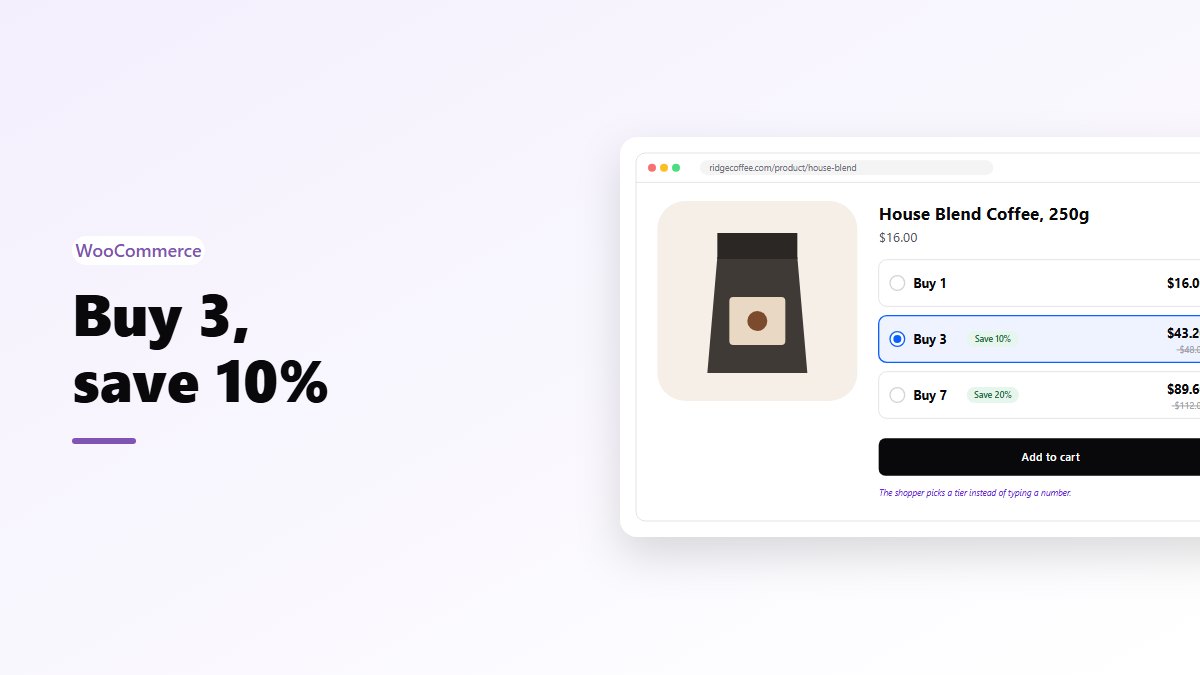
- Quantity Break: one product, cheaper the more you buy. Buy 3, save 10%; buy 7, save 20%.
- Volume: one or several products, where any mix counts towards the discount tiers.
- Mix & Match: shoppers pick any N products from a pool you choose.
- Build Your Own: slots like “choose 1 top, 1 bottom”, each filled from its own products.
- Buy X Get Y: buy these, get those free or at a discount. BOGO is the simplest version.
- Fixed + add-ons: a set bundle plus extras the shopper can tick, each at a discount you choose.
- Gift boxes: a box of exactly N products, with optional paid gift wrap and a gift message.
- Variety packs: exactly N units mixed freely from flavours, sizes or colours.
Better pricing on the two free types
- Fixed bundles can be a percentage off or an amount off, not only a fixed price.
- Frequently bought together goes up to 10 extras, with a percentage off what the shopper keeps, and an optional minimum: “buy the camera with any two accessories, 10% off”.
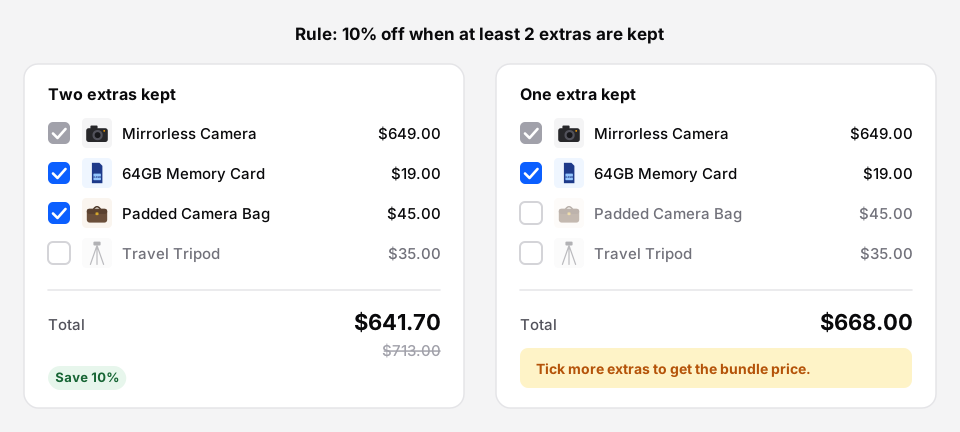 Pro’s minimum in action: keep two extras and the 10% applies; keep one and the shopper is told why not.
Rules
- Sell from and sell until a date, in your shop’s time zone. Good for launches and seasonal offers.
- A minimum and maximum number of bundles per order.
Reports
- A funnel for each bundle: views, adds to cart, checkouts, purchases.
- The most bundled products, by units.
- New vs returning bundle buyers, and guests.
- COD vs prepaid failure rate: how many orders end up cancelled, failed or refunded, by payment type.
- Placements: whether a bundle was seen and added from a product page, its own page, or a block or shortcode.
- CSV exports, and a sales summary by email every Monday or on the 1st of each month.
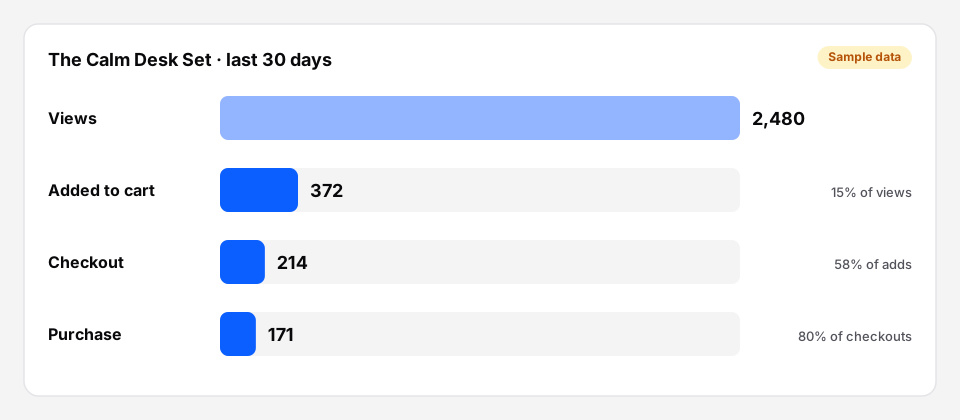 The Pro funnel for one bundle (sample numbers).
When the free version is enough
Stay on free if:
- You sell a few ready-made kits at a set price.
- You want “goes well with” suggestions and don’t need them discounted.
- You don’t run timed promotions.
That covers plenty of stores. There’s no trial clock and no bundle limit on the free plugin.
When Pro pays for itself
Pro makes sense when one of these is true:
- You sell things people buy in multiples: coffee, supplements, candles, socks. A quantity break is the simplest way to sell 3 instead of 1.
- Your customers want to choose: mix & match, build your own, gift boxes and variety packs all let them.
- You run promotions: BOGO and Buy X Get Y with start and end dates.
- You sell with cash on delivery and want to know whether bundles fail more often on COD. See bundles and COD.
- You want to know which bundles work, not just what sold. See bundle analytics.
Price and licence
- Pro: $39 a year, 1 site.
- Pro+: $149 a year, up to 5 sites.
Both include a year of updates inside WordPress and email support. A first purchase can be refunded in full within 14 days. You can move a licence to another site from your Nanflows dashboard.
If a licence lapses, Pro bundles pause instead of being deleted, and come back by themselves when you renew. Free bundles keep selling the whole time.
Upgrading
- Buy Pro on the Nanflows Bundles page and download the zip from your dashboard.
- In WordPress, go to Plugins → Add New → Upload Plugin, and upload it. Keep the free plugin installed: Pro builds on it.
- Open Bundles → Pro licence, paste your key and press Activate.
Your existing bundles stay exactly as they were. The new types appear in Create Bundle straight away.
New to bundles? Start with how to create your first bundle in WooCommerce.
Get it
- Free: Nanflows Bundles on WordPress.org. Install it from Plugins → Add New in WordPress.
- Pro and Pro+: every feature and plan is on the Nanflows Bundles page, and all our plugins are on pricing.
- Still comparing? Here are the best WooCommerce bundle plugins, including where the others do better.
FAQ
Is Nanflows Bundles free?
Yes. The free version on WordPress.org has no bundle limit, no trial and no time limit. It covers fixed bundles and frequently bought together.
How much does Nanflows Bundles Pro cost?
$39 a year for one site, or $149 a year for up to five sites with Pro+. A first purchase can be refunded in full within 14 days.
Do I need the free plugin to use Pro?
Yes. Pro builds on the free plugin, so keep both installed. Bundles you made with the free plugin carry on as they are.
What happens to my bundles if I stop paying for Pro?
Pro bundles pause instead of being deleted, and come back when you renew. Free bundles keep selling the whole time.