In short: WooCommerce has no “frequently bought together” box on the product page; its cross-sells only show in the cart. The free Nanflows Bundles plugin adds one: a main product with up to 4 extras, already ticked, that the shopper can untick and add to the cart in one click. A discount on the set, and up to 10 extras, need Pro.
You’ve seen it on Amazon: under the product, two or three things that go with it, already ticked, with one button to add the lot. It works because it saves the shopper a job. They were going to need the memory card anyway.
WooCommerce doesn’t have this built in. Cross-sells show in the cart, after the decision is made. This post shows how to add a proper frequently bought together box on the product page with the free Nanflows Bundles plugin.
How it works for the shopper
- The product they’re looking at is always in.
- The extras sit underneath, ticked.
- They untick what they don’t want, and the total follows.
- One click adds everything still ticked.
If they untick every extra, the main product goes to the cart on its own. Nobody gets stuck.
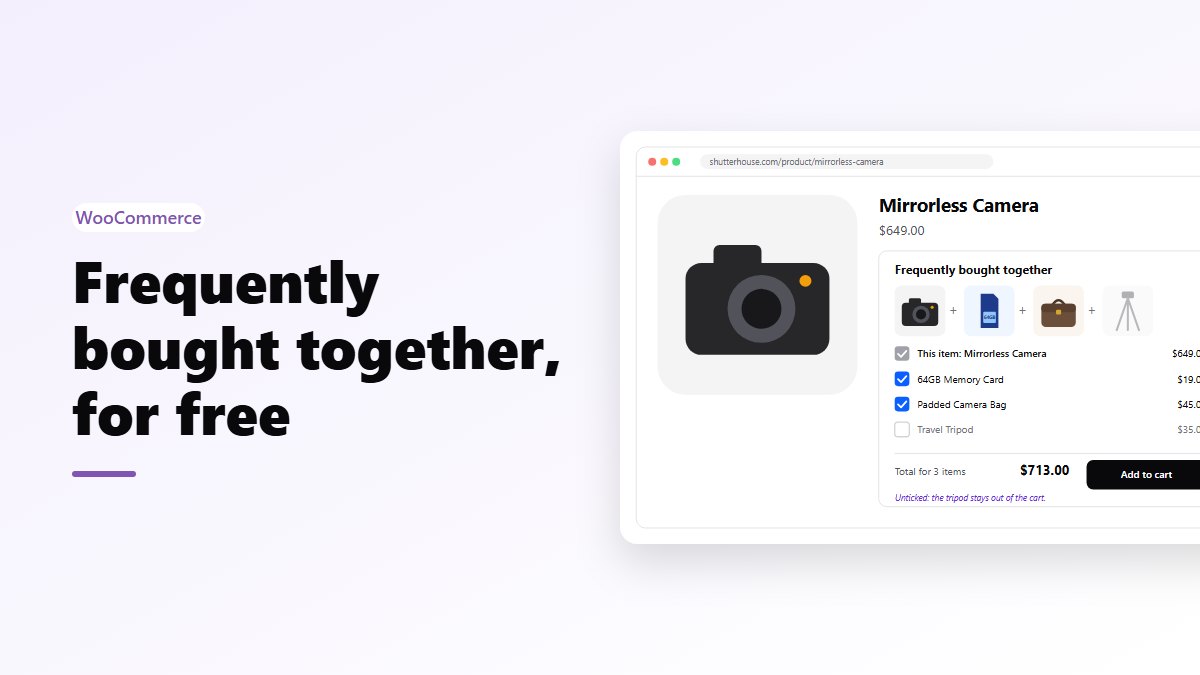
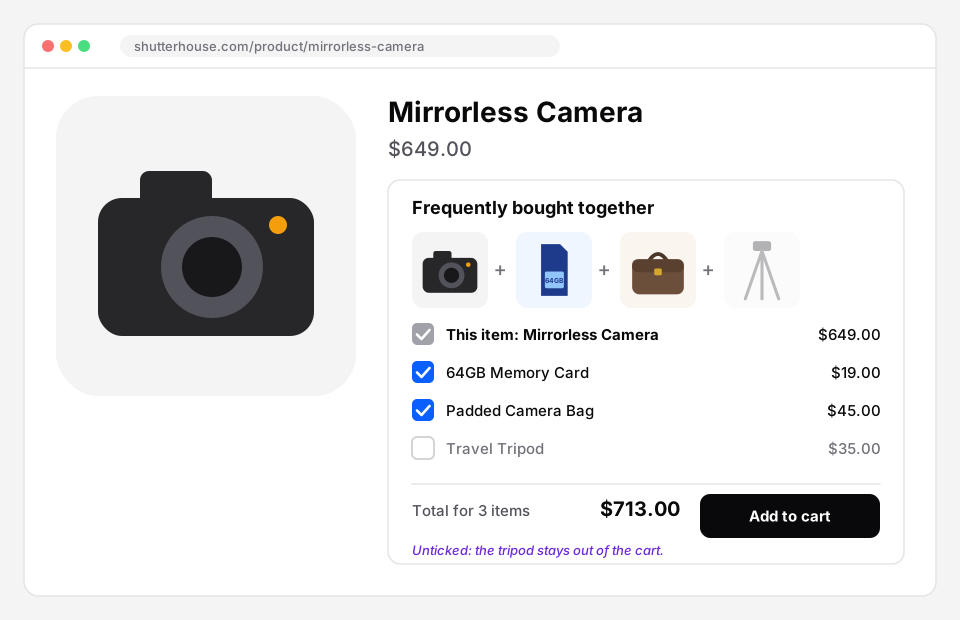 Frequently bought together in the free plugin: the shopper unticked the tripod, so it stays out of the cart.
Setting it up
- Go to Bundles → Create Bundle, give it a name and choose Frequently bought together.
- Add the products. The first one is the main product; the rest are the extras. The free plugin allows up to 4 extras.
- Publish.
The offer shows on the main product’s page. You don’t need to pick pages for it.
Choosing the extras
This is where most of the result comes from, so it’s worth ten minutes:
- Pick what people actually use together. Look at your orders: what gets bought with this product already? Start there.
- Cheaper than the main product. A $15 strap under a $120 watch is an easy yes. A $200 add-on under a $40 product is a second decision.
- Two or three is plenty. Four is the limit in the free version for a reason: past that, people stop reading.
- Things that run out. Refills, filters, cleaning kits. If it needs replacing, it belongs here.
Discount or no discount?
In the free plugin, the extras sell at their own prices. The box still earns its place, because you’re turning three separate decisions into one click.
Nanflows Bundles Pro adds three things:
- a percentage off whatever the shopper keeps;
- up to 10 extras;
- a minimum number of extras for the discount, such as “buy the camera with any two accessories, 10% off”.
With a minimum set, a shopper who unticks too much sees “Tick more extras to get the bundle price.” They can still buy, just at normal prices.
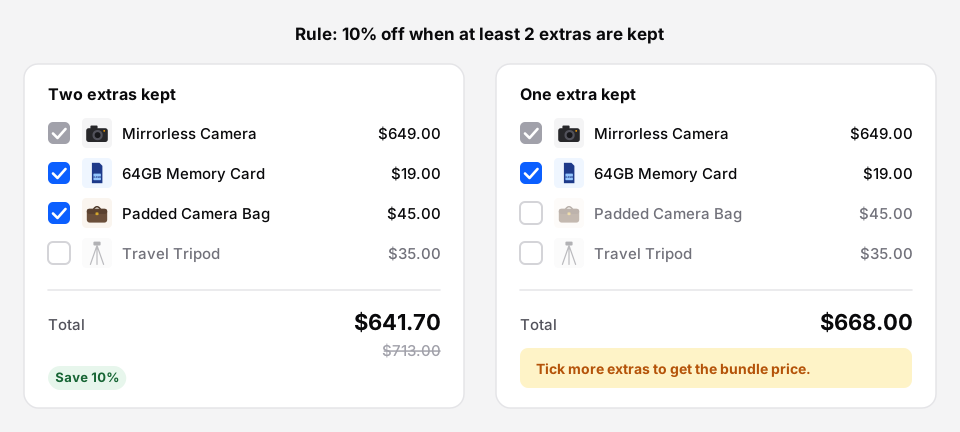 With a minimum of two extras: the discount applies on the left, and the message explains it on the right.
Why only a percentage, and not a fixed price? Because the shopper changes what’s in the set. A fixed price can’t follow a selection that keeps changing. A percentage always can.
When the extras shouldn’t be optional
Sometimes the main thing has to come as a set, and the extras are true extras: a camera kit (camera, bag and card) with an optional tripod. That’s a different bundle type in Pro, Fixed + add-ons. The set is always included at the bundle price, and each add-on the shopper ticks gets the add-on discount you choose.
If nothing in it is optional, that’s just a fixed bundle.
Where else it can go
The box sits on the main product’s page by default. You can also show it anywhere with the Bundle block or the shortcode, for example in a gift guide or a “getting started” post.
Get it
- Free: Nanflows Bundles on WordPress.org, with up to 4 extras per offer at their normal prices.
- Pro: Nanflows Bundles Pro takes it to 10 extras, a percentage off what the shopper keeps, and a minimum number of extras. $39 a year for one site, or $149 for up to five, and a first purchase can be refunded within 14 days.
- See also: WooCommerce product bundles and what free and Pro each include.
FAQ
Does stock work for the extras?
Yes. Each product uses its own stock. An extra that’s out of stock is shown as out of stock and can’t be added.
Can the extras be variable products?
Yes. Shoppers choose the size or colour, from the options you allow.
How is this different from WooCommerce cross-sells?
Cross-sells show in the cart, as separate products to add one by one. This sits on the product page, before the decision, and adds the set in one click.