In short: mix and match lets shoppers fill a box with any N products from a pool you choose (“any 6 cookies for $20”). In WooCommerce, Nanflows Bundles Pro does it with a pool of 2 to 40 products, a minimum and maximum box size, and a limit on how many of one product fit in a box. Stock comes off each product picked.
Some products sell better when people get to choose. Nobody wants the six cookie flavours you picked for them; they want their six. Mix and match gives them that, at a box price.
This post shows how to set it up in WooCommerce with Nanflows Bundles Pro.
What the shopper sees
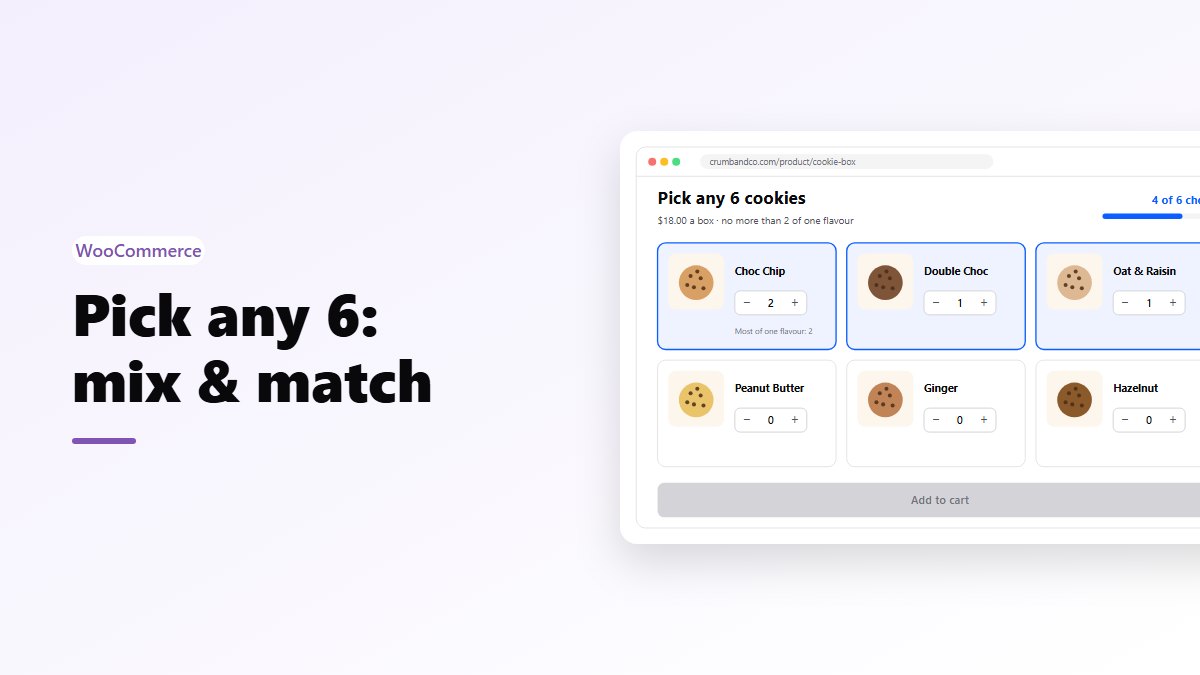
- The products they can choose from.
- A counter as they pick, such as “2 of 6 chosen”.
- When the box is full, the bundle goes to the cart as one item, with their picks listed under it.
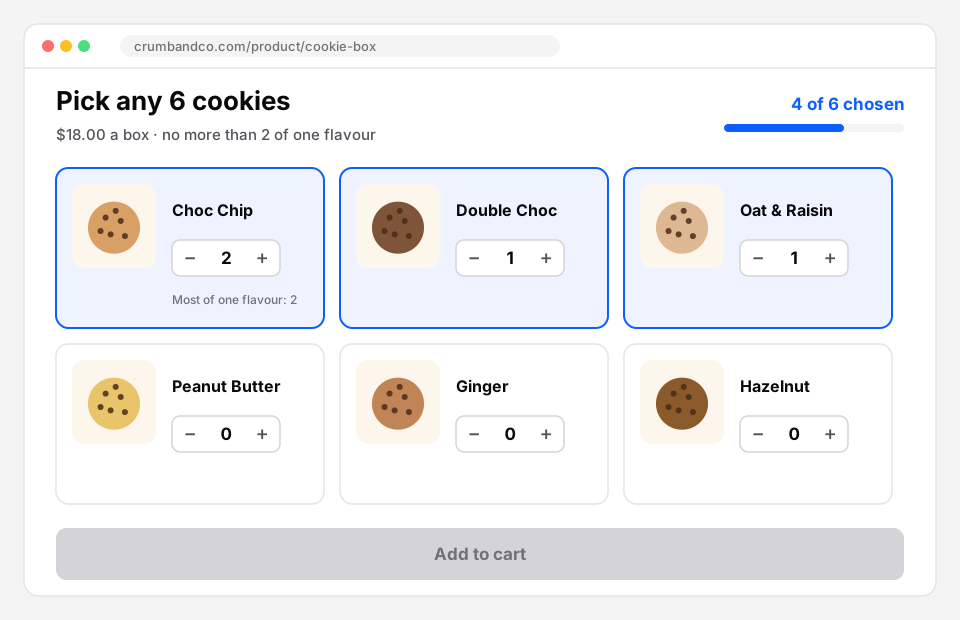 Mix and match: four of six chosen, at most two of one flavour. Add to cart works once the box is full.
What you set
When you create a Mix & Match bundle, the editor asks:
- The pool: the products shoppers can choose from. At least 2, at most 40.
- Shoppers must pick at least: the fewest items in one bundle.
- Shoppers can pick at most: use the same number as the minimum for an exact size, like a box of 6. 0 means no limit.
- Most of the same product: for example 2, so nobody fills the box with one flavour. 0 means no limit.
If the numbers can’t work with the products you added (say, at least 6 items, but only 2 products and a limit of 2 each), the editor tells you: “There are not enough products for the numbers set.” It saves you finding out from a confused customer.
Pricing a mix and match box
You have four options:
- A fixed price: any 6 for $18. The easiest for shoppers to read.
- A percentage off: 15% off whatever they pick. Safer when product prices vary a lot.
- An amount off: $5 off the box.
- No discount: the convenience of a ready-made box.
A tip on fixed prices: if your products range from $2 to $6, a $18 box can be filled entirely with the $6 ones. Either keep the pool to products of a similar price, or use a percentage.
Exact size or a range?
Exact (“pick 6”) suits anything that comes in a physical box, because the box has six slots.
A range (“pick 3 to 8”) suits sample sets or anything shipped loose, where a bigger order is simply welcome. Combine a range with a percentage off and bigger boxes are priced fairly by themselves.
Ideas
- Bakery: any 6 cookies, max 2 of each.
- Candles and soaps: any 3 scents for a fixed price.
- Tea and coffee: a sampler of any 4 blends.
- Socks and basics: any 5 pairs.
- Beauty: a travel set of any 4 minis.
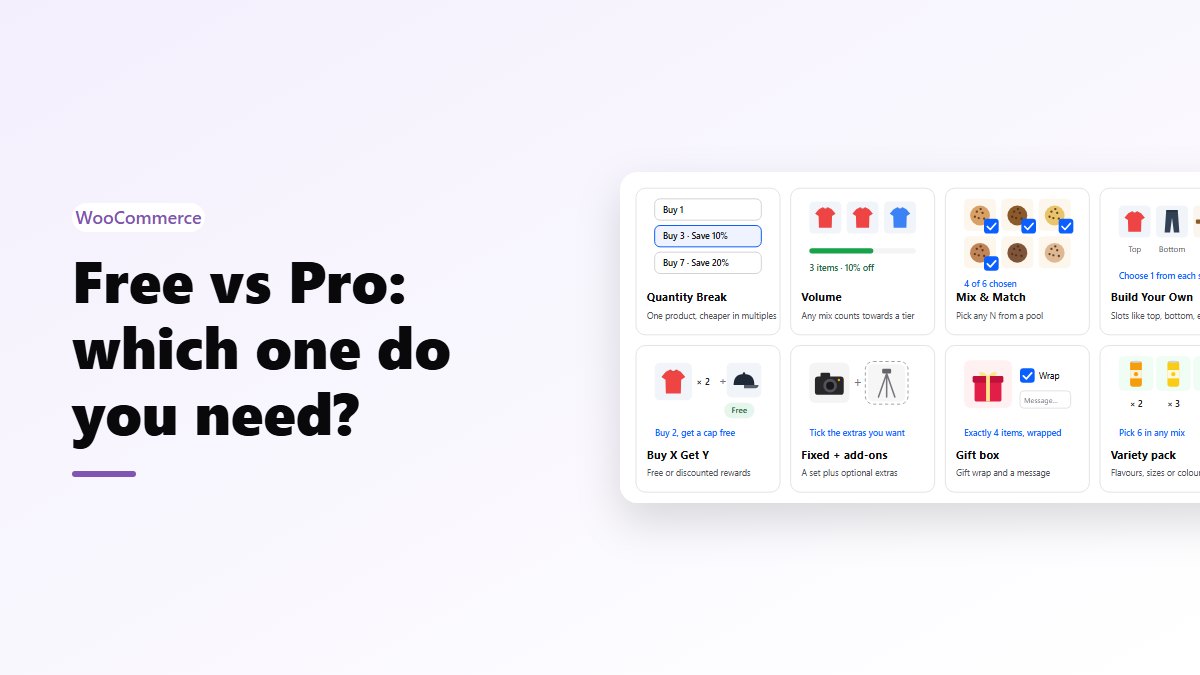
Mix and match or something else?
- If every pick comes from one pool, it’s mix and match.
- If the box has a structure (one top, one bottom, one accessory), that’s build your own.
- If it’s a gift, with wrapping and a message, use a gift box.
- If it’s flavours of one product, with repeats, use a variety pack.
Stock
Each picked product uses its own stock. A product that’s out of stock shows as out of stock and can’t be picked, so a box can never be sold with something you don’t have. More in how bundle stock works.
Build your box
- Nanflows Bundles Pro has mix & match, plus build your own, gift boxes and variety packs for other kinds of box. $39 a year for one site, or $149 for up to five, and a first purchase can be refunded within 14 days.
- It builds on the free Nanflows Bundles plugin from WordPress.org.
- More on mix and match for WooCommerce.
FAQ
Can shoppers pick the same product twice?
Yes, up to the “Most of the same product” limit you set.
Can products in the pool be variable products?
Yes. Shoppers choose the option for each product they pick.
Is mix and match in the free plugin?
No, it’s one of the eight bundle types in Pro. The free plugin has fixed bundles and frequently bought together.