In short: revenue shows what sold; a funnel shows why. The free Nanflows Bundles plugin tracks bundle orders, revenue, units, average bundle value and prepaid vs COD, by day. Nanflows Bundles Pro adds a views-to-purchase funnel per bundle, placements, the most bundled products, customers, COD failure rates, CSV exports and a weekly or monthly email report.
Most stores set up a bundle, see a few orders and call it a success. But a bundle that sells 10 a month could be selling 40 with a better product on the page, or it could be costing you full-price orders. You can only tell with numbers.
This post covers what Nanflows Bundles measures, free and Pro, and how to read it.
What the free plugin tracks
The Analytics screen shows, by day and for any date range:
- bundle orders;
- bundle revenue;
- units sold;
- average bundle value;
- prepaid vs COD.
Amounts are net of refunds and exclude tax, and only paid orders count.
All of it is stored in your own database. The plugin sends nothing outside your site, and visitors are counted with a salted hash that can’t be turned back into a person or an IP address. You can switch tracking off, and choose how long the data is kept.
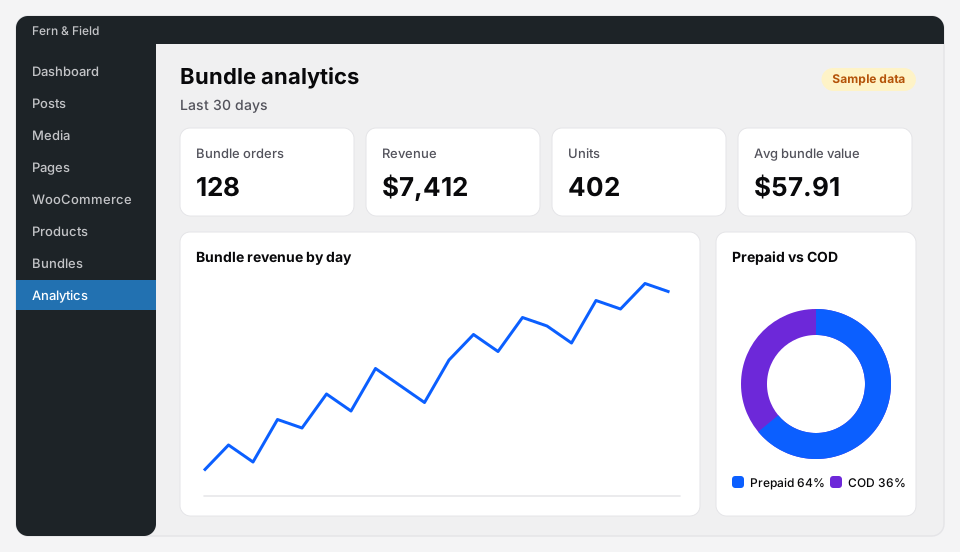 The free Analytics screen (sample numbers).
What Pro adds
A funnel for every bundle
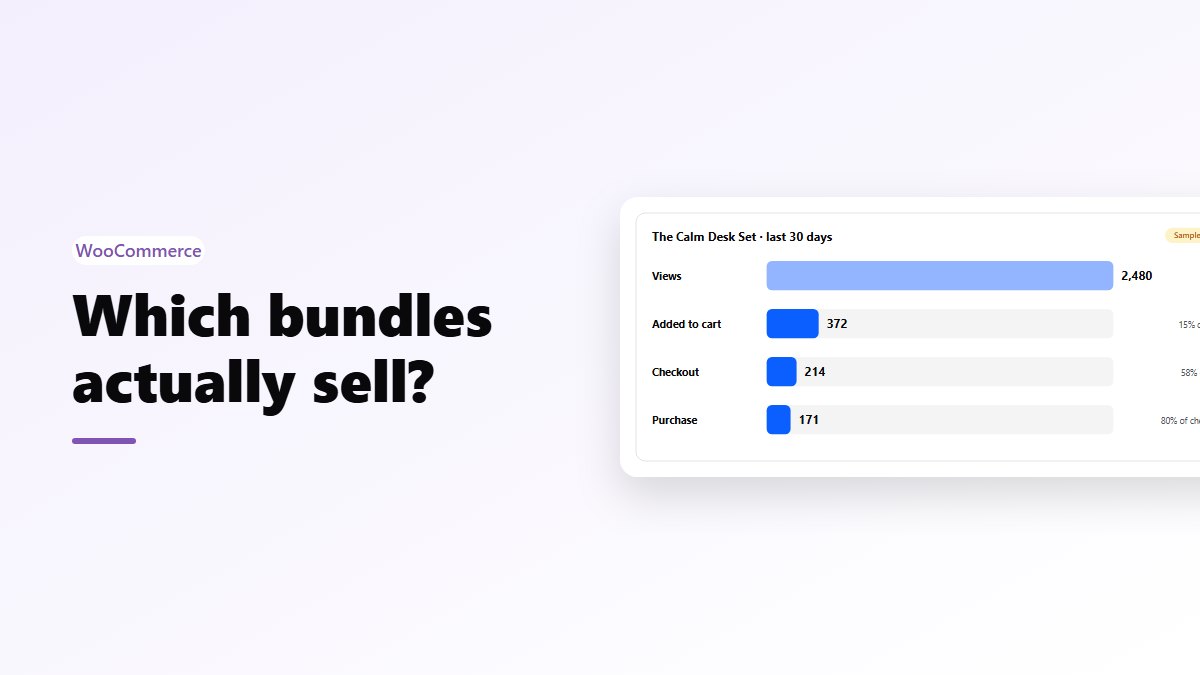
For each bundle and overall: views → added to cart → checkout → purchase. This is the report that tells you why a bundle isn’t selling:
- Lots of views, few adds: the offer isn’t convincing. Look at the price, the saving, or the products in it.
- Lots of adds, few checkouts: something in the cart puts people off. Often shipping cost on a heavier parcel.
- Few views: it’s on the wrong pages. Move it to products that get traffic.
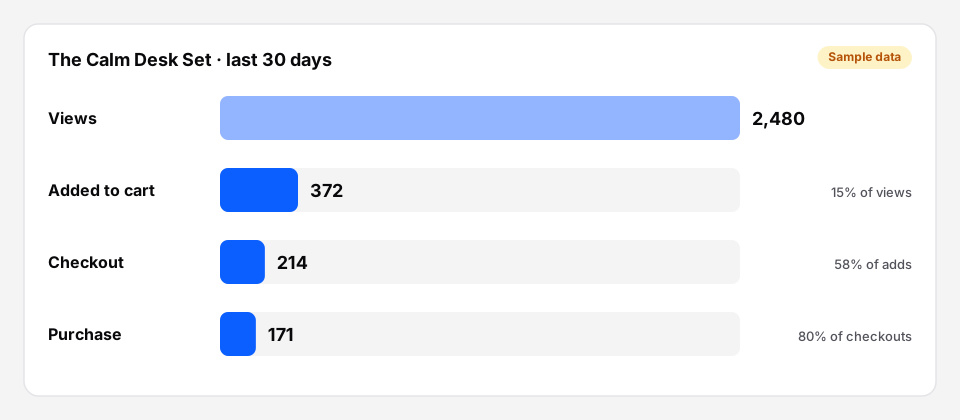 A bundle’s funnel in Pro (sample numbers). Here, most people who add it go on to buy.
Placements
Where each bundle was seen and added from: a product page, its own page, or a block or shortcode somewhere else. Views are counted from the page itself, so cached pages count too. Useful if you’ve put the same bundle in a gift guide and want to know whether the guide does anything.
Products, customers and payments
- Most bundled products: units and share. Your best bundle candidates often show up here first.
- New vs returning buyers, and guests: are bundles winning new customers or rewarding existing ones?
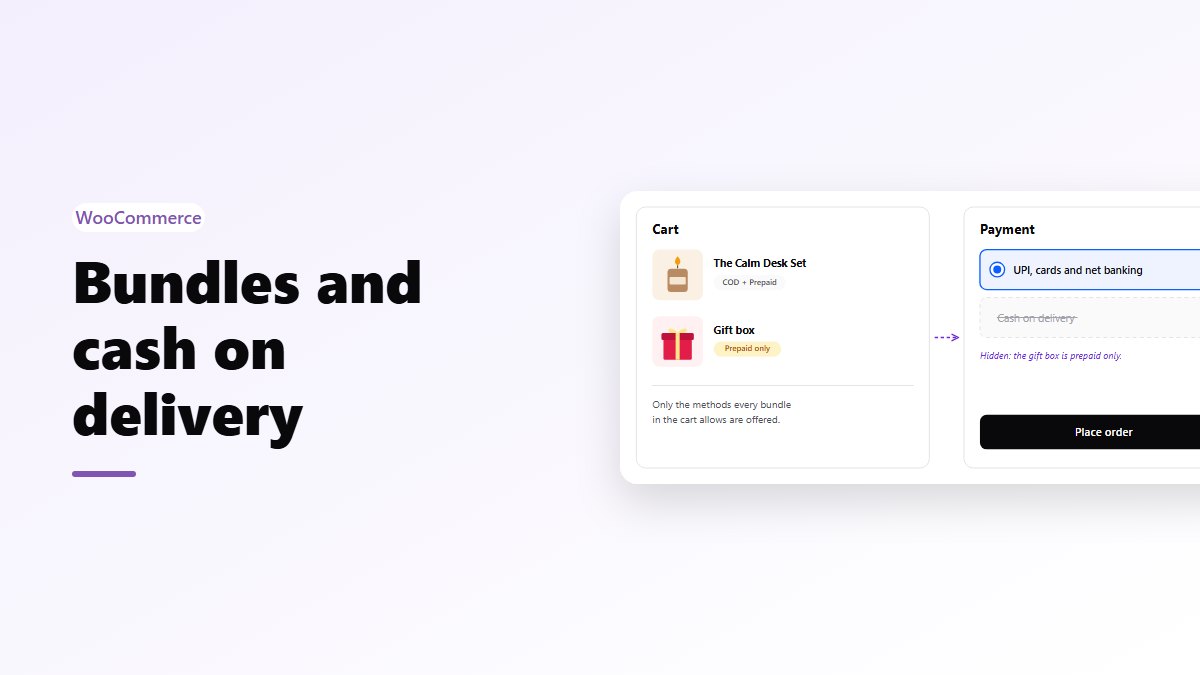
- COD vs prepaid failure rate: the share of bundle orders cancelled, failed or refunded by payment type. See bundles and cash on delivery.
Exports and email
- CSV exports of bundles, bundle orders, bundled products and the funnel.
- An email report, weekly (every Monday, for the week before) or monthly (on the 1st), with orders, revenue, units, average order, COD and prepaid orders, the COD failure rate and the best-selling bundles.
Questions worth asking each month
- Which bundle has the best add-to-cart rate? Copy what it does.
- Which has views but no sales? Change one thing (the price, a product, the page it’s on) and check again in two weeks.
- Is the average bundle value going up? That’s the point of bundles.
- Are COD bundles failing? If yes, try prepaid only on the expensive ones.
Change one thing at a time
If you change the price and the products together and sales go up, you don’t know which one did it. Change one thing, wait at least a couple of weeks, compare the same length of time before and after, and avoid comparing a normal week with a sale week.
Start measuring
- Free: Nanflows Bundles on WordPress.org, with the sales analytics screen.
- Pro: Nanflows Bundles Pro, with the funnel, placements, customers, failure rates, exports and email reports. $39 a year for one site, or $149 for up to five, and a first purchase can be refunded within 14 days.
- See what free and Pro each include.
FAQ
Does tracking slow the store down?
No. Reports read summary tables, not every order.
Do staff visits count?
No. Shop staff are left out of views and adds to cart by default; you can change that in the analytics settings.
Which version do I need?
The orders, revenue, units, average value and prepaid vs COD screen is free. The funnel, placements, customers, failure rates, exports and email reports are in Pro.