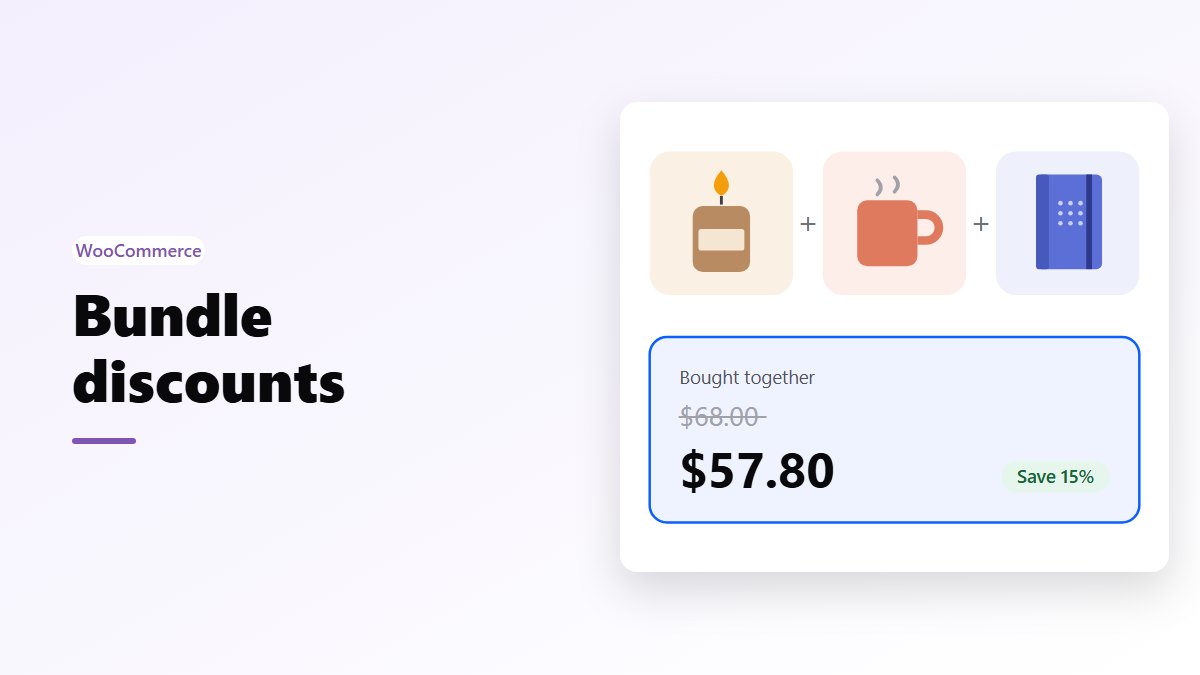
In short: WooCommerce has no setting for “discount these products when they’re bought together”. A coupon restricted to the products comes close, but it works as soon as any one of them is in the cart, and shoppers must type the code. For a discount that applies itself, sell the products as a fixed bundle at its own price, add a frequently bought together offer that’s discounted when the extras are ticked (both free in Nanflows Bundles), or use quantity breaks for more of the same product (Pro).
Why WooCommerce can’t do it on its own
WooCommerce has two features that sound like bundles, and neither discounts anything:
- Grouped products list several products on one page, each with its own price. There is no group price and no saving.
- Coupons take money off, but a coupon restricted to products is valid as soon as any one of them is in the cart. It can’t require all of them.
So a “bundle discount” in WooCommerce means either a coupon with that catch, or a plugin that makes the bundle a thing of its own.
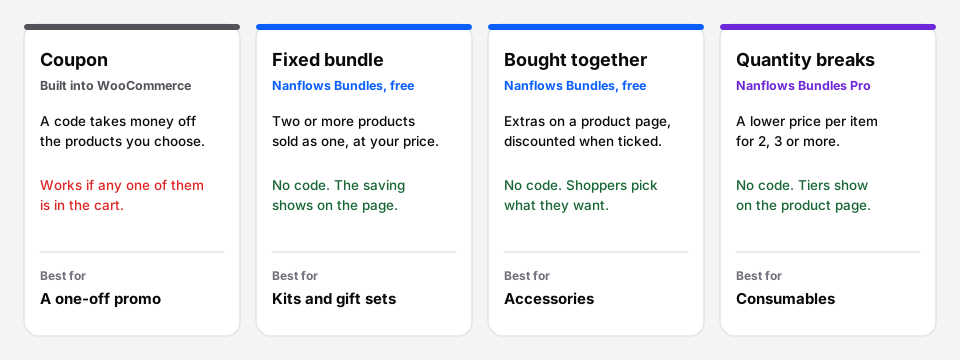 Four ways, from a code shoppers type to offers that price themselves.
Way 1: a coupon (no plugin)
- Go to Marketing → Coupons → Add coupon.
- Set Discount type to Percentage discount and the amount, say 10.
- Under Usage restriction → Products, add the products in the set.
- Share the code.
The catch: the coupon applies when any of the listed products is in the cart, and takes 10% off each listed product that is. A shopper who buys only one of them still gets the discount. And everyone has to know the code.
That makes a coupon fine for a short promo to your email list, but not for a bundle you show on the product page to everyone.
Way 2: a fixed bundle
A fixed bundle sells two or more products as one, at a price you set: a starter kit, a skincare routine, a gift set. In Nanflows Bundles, which is free, you pick the products and quantities and choose how the bundle is priced:
- a fixed price, such as $54,
- a percentage off the items,
- an amount off, such as $8, or
- the items’ own total, for a kit sold for convenience.
The product page shows the separate prices crossed out and the saving, and the stock comes from the products inside, so the bundle stops selling when one of them runs out.
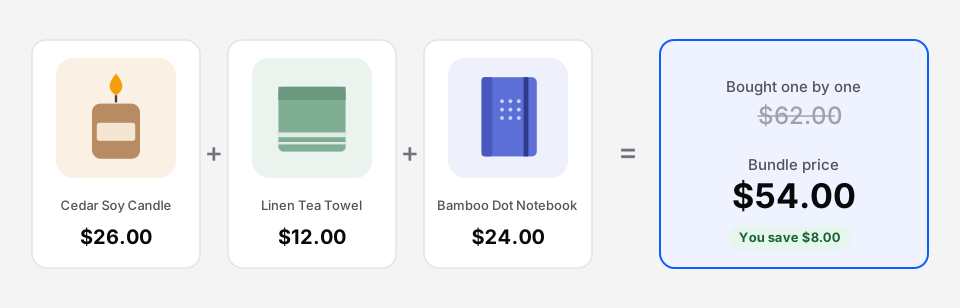 A fixed bundle shows its own price and what the shopper saves.
Way 3: frequently bought together
Here the shopper starts from one product and sees a few extras under it, each with a tick box. The bundle price applies while the main product and at least one extra are in the set, and the shopper can untick what they don’t want.
Nanflows Bundles includes this for free, with up to 4 extras on a product, and up to 10 in Pro. It suits accessories: a case and a screen protector with a phone, a memory card and a bag with a camera.
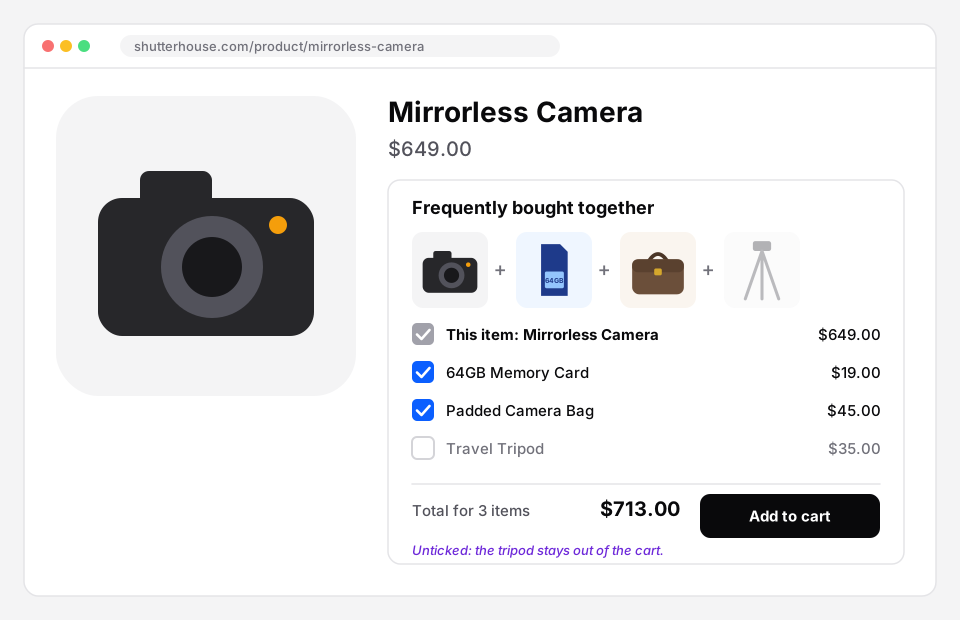 The extras are offered on the product page, with the bundle price for what stays ticked.
Way 4: quantity breaks and volume discounts
When the bundle is more of the same product, such as 3 pairs of socks or 6 candles, use quantity breaks: the more they take, the lower the price per item. Nanflows Bundles Pro shows the tiers with their prices on the product page, and volume discounts can count any mix of products from a group.
See quantity discounts and tiered pricing in WooCommerce for the setup.
How much to discount
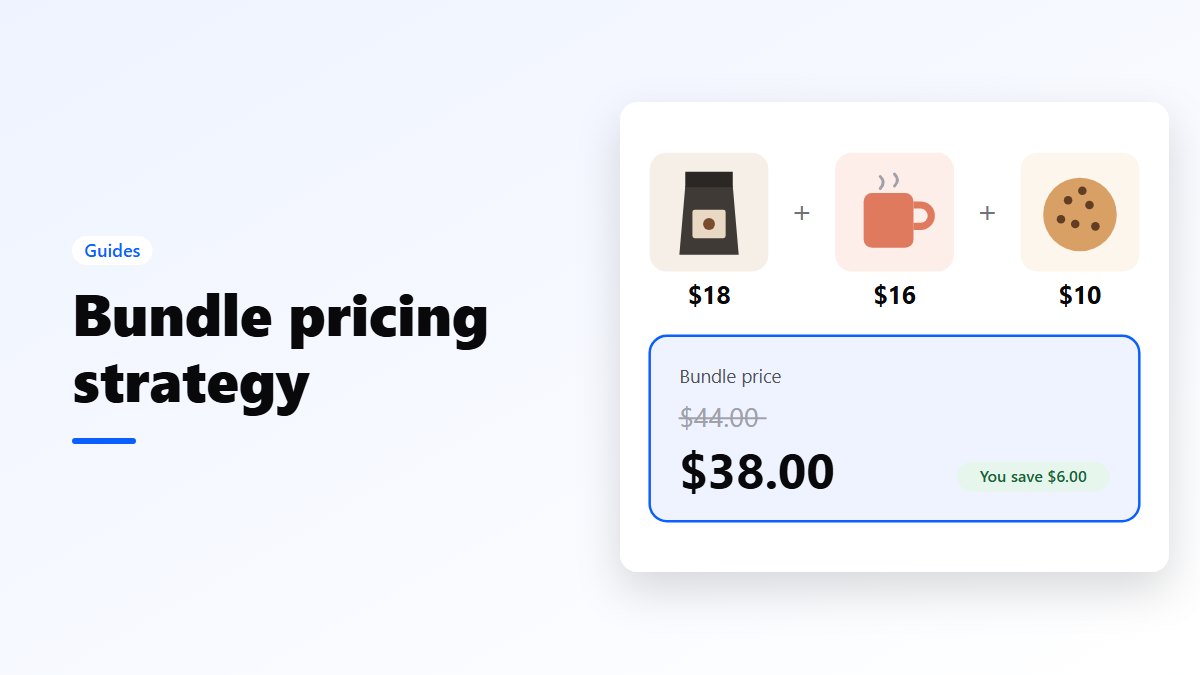
A saving of 10 to 15% is a common starting point, and you can go further when the bundle moves slow stock. Work it out from your margin, not from the percentage: bundle pricing strategy walks through the formula with examples.
Which way should you use?
| You want | Use |
|---|---|
| A short promo for people who get your emails | A coupon |
| A kit or gift set at one price | A fixed bundle (free) |
| Extras offered with a product | Frequently bought together (free) |
| A lower price for more of the same | Quantity breaks (Pro) |
| BOGO or buy X get Y | Buy X get Y bundles (Pro), not a coupon: see BOGO without a plugin |
Get it
- Free: Nanflows Bundles on WordPress.org, with unlimited fixed bundles and frequently bought together.
- Pro: Nanflows Bundles Pro, $39 a year for one site or $149 for five, with quantity breaks, volume discounts, BOGO, mix and match and gift boxes, and a 14-day refund.
- More: WooCommerce product bundles, volume discounts and how to create product bundles in WooCommerce.
FAQ
Can WooCommerce give a discount when products are bought together?
Not on its own. A coupon restricted to products works when any one of them is in the cart, not only when all are. To discount a set, sell it as a bundle with its own price.
How do I create a bundle discount in WooCommerce?
Install a bundle plugin such as the free Nanflows Bundles, create a fixed bundle or a frequently bought together offer, pick the products, and set a fixed price, a percentage off or an amount off.
Is a grouped product a bundle?
No. A grouped product shows several products on one page, each sold at its own price. There is no bundle price and no discount.
Do coupons still work with bundles?
Yes. Bundles go through WooCommerce’s normal cart and checkout, so your coupons, taxes, shipping and payment methods keep working.
What is a good bundle discount?
Around 10 to 15% for most products. Check that the bundle still earns more per order than the main product would alone.