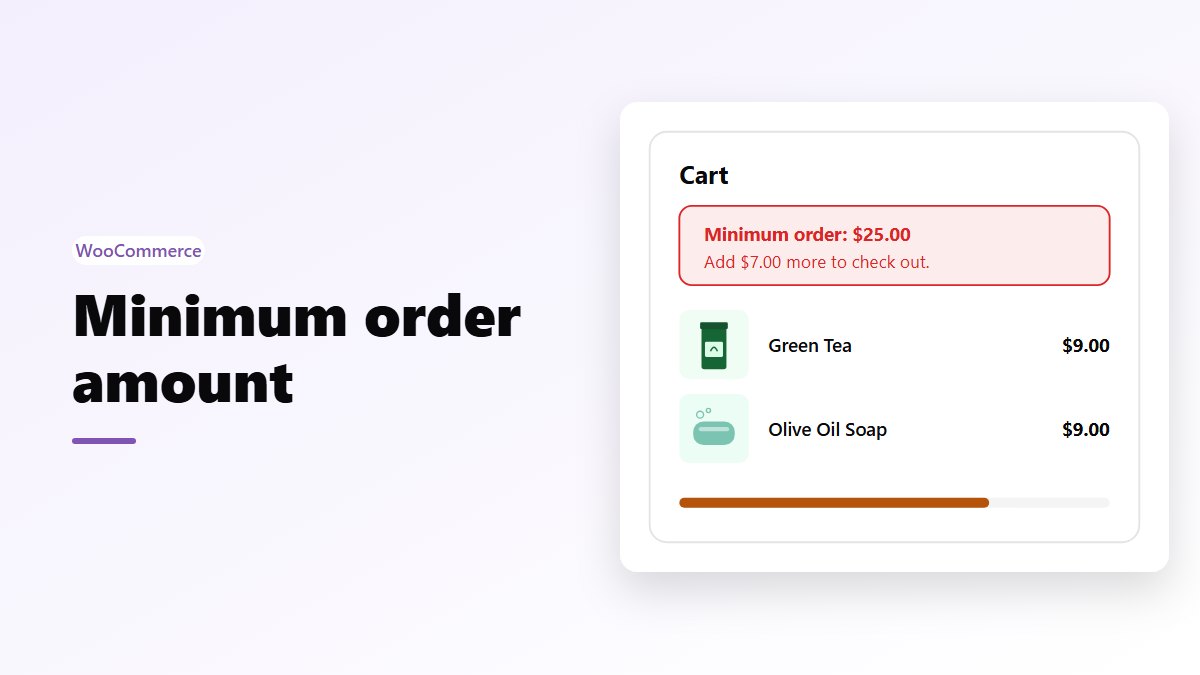
In short: WooCommerce has no setting for a store-wide minimum order amount. It has a minimum for free shipping and a minimum spend on coupons, which only change what an order gets. To stop orders below an amount, add a short snippet that checks the cart subtotal on the classic cart and checkout and in the Cart and Checkout blocks. Tell shoppers how much more they need, and a free shipping goal in the cart, like the one in Nanflows Sliding Cart Pro, helps them get there.
When a minimum order makes sense
A minimum order amount stops orders that cost you more than they earn. It makes sense when:
- You sell cheap items. A $6 order still needs packing, a label and a payment fee.
- You sell wholesale. Trade customers buy by the case, and a minimum keeps small retail orders out.
- You deliver locally. A driver’s trip costs the same for a $10 order as for a $100 one.
To find your number, add up what every order costs you no matter its size, then divide by your margin:
Minimum = fixed cost per order ÷ margin
If packing, the payment fee and the shipping you cover come to $6 an order and you keep 40% of each sale, an order needs to be at least $6 ÷ 0.40 = $15 to cover itself. Many stores round that up to a number shoppers remember, like $20 or $25.
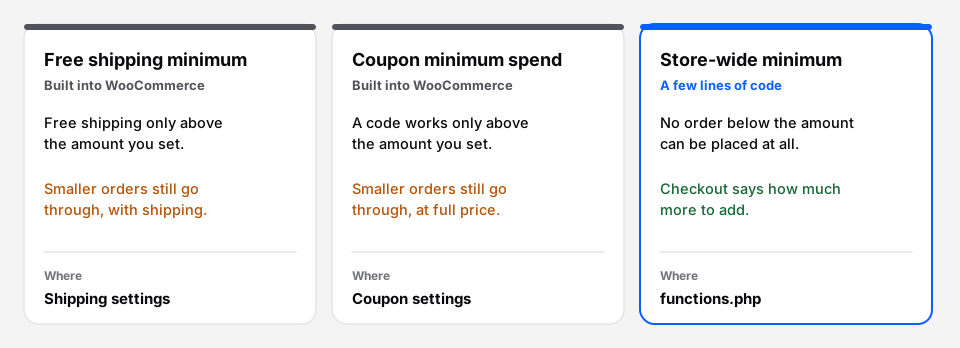 Only the third one stops small orders. The first two change what a small order gets.
Way 1: a minimum for free shipping
If small orders are fine as long as the shopper pays for shipping, you don’t need a minimum at all. You need free shipping above an amount.
- Go to WooCommerce → Settings → Shipping and open your shipping zone.
- Add a shipping method and pick Free shipping.
- Under Free shipping requires, pick A minimum order amount.
- Type the amount in Minimum order amount.
WooCommerce compares this with the cart subtotal after coupon discounts. Tick Apply minimum order rule before coupon discount if you want the amount before discounts instead. Keep a paid shipping method in the same zone, so orders below the amount can still check out.
To pick the amount, start from your average order value. The free shipping threshold calculator works it out from your average order, shipping cost and margin.
Way 2: a minimum spend on a coupon
If the problem is discounts on small orders, put the minimum on the coupon.
- Go to Marketing → Coupons and open the coupon.
- Under Usage restriction, fill in Minimum spend.
The coupon then works only on orders above that amount, and WooCommerce tells the shopper the minimum when they try it on a smaller cart. Orders below it still go through, at full price.
Way 3: a real minimum order, with code
To block every order below an amount, add the snippet below. It works on both kinds of cart and checkout:
woocommerce_check_cart_itemsruns on the classic cart and checkout pages and again when the order is placed. An error there stops the order.woocommerce_store_api_cart_errorsruns for the Cart and Checkout blocks, the default in new stores. An error there stops the Checkout block from placing the order.
// Minimum order amount for WooCommerce: classic cart and checkout, and the blocks.
const NF_MIN_ORDER = 25;

function nf_min_order_message( $subtotal ) {
	return sprintf(
		'The minimum order is %1$s. Your cart is %2$s now: add %3$s more to check out.',
		wc_price( NF_MIN_ORDER ),
		wc_price( $subtotal ),
		wc_price( NF_MIN_ORDER - $subtotal )
	);
}

// Classic cart and checkout pages, and placing the order.
add_action( 'woocommerce_check_cart_items', function () {
	$subtotal = (float) WC()->cart->get_subtotal();
	if ( $subtotal > 0 && $subtotal < NF_MIN_ORDER ) {
		wc_add_notice( nf_min_order_message( $subtotal ), 'error' );
	}
} );

// Cart and Checkout blocks.
add_action( 'woocommerce_store_api_cart_errors', function ( $errors, $cart ) {
	$subtotal = (float) $cart->get_subtotal();
	if ( $subtotal > 0 && $subtotal < NF_MIN_ORDER ) {
		$errors->add( 'nf_minimum_order', html_entity_decode( wp_strip_all_tags( nf_min_order_message( $subtotal ) ) ) );
	}
}, 10, 2 );
Put it in your child theme’s functions.php or in a code snippets plugin, never in WooCommerce’s own files, which updates replace. Change 25 to your amount.
A few things to know:
- Which total it checks.
get_subtotal()is the products before coupons, without tax and shipping. That is usually what you mean by “minimum order”. If you want the amount after coupons, useget_subtotal() - get_discount_total()instead. - Test both checkouts. Add one cheap product and try to check out on the classic pages and, if you use them, the blocks. You should see the message and no order.
- Wholesale only. To apply the minimum only to trade customers, wrap each check in a role test, for example
in_array( 'wholesale_customer', wp_get_current_user()->roles, true ), with your own role name.
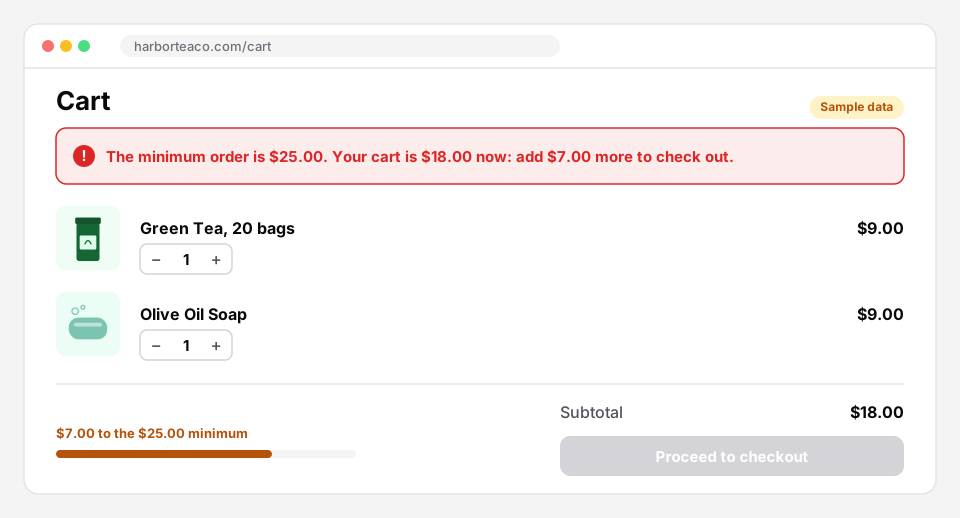 Say the minimum, the cart total and how much is left, in one sentence.
Help shoppers reach the minimum
A minimum that shoppers only find at checkout feels like a wall. Make it part of the shopping instead:
- Say it early. Put “Orders from $25” in the header, on product pages and in the cart, not only in the error.
- Show the gap. “Add $7.00 more” is easier to act on than “minimum $25”. A progress bar in the cart makes it visual.
- Have something to add. Suggest cheap products in the cart that fit the gap: refills, socks, a gift card. Cart upsells do this well.
- Pair it with free shipping. A minimum at $25 and free shipping at $50 gives shoppers a floor and a goal.
| Minimum order amount | Free shipping threshold | |
|---|---|---|
| Orders below it | Can’t be placed | Pay for shipping |
| Feels like | A rule | A reward |
| Best for | Cheap items, wholesale, local delivery | Raising the average order |
| In WooCommerce | Code | Built in |
Most stores selling to the public do better with a free shipping goal than a hard minimum, because nobody is turned away. Use a minimum when small orders truly lose money.
Show the goal in the cart with Nanflows Sliding Cart
- Free: Nanflows Sliding Cart on WordPress.org opens a side cart the moment a product is added, with the subtotal, the coupon field and the checkout button, so shoppers see their total as they shop.
- Pro: Nanflows Sliding Cart Pro adds a free shipping and rewards bar that shows how much is left, upsells and cross-sells in the cart, and cart analytics. $39 a year for one site, or $149 for five.
- Related: how to increase average order value, the average order value calculator and WooCommerce sliding cart.
FAQ
Does WooCommerce have a minimum order amount setting?
No. WooCommerce has a minimum order amount for free shipping and a minimum spend on coupons, but no store-wide minimum. A short snippet adds one, or a plugin made for it.
How do I set a minimum order amount in WooCommerce without a plugin?
Add the snippet above to your child theme’s functions.php or a code snippets plugin. It checks the cart subtotal on the classic cart and checkout and in the Cart and Checkout blocks, and stops orders below your amount.
Does the minimum include tax and shipping?
In the snippet above, no: it uses the product subtotal before coupons, without tax and shipping. You can change which total it checks.
Can I set a different minimum for wholesale customers?
Yes. Check the customer’s role in the snippet and use a different amount, or apply the minimum only to that role.
What is a good minimum order amount?
One that covers what every order costs you. Divide your fixed cost per order (packing, payment fee, the shipping you cover) by your margin. $6 of costs at a 40% margin means at least $15.