Help center › Manage and grow
Test two versions of a bundle (A/B tests)
Show half your shoppers the bundle as it is (A) and half a copy with one change (B), for example 10% off against 15% off. Keep the one that earns more per visitor.
-
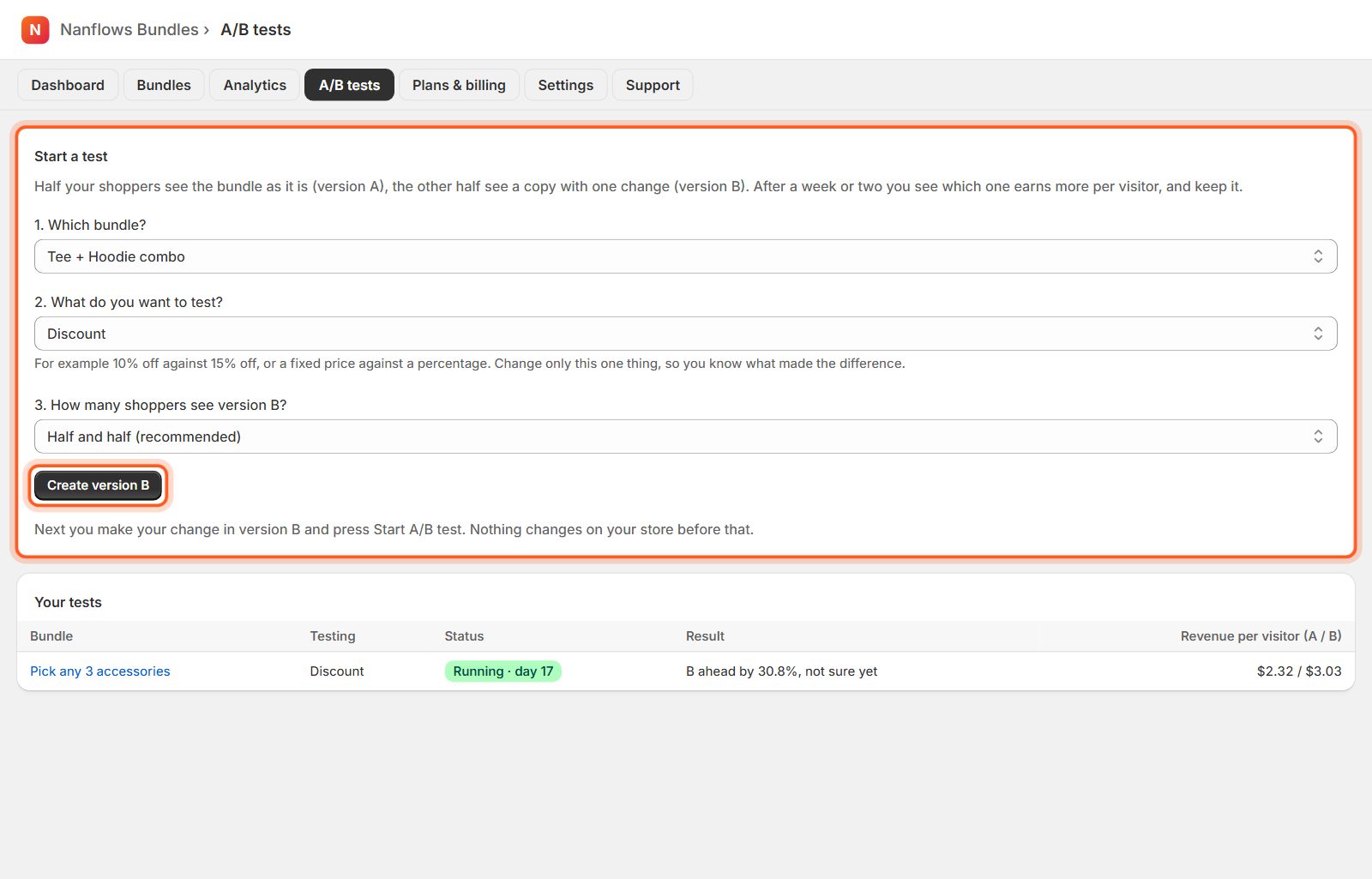
Open A/B tests and choose what to test
1. Which bundle? 2. What do you want to test? the discount, the title & texts, the design, or the products. 3. How many shoppers see version B? half and half is recommended. Then click Create version B. Nothing changes on your store yet.
-
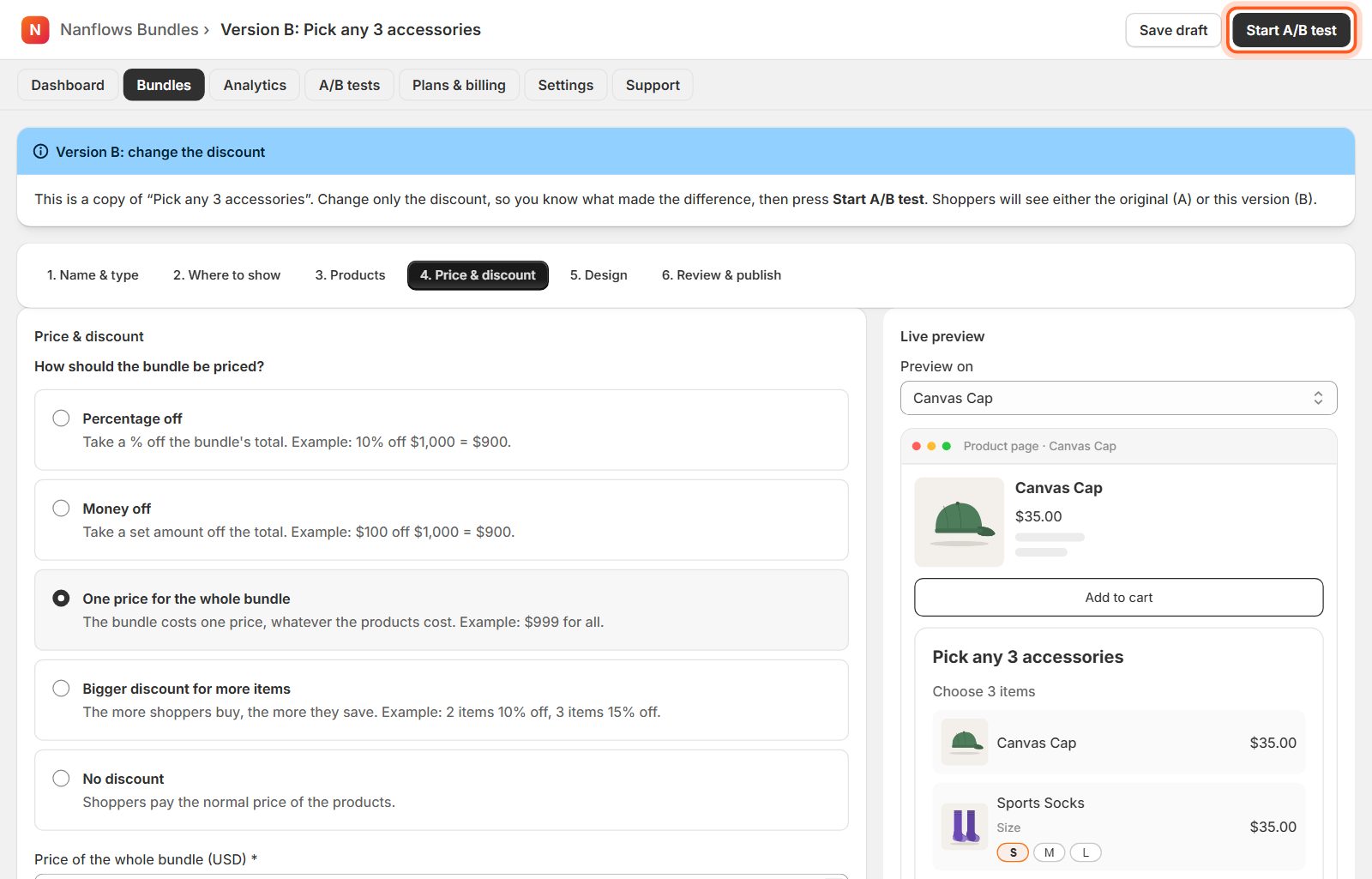
Make your change in version B, then Start A/B test
Version B opens in the editor as a copy. Change only the one thing you test, so you know what made the difference, then click Start A/B test at the top right.
-
Read the results
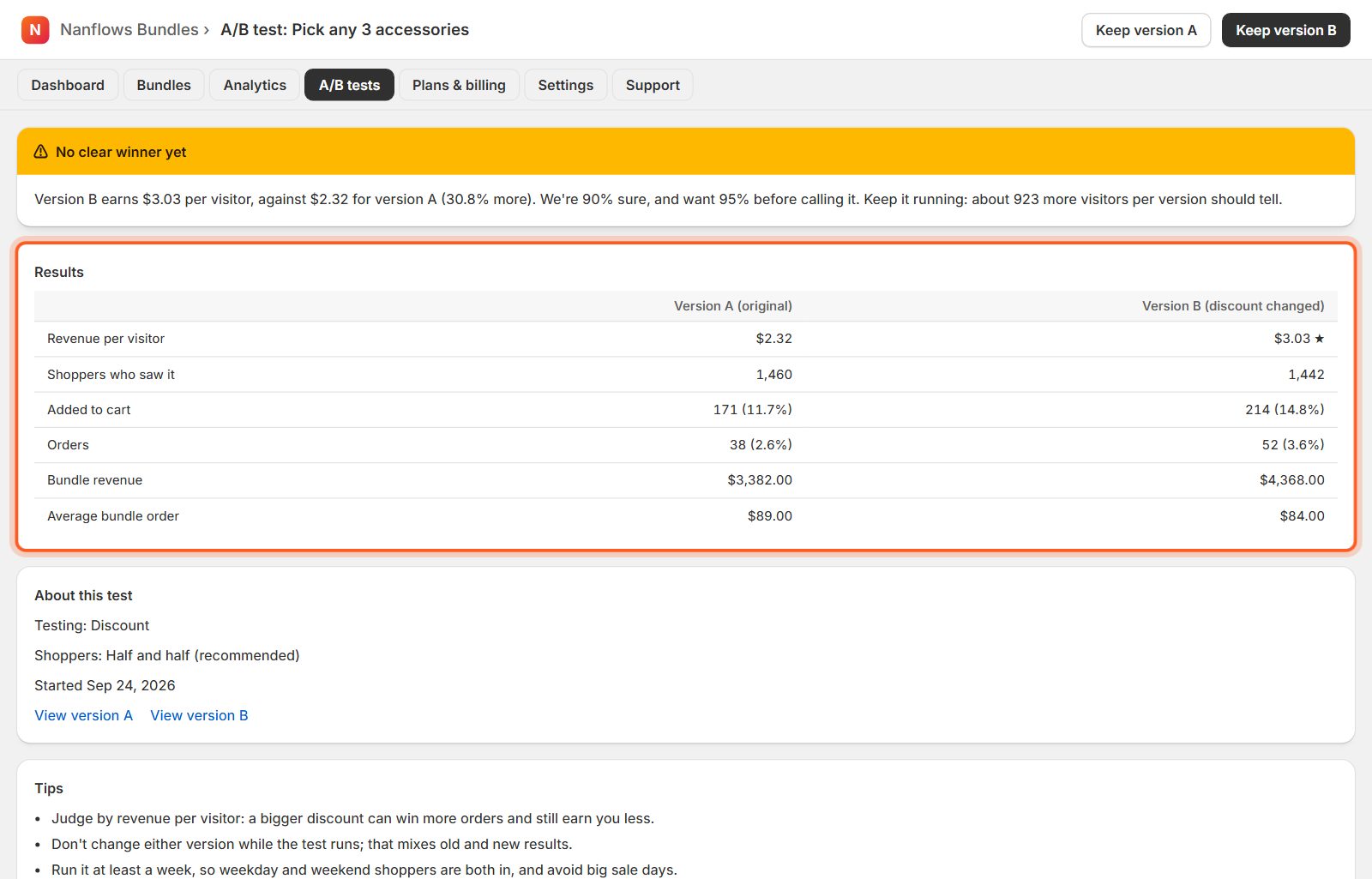
The results page tells you in plain words who is ahead and how sure we are: revenue per visitor, shoppers who saw each version, adds to cart, orders and revenue. Let it run at least a week and don't change either version meanwhile.
-
Keep the winner
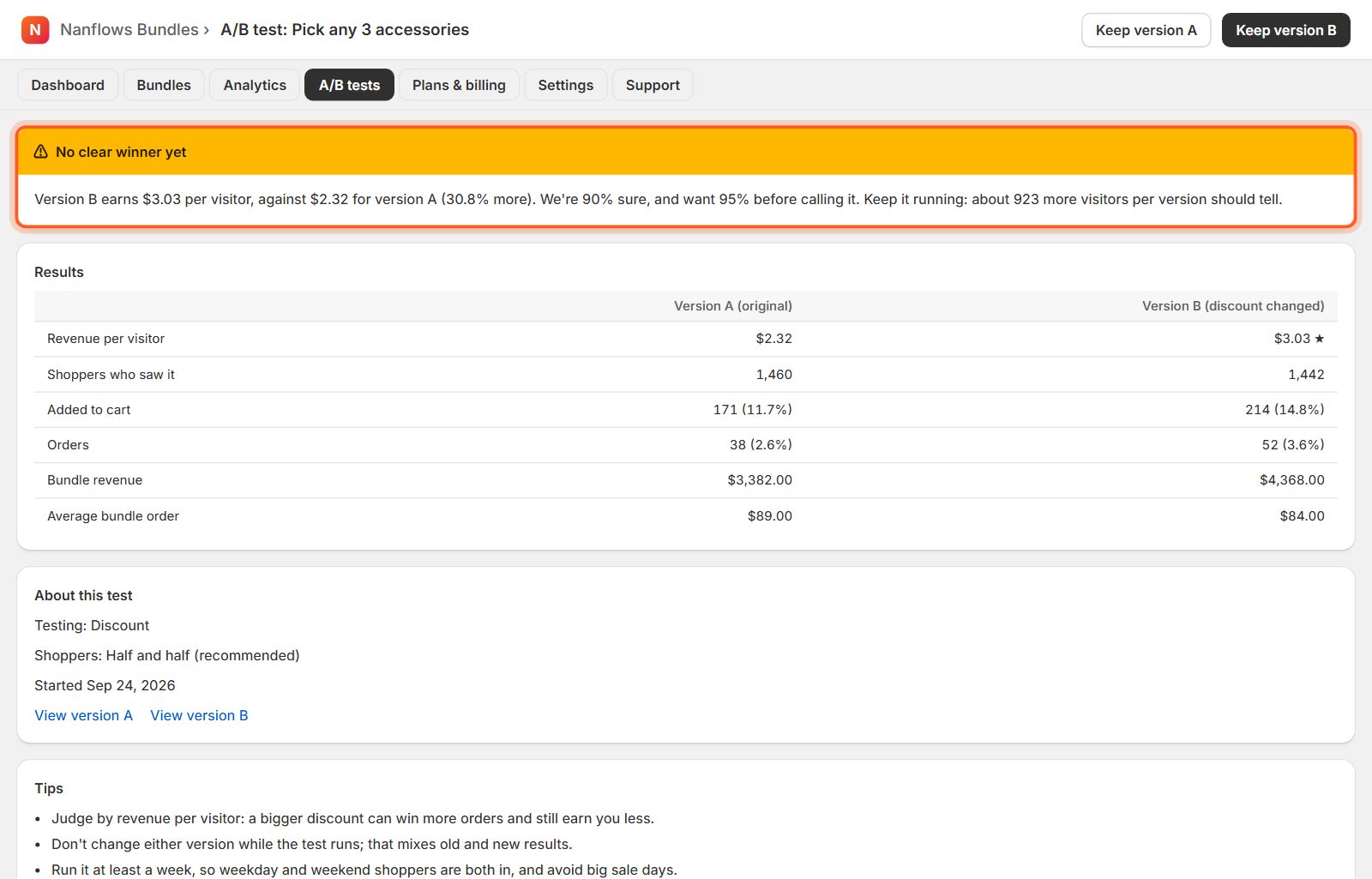
Once a version is ahead with 95% certainty, click Keep version A or Keep version B. If B wins, its settings are saved into your bundle and the test ends. You can also end a test at any time.
Nanflows Bundles for Shopify · Need help? support@nanflows.com