Help center › Bundle settings
Prices and discounts
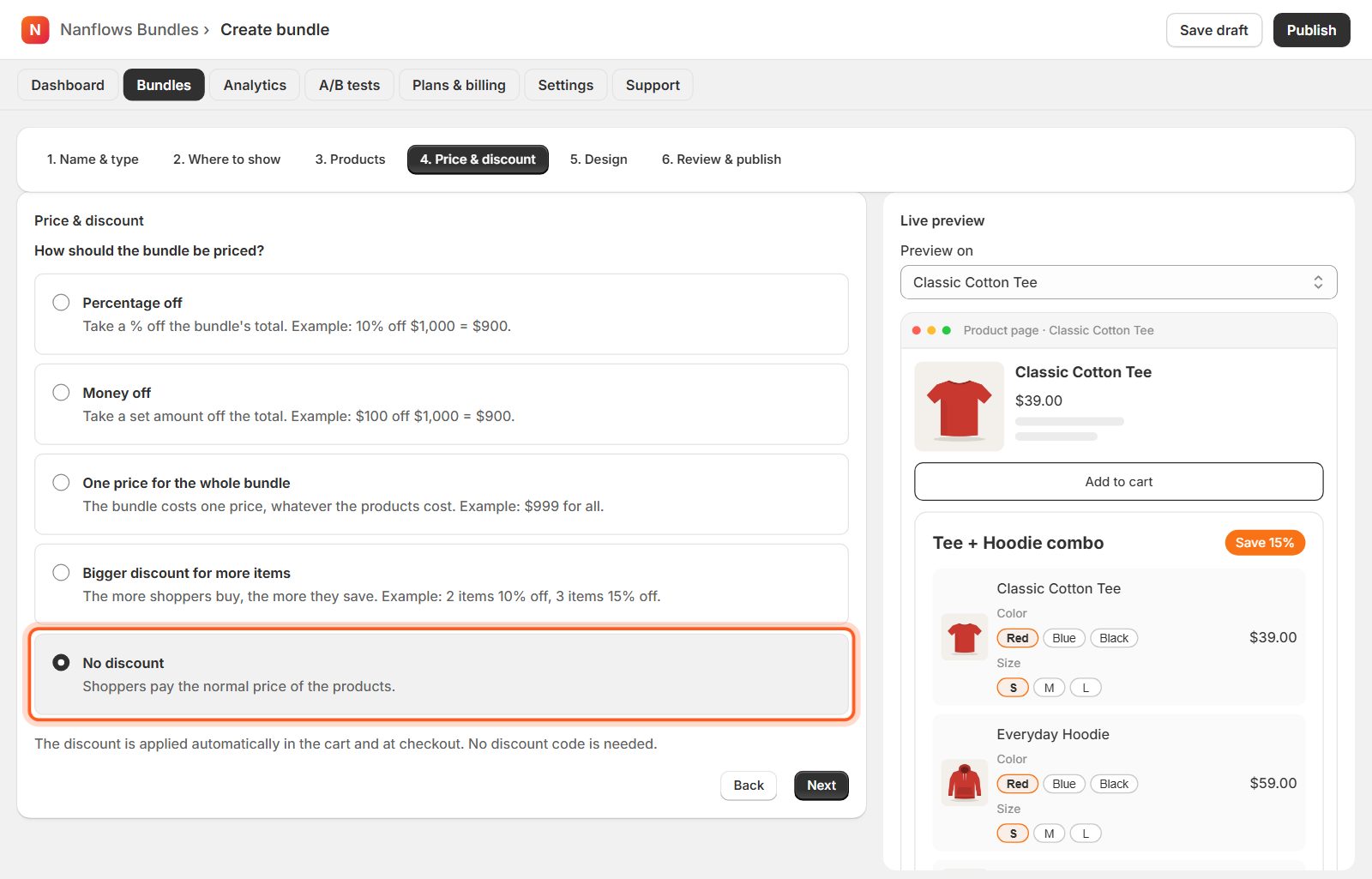
Step 4 of the editor: how the bundle is priced. The discount is applied automatically in the cart and at checkout. Shoppers never need a code.
-
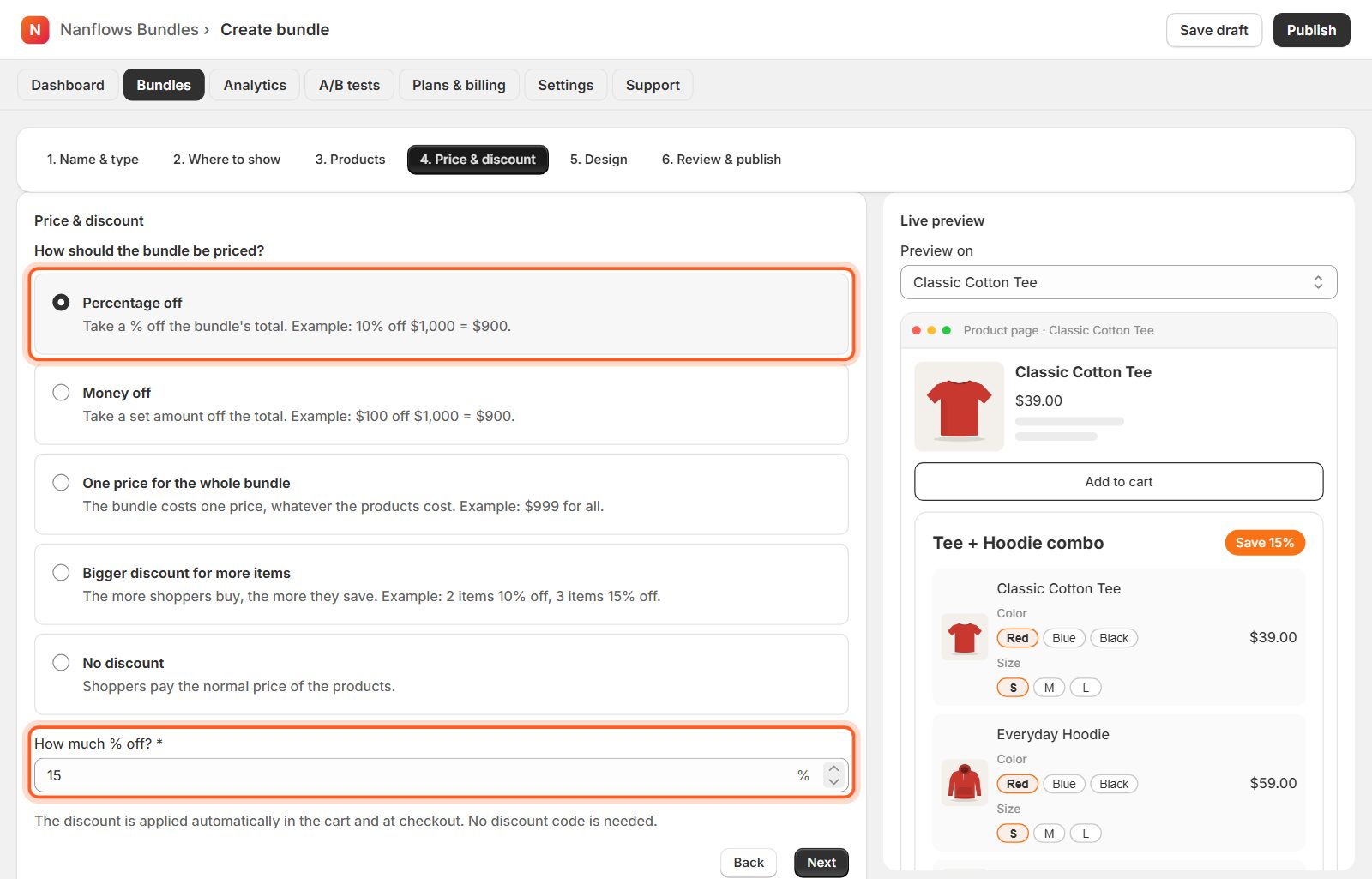
Percentage off
Take a % off the bundle's total. Example: 10% off $100 = $90. Type the % in How much % off?
-
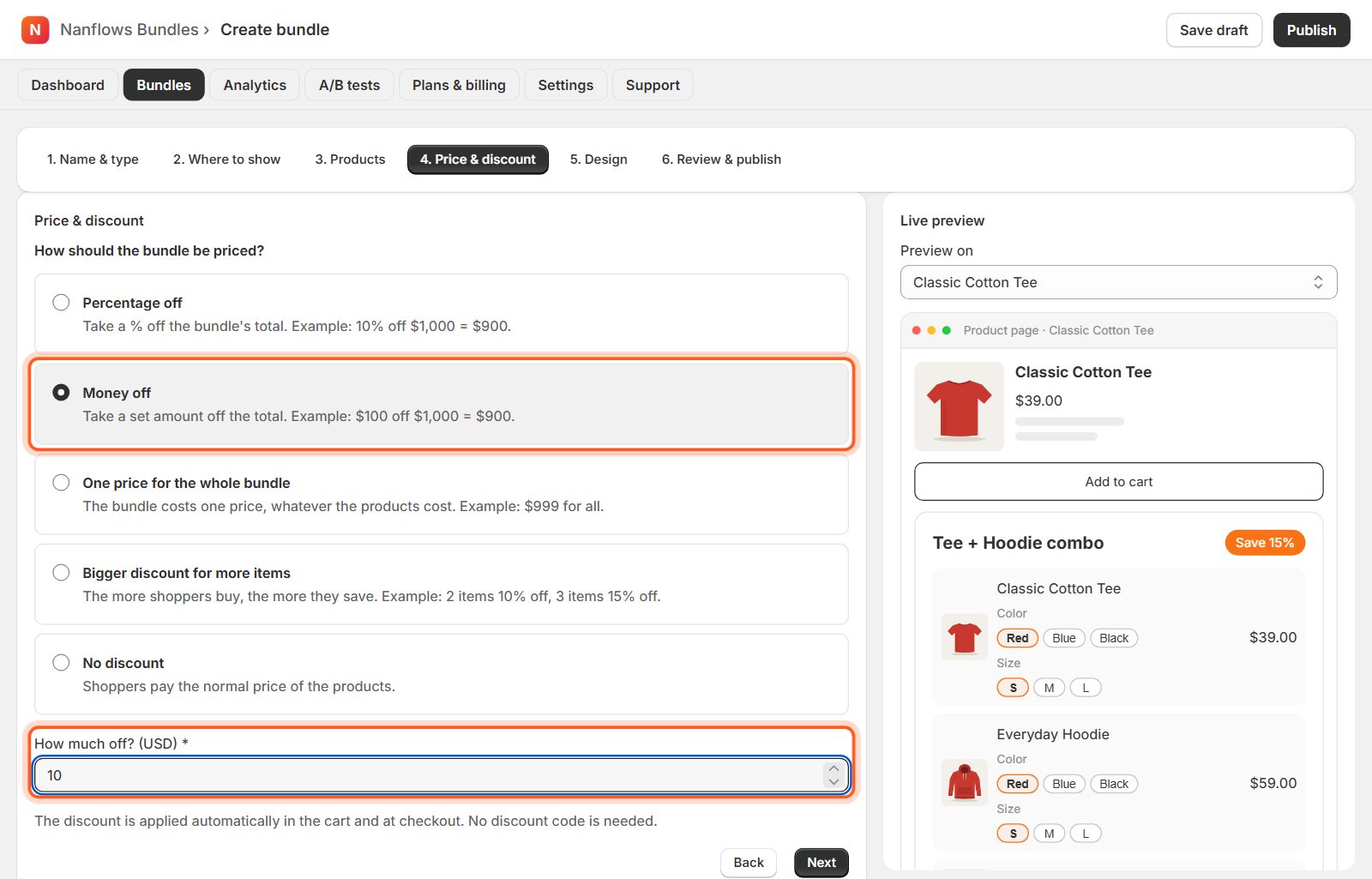
Money off
Take a set amount off the total. Example: $10 off $100 = $90.
-
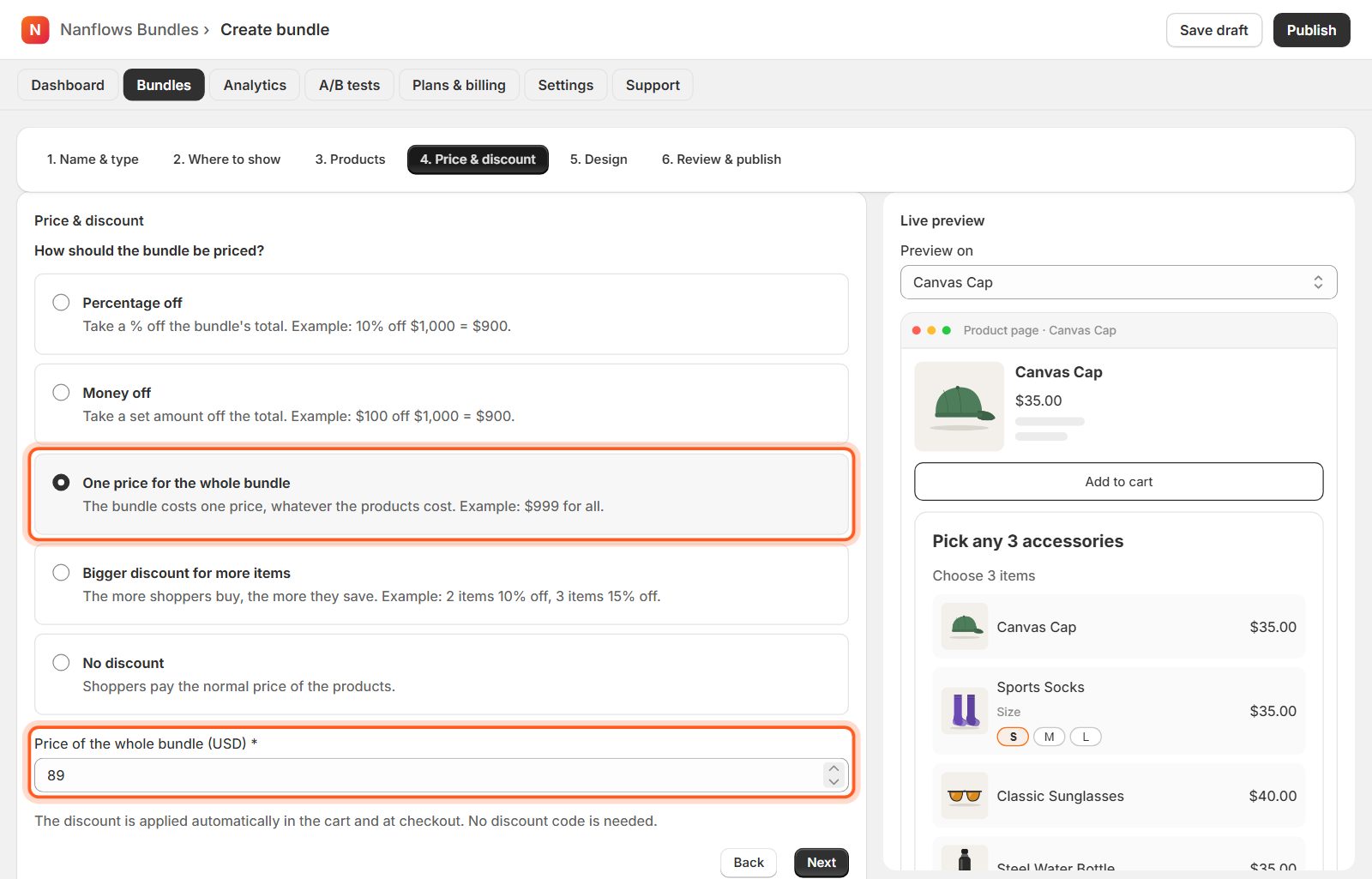
One price for the whole bundle
The bundle costs one price, whatever the products cost. Example: $89 for any three. Good for mix & match, gift boxes and variety packs.
-
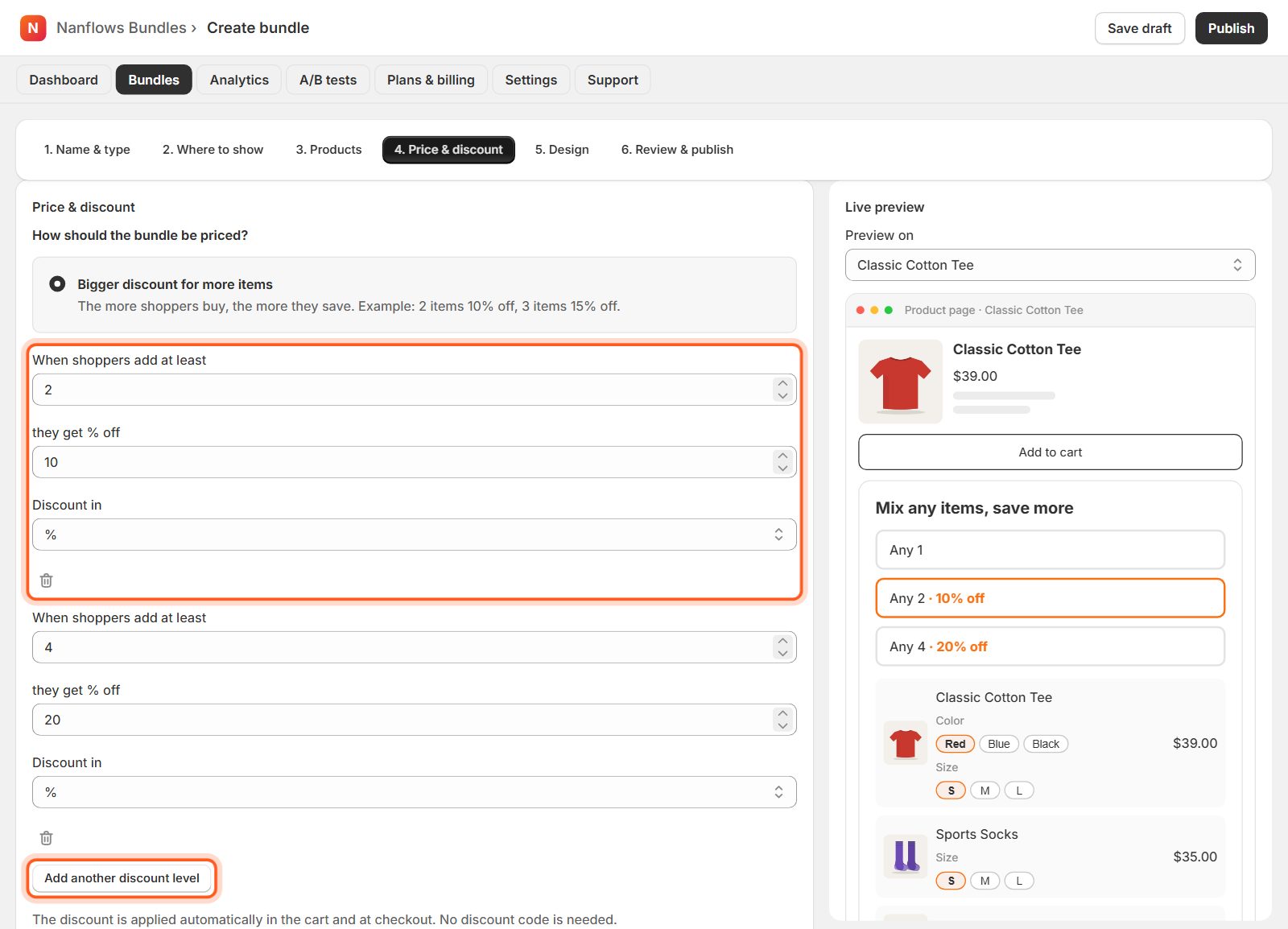
Bigger discount for more items
Levels: buy at least 2, get 10% off; at least 3, 15% off. Each level can be a % or money off. Add another discount level adds one. Quantity breaks and volume discounts always use levels.
-
No discount
Shoppers pay the normal price of the products. Useful to sell products together for convenience, for example a starter kit.
-
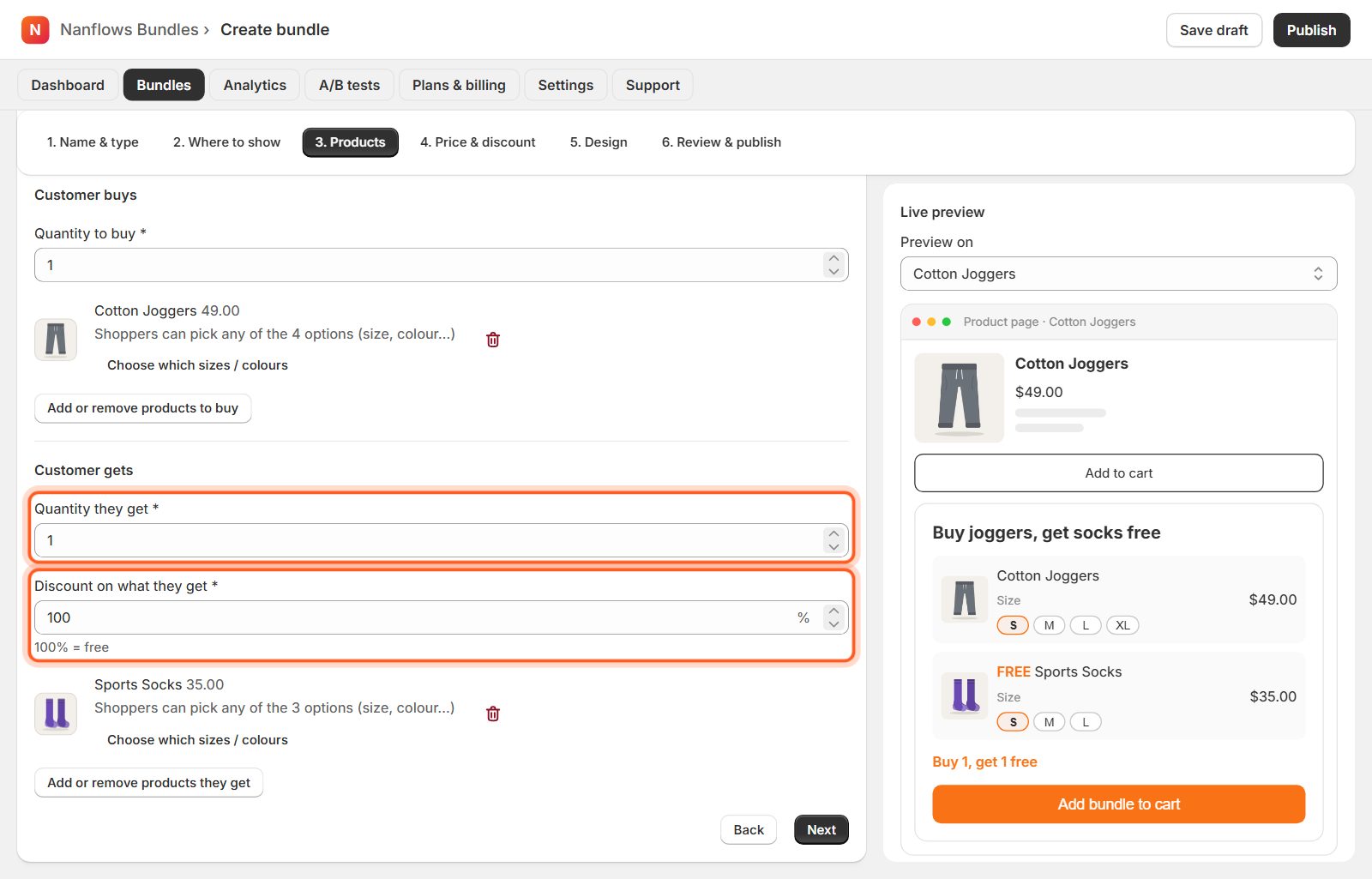
Buy X Get Y
For Buy X Get Y, the discount is set in 3. Products: how many shoppers get, and how much off (100% = free). See Create a Buy X Get Y offer.
Nanflows Bundles for Shopify · Need help? support@nanflows.com