Help center › Manage and grow
Manage your bundles
The Bundles page lists every bundle with its orders and revenue. Edit, duplicate, pause, test or delete from one place.
-
Open Bundles
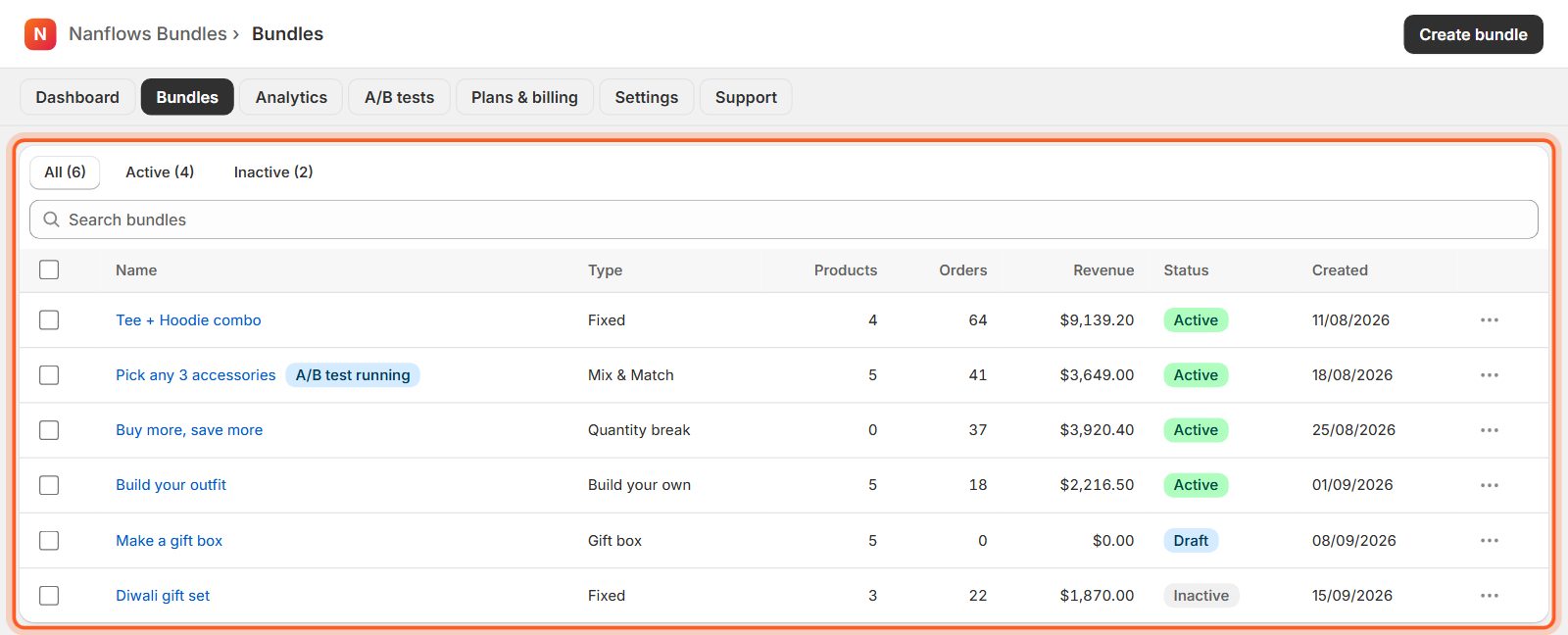
Each row shows the bundle's kind, number of products, orders, revenue, status and the date it was made. Click a name to edit it. Active is live, Draft is not published yet, Inactive is switched off (its settings are kept).
-
Find a bundle
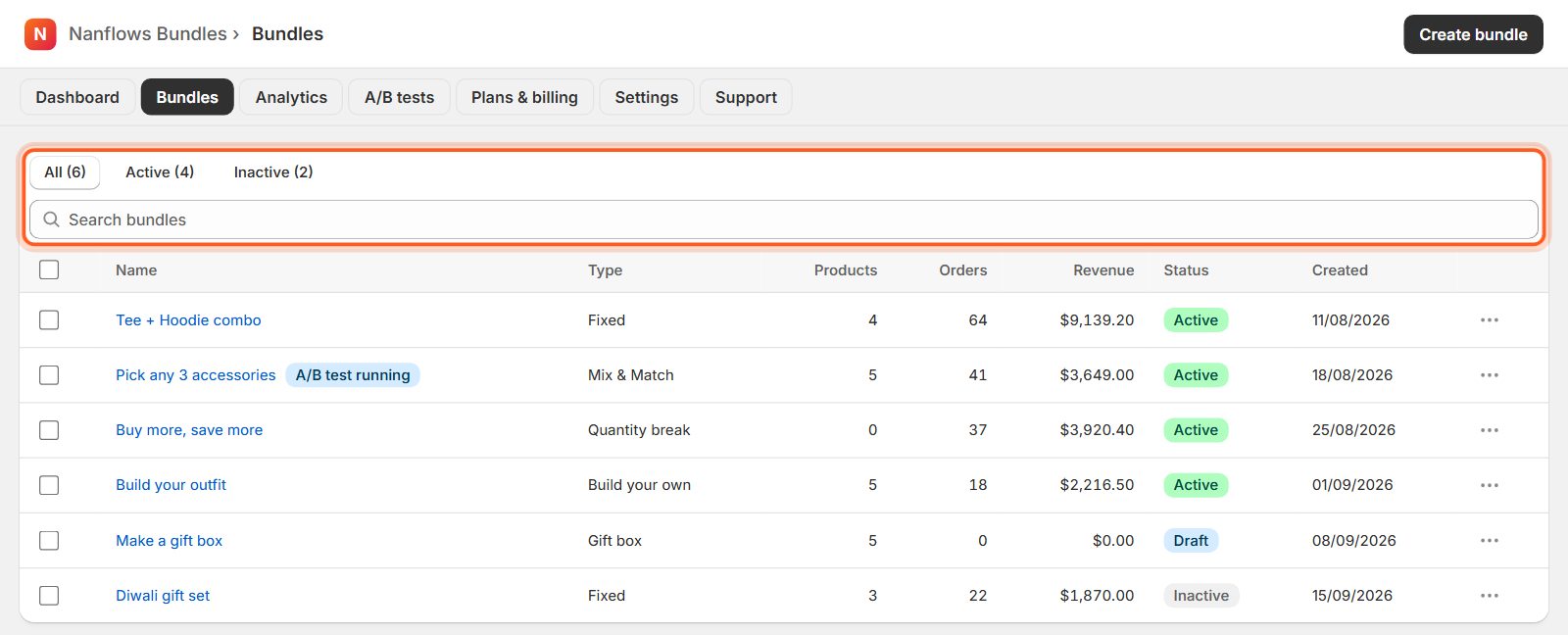
Use the tabs All, Active and Inactive, or type in Search bundles.
-
Click … for more actions
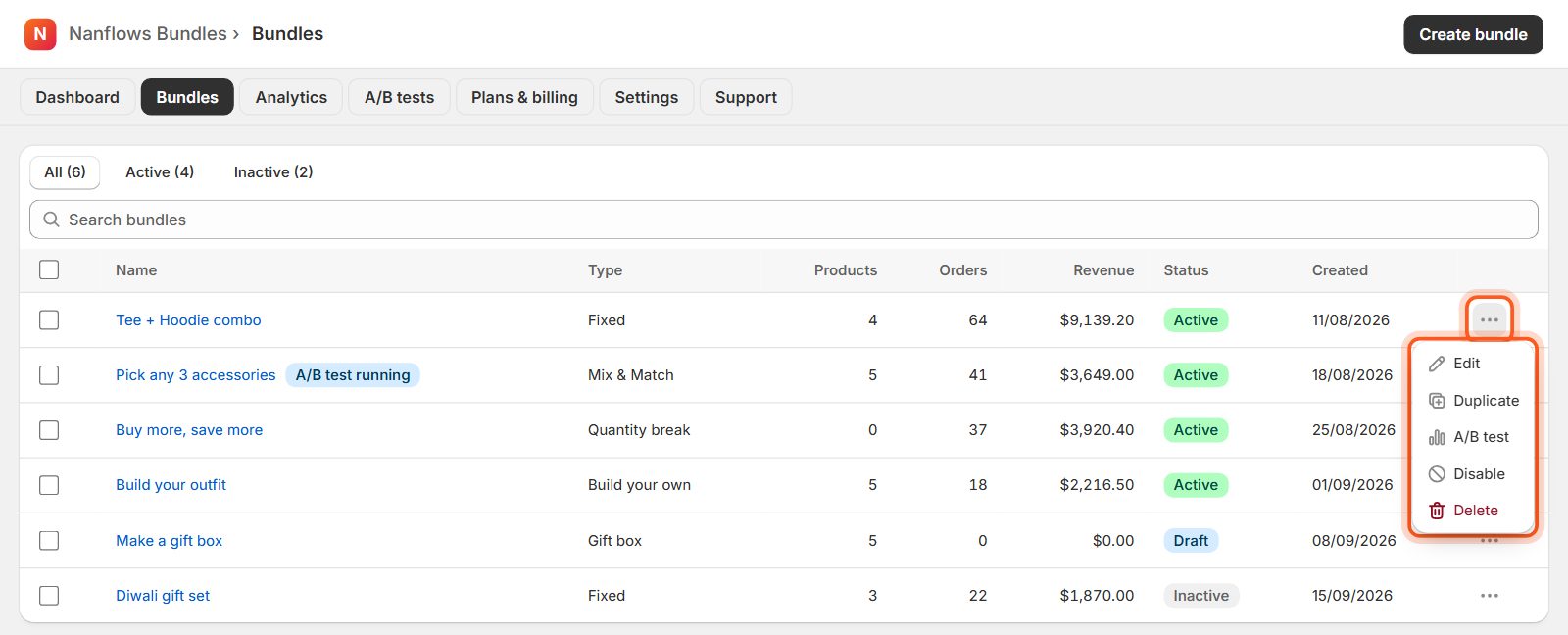
The … button on a row opens: Edit, Duplicate (a copy saved as a draft), A/B test, Disable / Enable and Delete. Deleting also removes the bundle's product from your store.
-
Delete several bundles at once
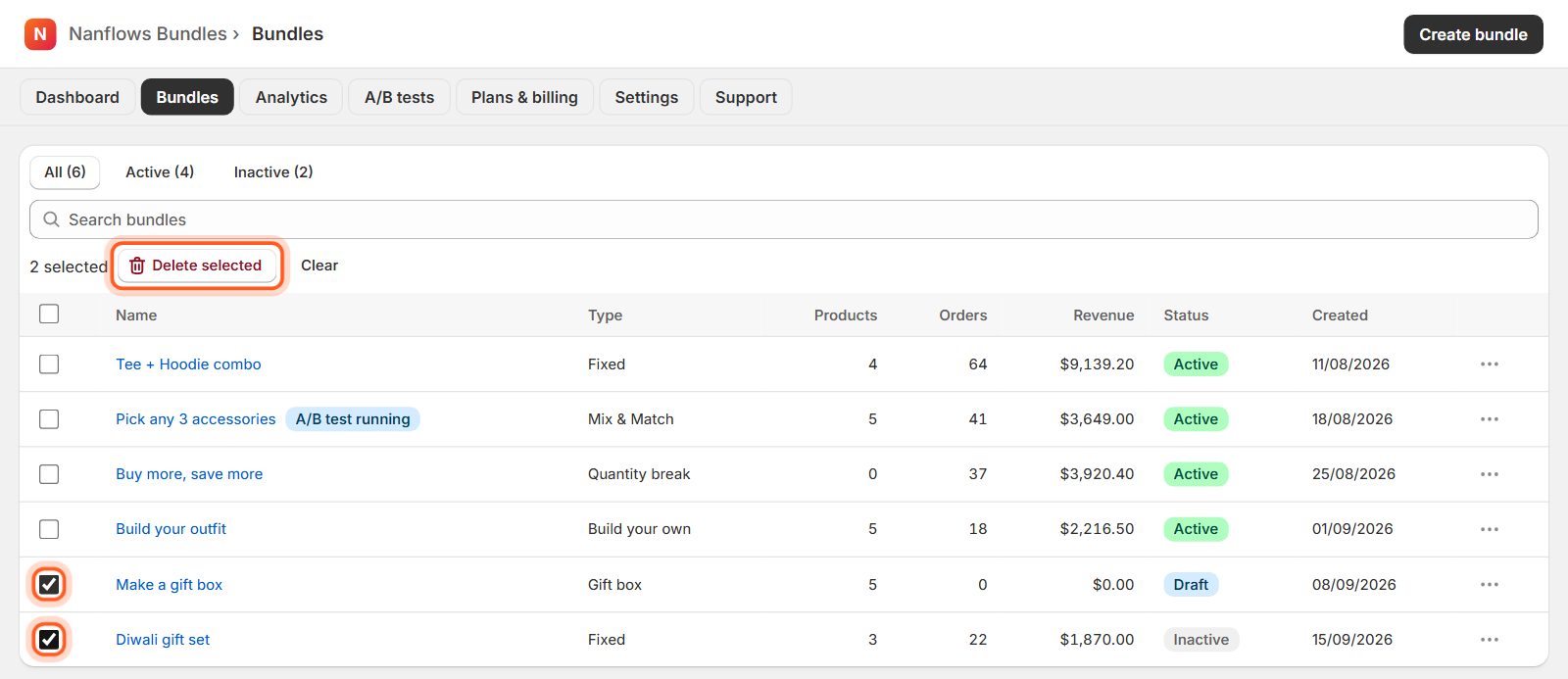
Tick the boxes on the left (the top box ticks every bundle shown). Then click Delete selected and confirm. Clear unticks them all.
-
Change a live bundle
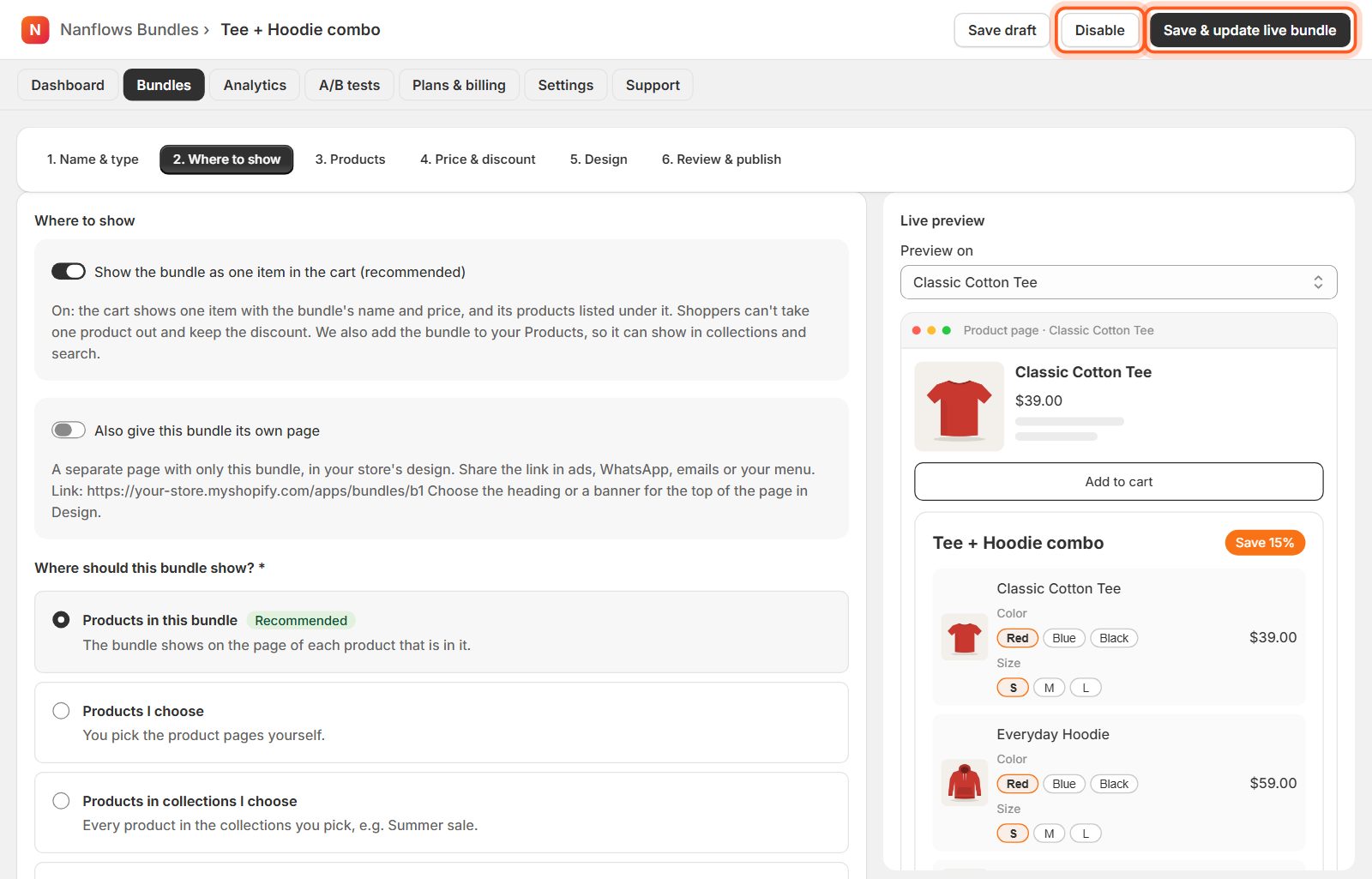
Open it, make your change and click Save & update live bundle. Disable takes it off your store without deleting it. The kind of bundle can't be changed once saved; duplicate it, or create a new one.
Nanflows Bundles for Shopify · Need help? support@nanflows.com