Help center › Manage and grow
See how your bundles sell (Analytics)
Bundle orders, revenue and units for any dates, a daily chart, prepaid vs cash on delivery, and each bundle’s numbers. Stored in your own database only.
-
Open Bundles → Analytics
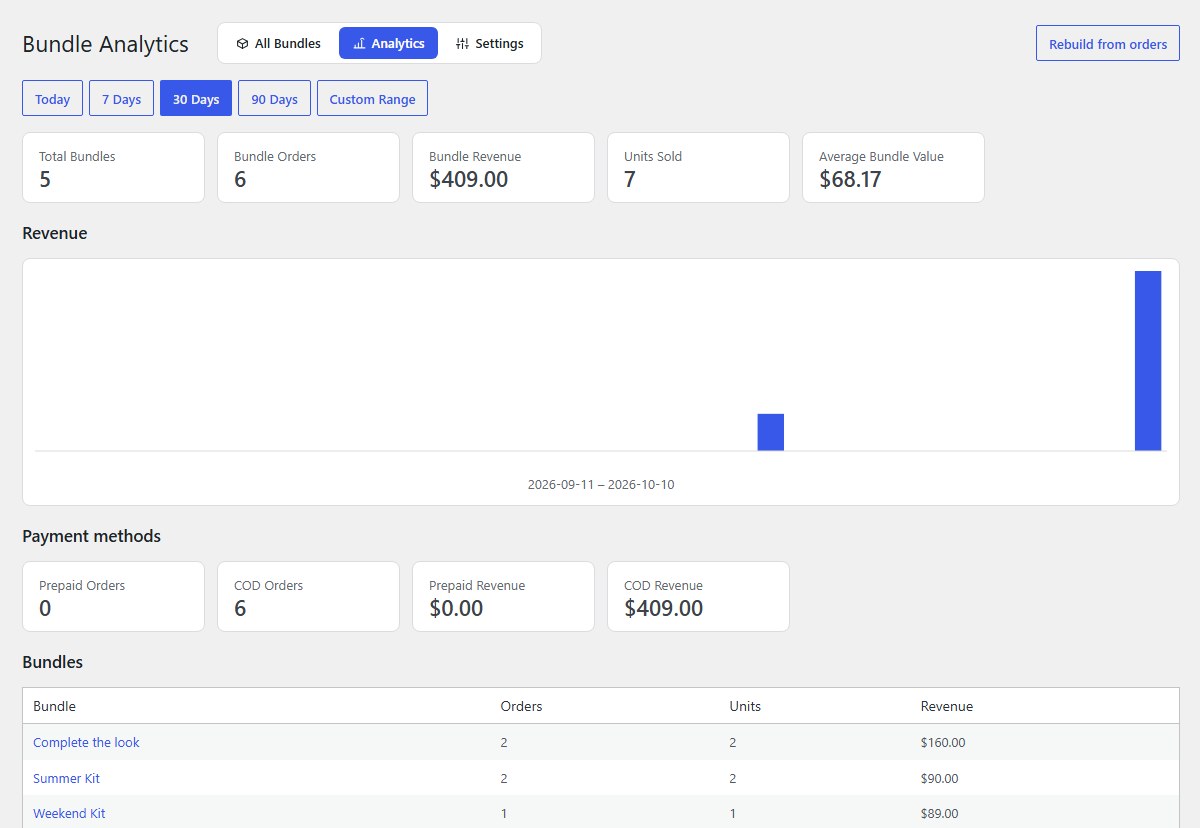
Pick Today, 7 Days, 30 Days, 90 Days or a Custom Range. The cards show bundles, bundle orders, bundle revenue, units sold and the average bundle value; the chart shows bundle revenue per day.
-
Prepaid vs cash on delivery, and each bundle
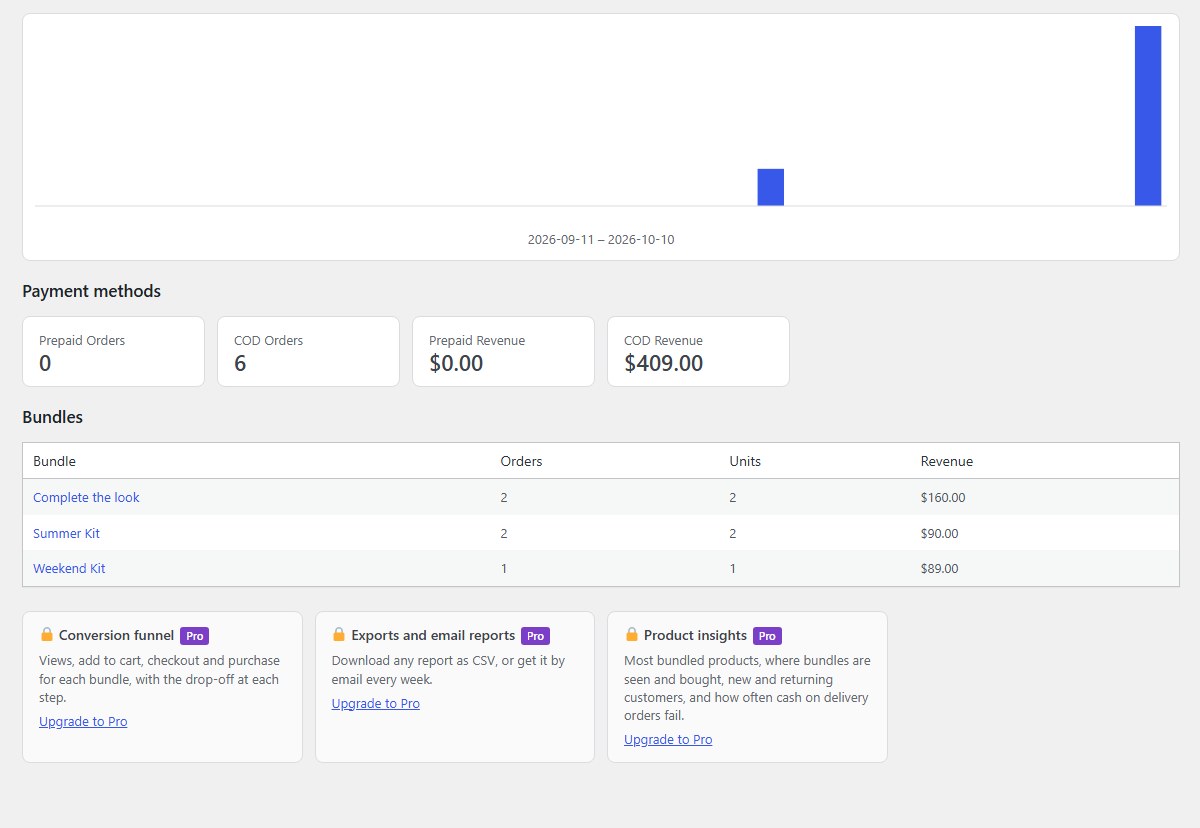
Payment methods splits orders and revenue into prepaid and COD. Bundles lists each bundle’s orders, units and revenue; click a name to open it.
-
Custom dates
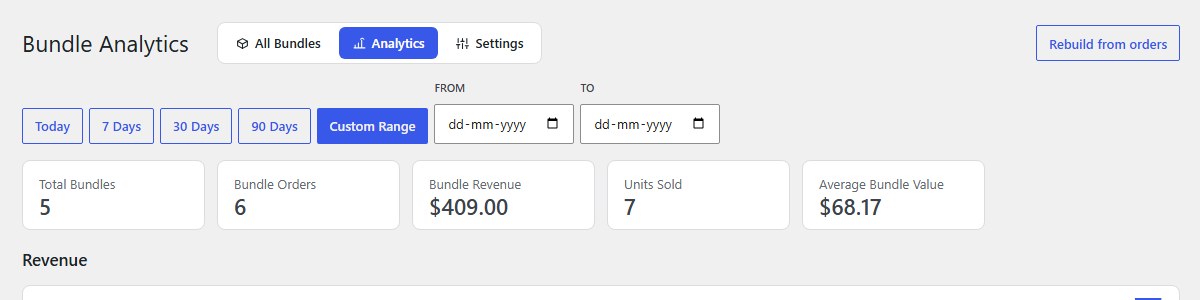
Click Custom Range and choose From and To.
-
Rebuild from orders
If numbers ever look wrong (for example after importing orders), click Rebuild from orders: the plugin counts every bundle order again from your WooCommerce orders.
-
Pro reports Pro
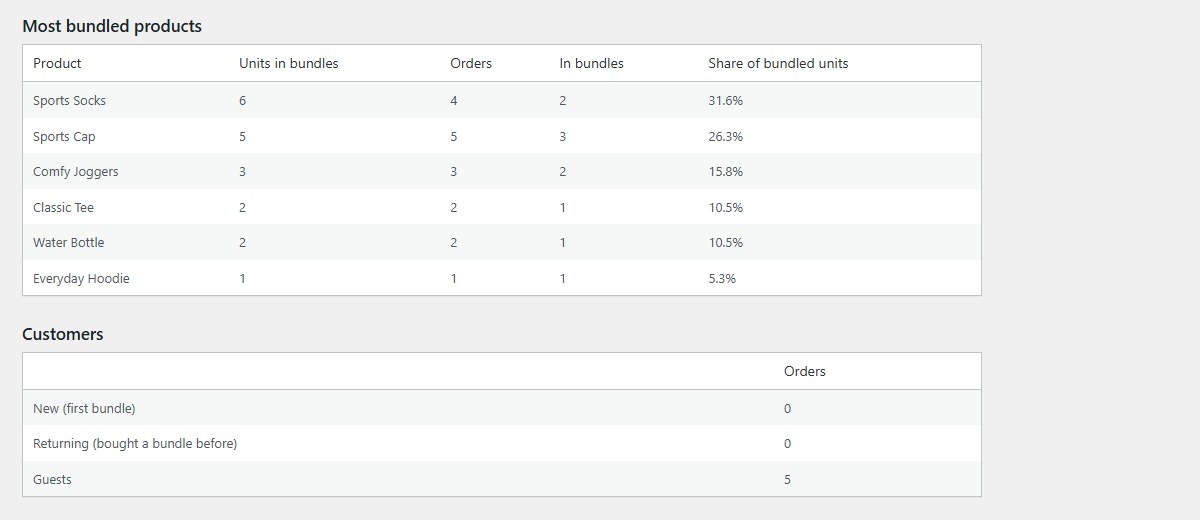
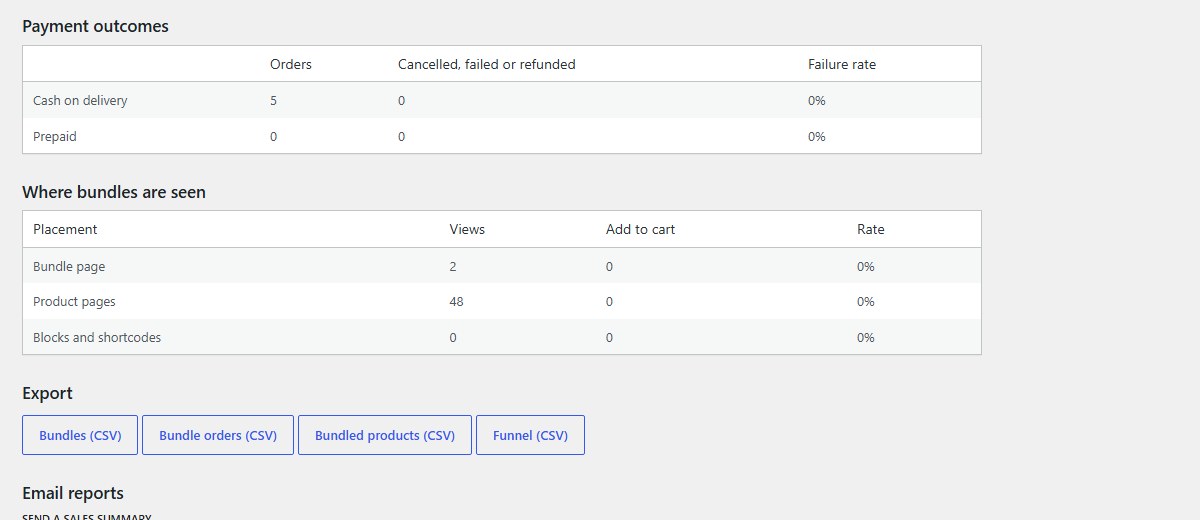
Pro adds, under the same dates: a Conversion funnel for each bundle (bundle views, add to cart, checkout, purchased), Most bundled products, Customers (new, returning, guests), Payment outcomes (how often COD and prepaid orders are cancelled, failed or refunded) and Where bundles are seen (product pages, the bundle’s own page, blocks and shortcodes).
-
Payment outcomes and placements Pro
A high COD failure rate is a good reason to make a bundle Online payment only.
-
CSV exports and email reports Pro
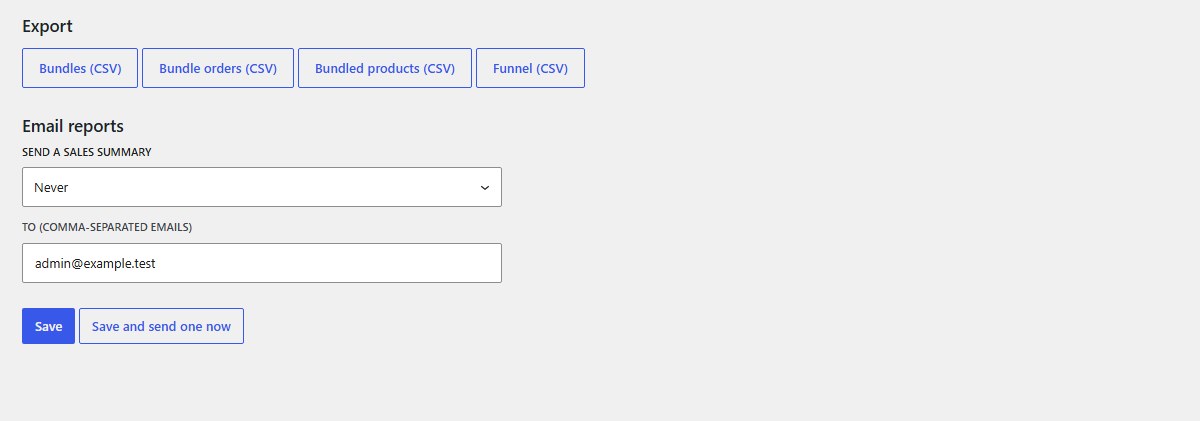
Download Bundles, Bundle orders, Bundled products or the Funnel as CSV. Under Email reports, Send a sales summary every Monday (last week) or on the 1st (last month) to the addresses you type; Save and send one now sends a test.
-
Privacy
Nothing leaves your site. Views and add to cart are counted without personal data, with a salted hash that can’t be turned back into a person or an IP address. Shop staff are left out by default; see Settings → Analytics.
Nanflows Bundles · Need help? support@nanflows.com