Help center › Bundle settings
Payment: cash on delivery or prepaid
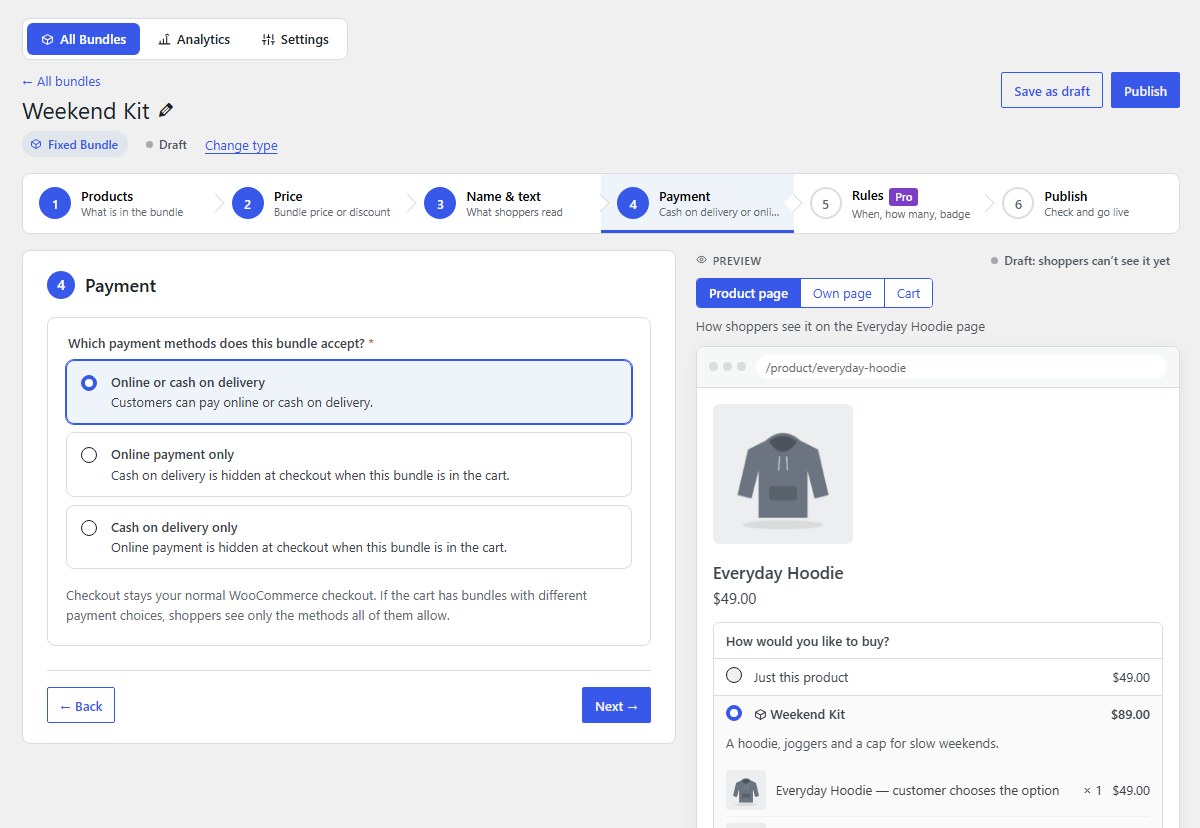
Step 4 of the editor: which payment methods a bundle accepts. Checkout stays your normal WooCommerce checkout.
-
Choose the payment methods for the bundle
Online or cash on delivery: customers can pay either way. Online payment only: cash on delivery is hidden at checkout when this bundle is in the cart; good for big or expensive combos. Cash on delivery only: online payment is hidden.
-
The plugin checks your payment methods
If the method a bundle needs is switched off in WooCommerce, the editor says so before you publish, with a Turn on cash on delivery button or a link to Payment settings. Nobody can get stuck with a bundle they can’t pay for.
-
Carts with several bundles
If the cart has bundles with different payment choices, shoppers see only the methods all of them allow.
-
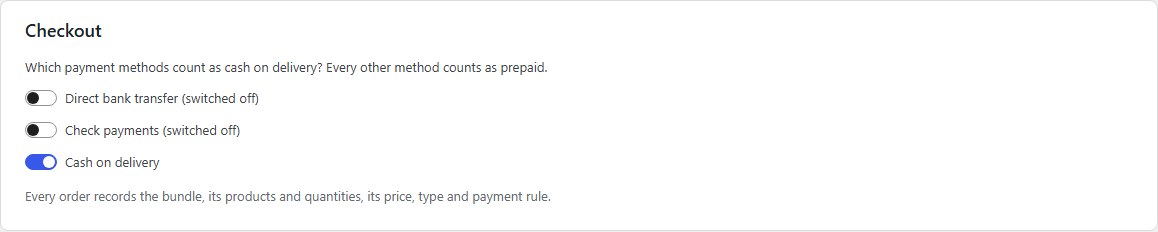
Tell the plugin which methods are cash on delivery
In Settings → Checkout, switch on the methods that count as cash on delivery. Every other method counts as prepaid. This also drives the prepaid vs COD numbers in Analytics.
Nanflows Bundles · Need help? support@nanflows.com