Help center › Your shop
Bundles Pro: install and licence
Nanflows Bundles Pro is a separate plugin that adds to the free one. Your free bundles keep working exactly as they are.
-
What Pro adds
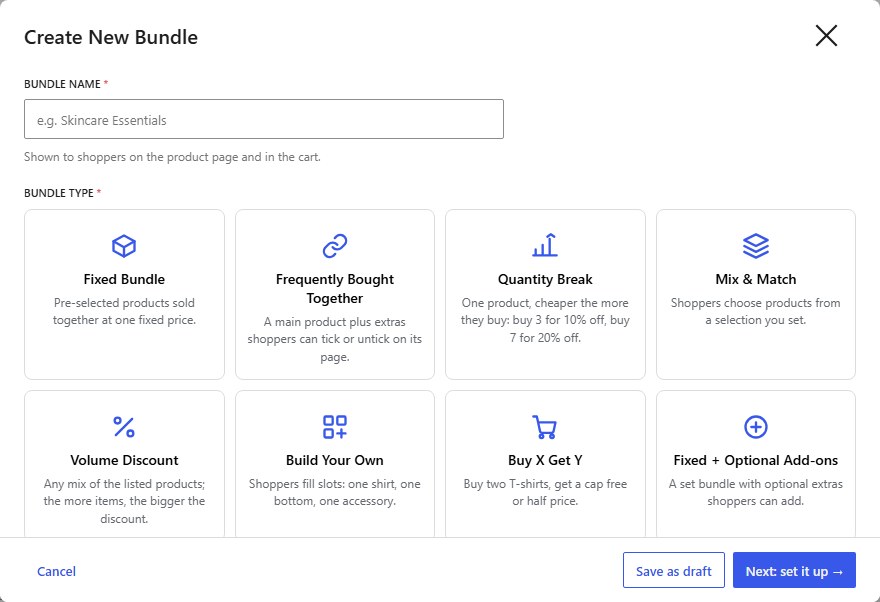
Eight more kinds of bundle (quantity break, mix & match, volume discount, build your own, buy X get Y, fixed + add-ons, gift box, variety pack); percentage and amount discounts; up to 10 extras on “frequently bought together”; dates and purchase limits; badges, countdowns and free shipping; suggestions from your orders; and more reports with CSV and email. Plans are on nanflows.com/products/nanflows-bundle.
-
Download Pro and get a licence key
After buying, open your dashboard on nanflows.com. Download the Pro zip, add your site (its domain) to your plan, and copy the licence key it gives you. Each site has its own key.
-
Install the Pro plugin
In WordPress, go to Plugins → Add New Plugin → Upload Plugin, choose the zip, click Install Now and Activate. Keep the free Nanflows Product Bundles plugin installed and active: Pro builds on it.
-
Activate your licence
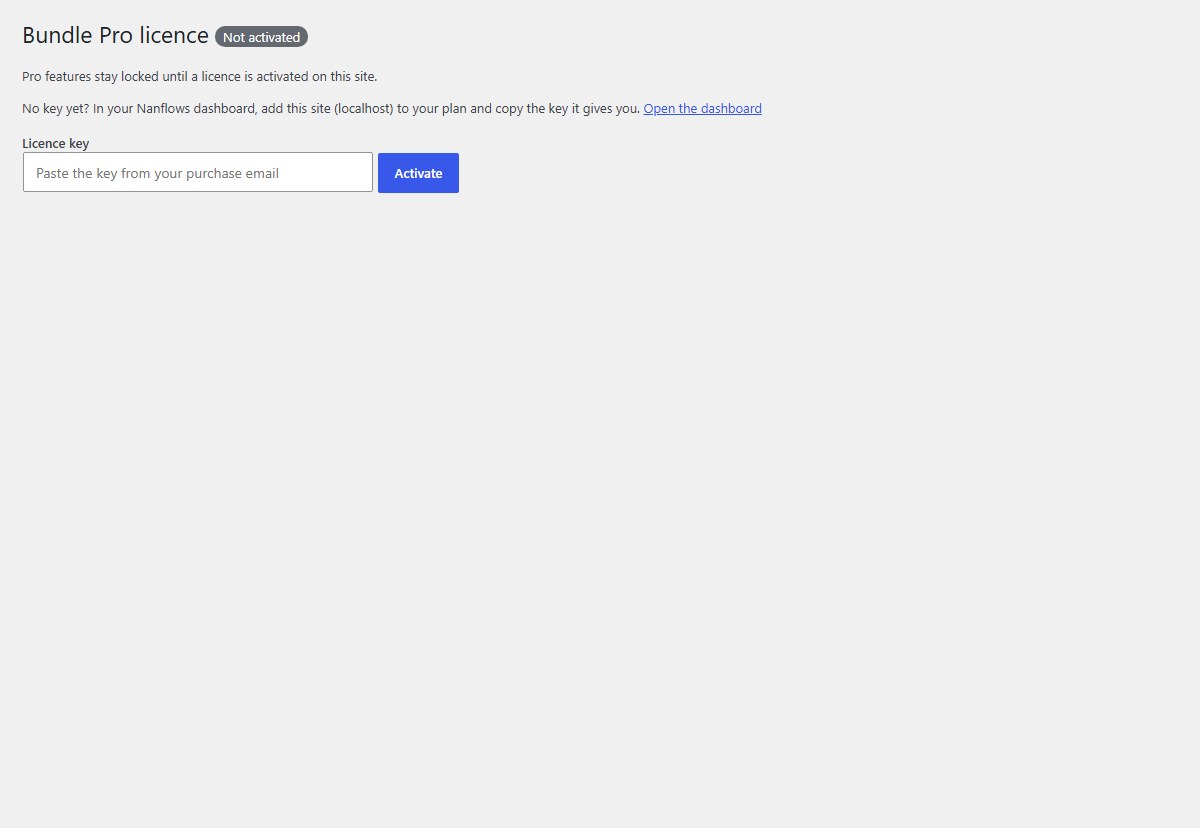
Open Bundles → Pro licence, paste the key from your purchase email or dashboard, and click Activate. Until then, Pro features stay locked.
-
Pro is on
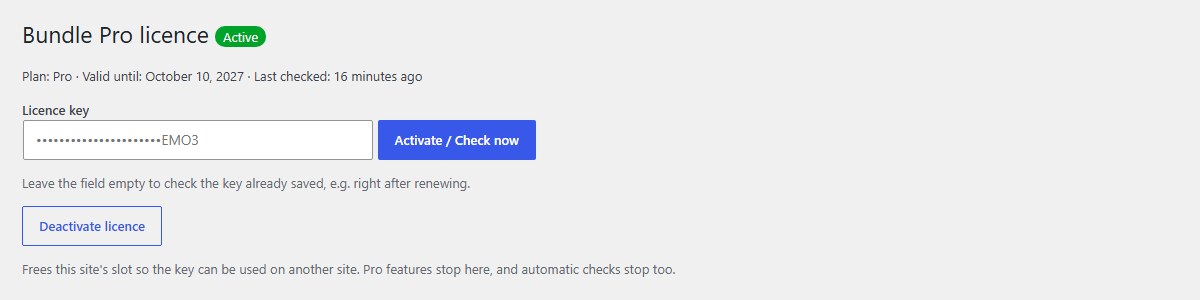
The page shows Active, your plan and the date it is valid until. The Pro kinds unlock in Create Bundle, and Pro updates arrive through the normal WordPress updates.
-
All kinds of bundle unlocked
Every card in the Create popup is now available.
-
Renewing, and if a licence expires
If the licence expires, bundles that use Pro features are paused: shoppers can’t buy them, and nothing is deleted. Free bundles keep selling. As soon as the licence is renewed, everything restarts by itself (the site checks regularly), or click Activate / Check now with the field empty.
-
Moving to another site
Click Deactivate licence on the old site. That frees its slot, so the key can be used on another site.
Nanflows Bundles · Need help? support@nanflows.com