Help center › Create a bundle, kind by kind
Create a Variety pack Pro
Shoppers fill a pack with the flavours, sizes or colours of one product. Example: any 4 coffee flavours for $40.
-
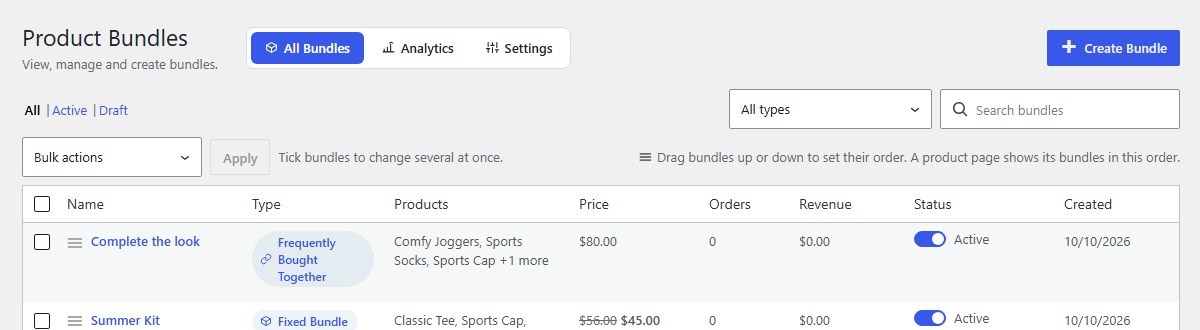
Open Bundles and click Create Bundle
In your WordPress admin, click Bundles in the left menu, then Create Bundle at the top right.
-
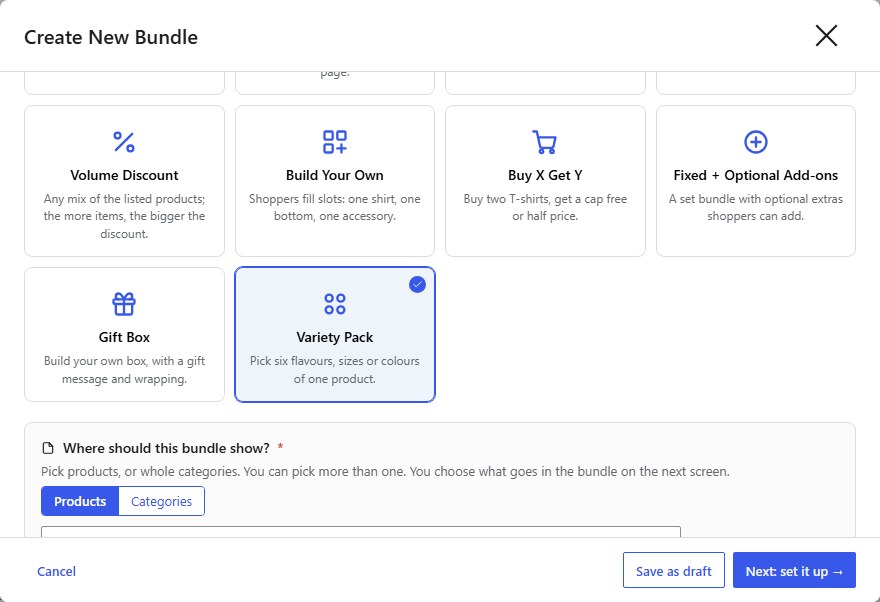
Type a name, then choose Variety Pack
Shoppers see the Bundle name on the product page and in the cart, for example Coffee tasting pack. Then click the Variety Pack card. Pick six flavours, sizes or colours of one product.
-
Choose where it shows, then click Next: set it up
Under Where should this bundle show?, pick the product pages (or whole categories) that should offer the bundle. Then click Next: set it up. See Where your bundle shows.
-
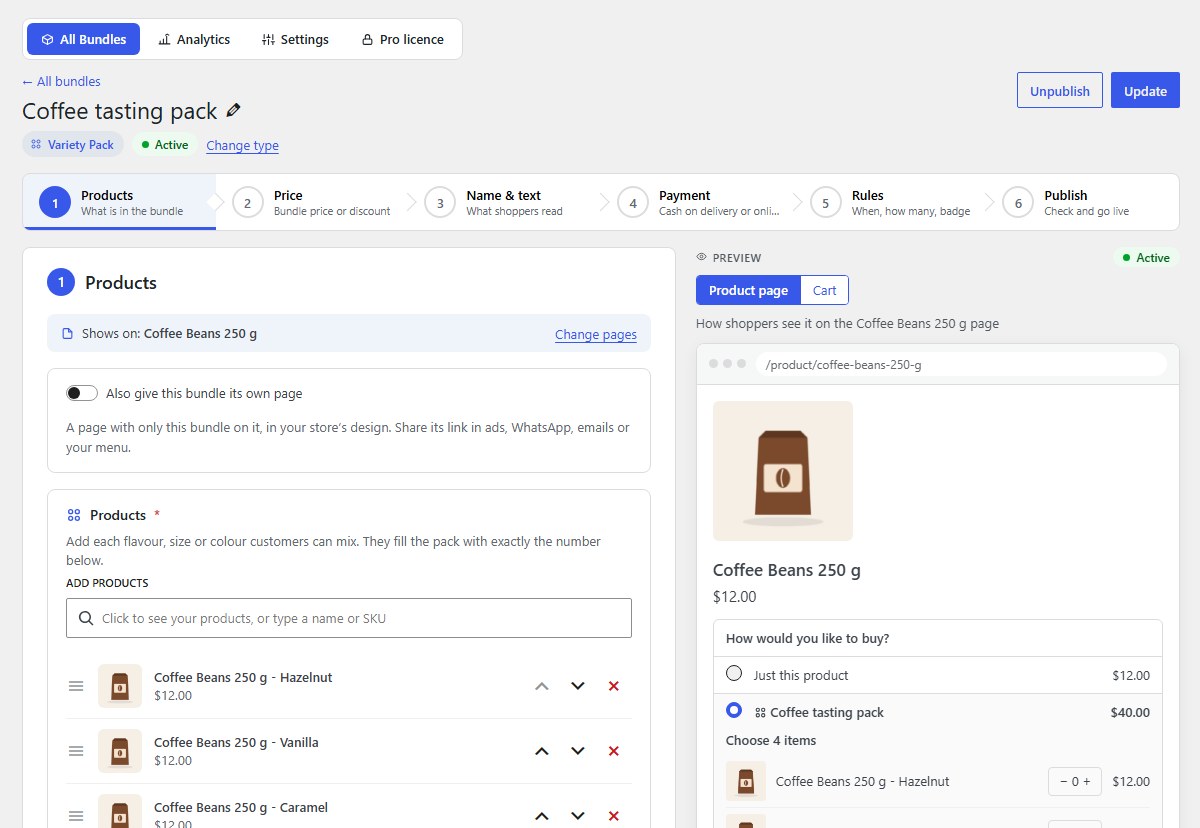
Products: add the products
Add each flavour, size or colour customers can mix: for a product with options, add each option from the list (Hazelnut, Vanilla, Caramel, Mocha).
-
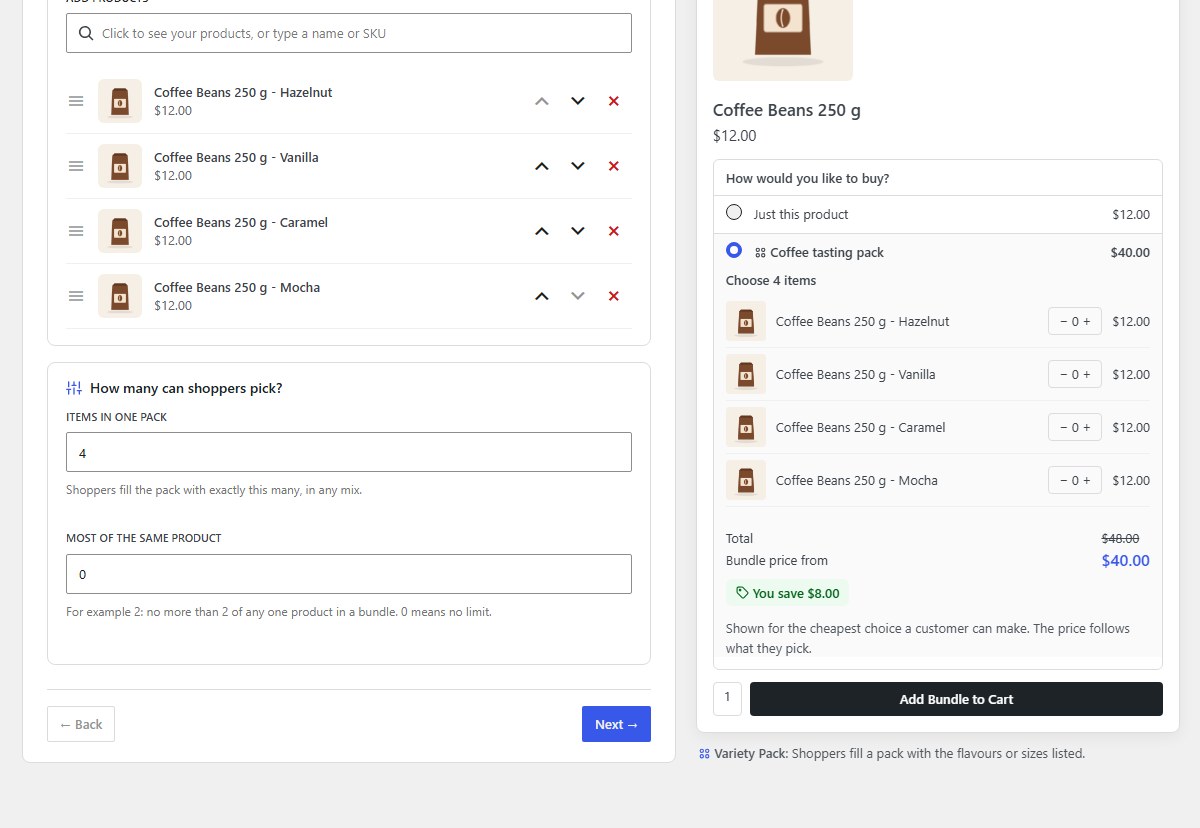
Set the pack size
Items in one pack: shoppers fill the pack with exactly this many, in any mix. Most of the same product limits how many of one flavour (0 means no limit).
-
Price: set the discount
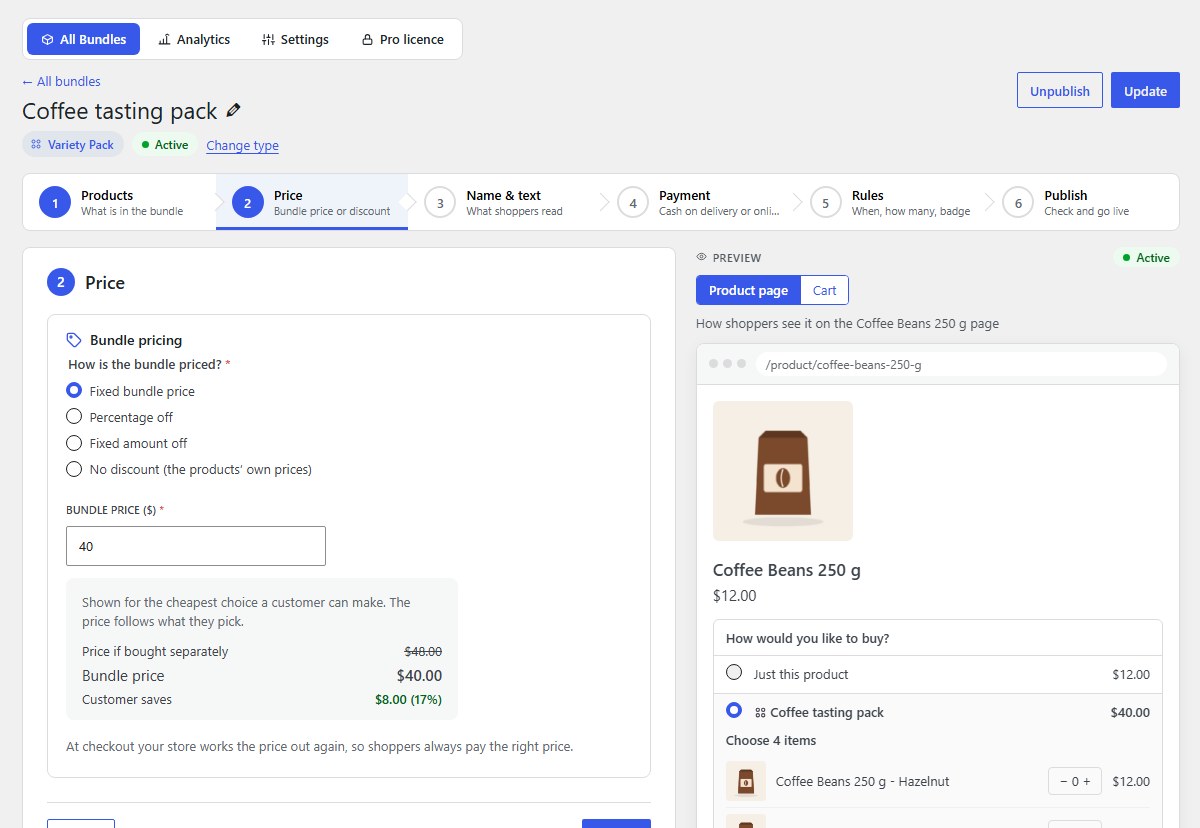
Set a Fixed bundle price for the pack, or a percentage or amount off.
-
Name & text, Payment and Rules (optional)
The next steps work the same for every kind of bundle: a description and picture in 3. Name & text, cash on delivery or prepaid in 4. Payment, and dates, limits and a badge in 5. Rules. See Name, text and picture, Payment and Rules, badge and urgency.
-
Click Publish bundle
6. Publish sums up the bundle. Click Publish bundle and it is on sale straight away. Save as draft keeps it hidden from shoppers until you are ready.
-
What shoppers see
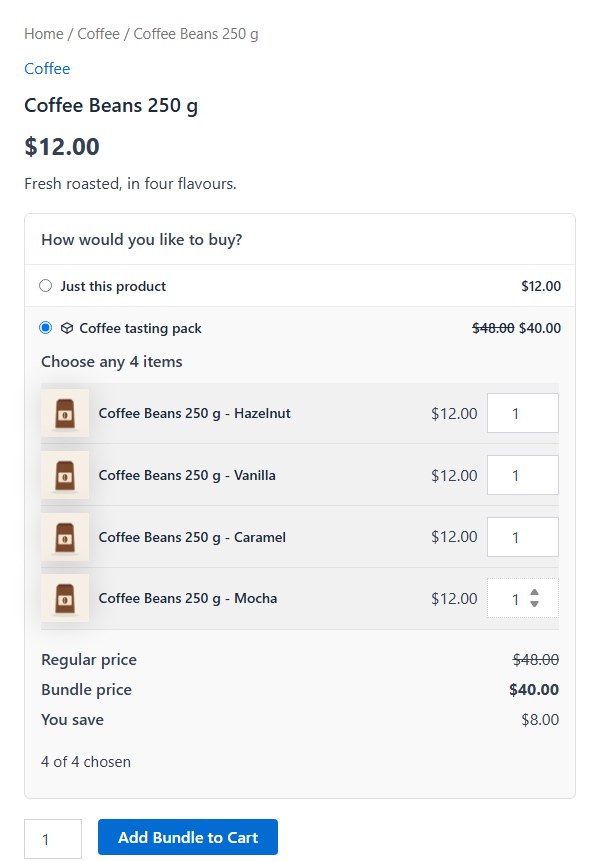
Shoppers choose how many of each flavour; the box counts them (“4 of 4 chosen”).
Nanflows Bundles · Need help? support@nanflows.com