Help center › Create a bundle, kind by kind
Create a Frequently bought together bundle
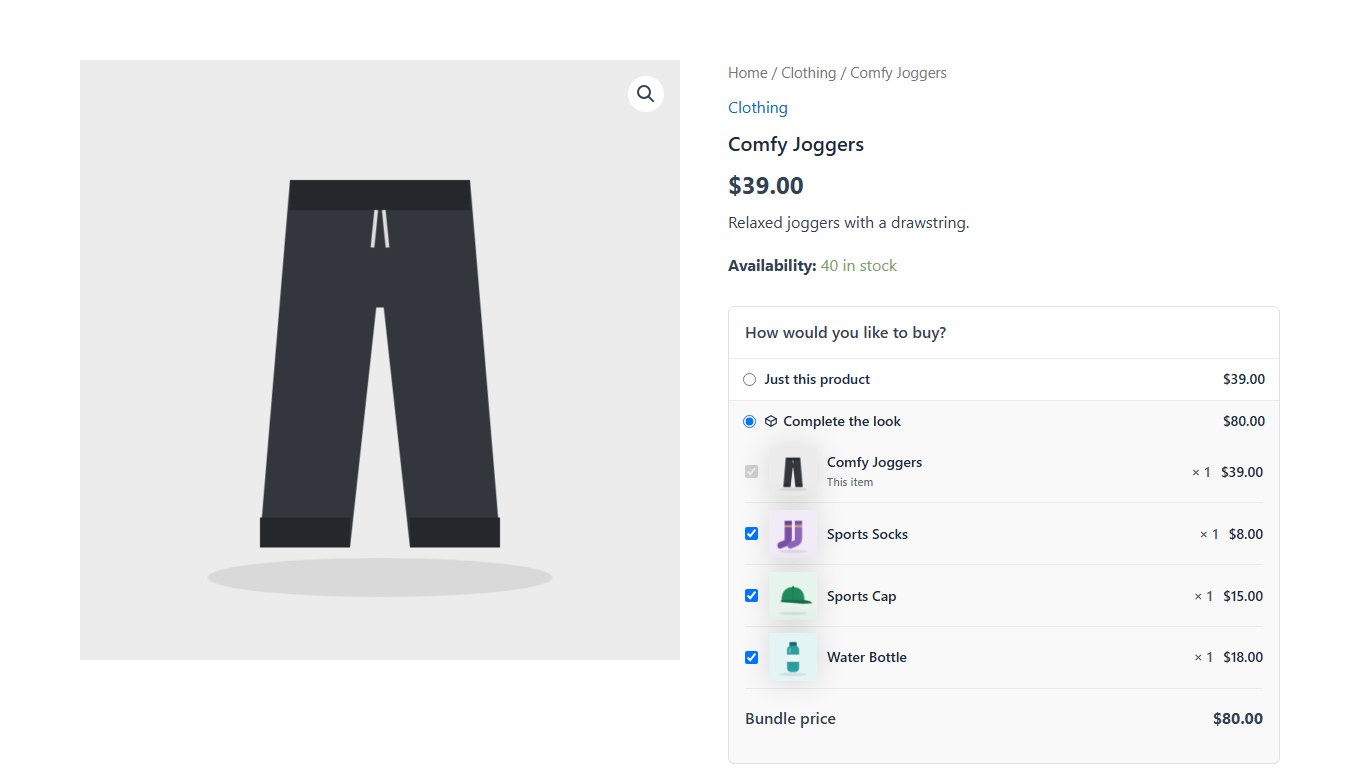
On a product’s page, offer other products to buy with it. The extras start ticked; shoppers untick what they don’t want and add the rest in one click. Example: joggers, with socks, a cap and a water bottle.
-
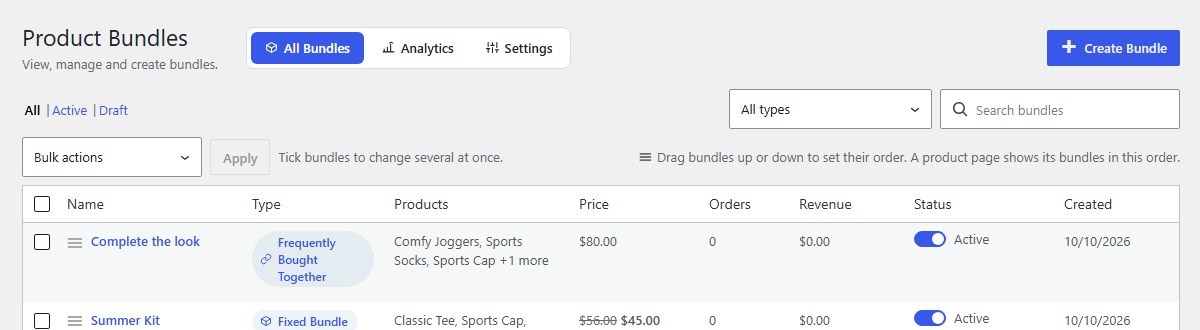
Open Bundles and click Create Bundle
In your WordPress admin, click Bundles in the left menu, then Create Bundle at the top right.
-
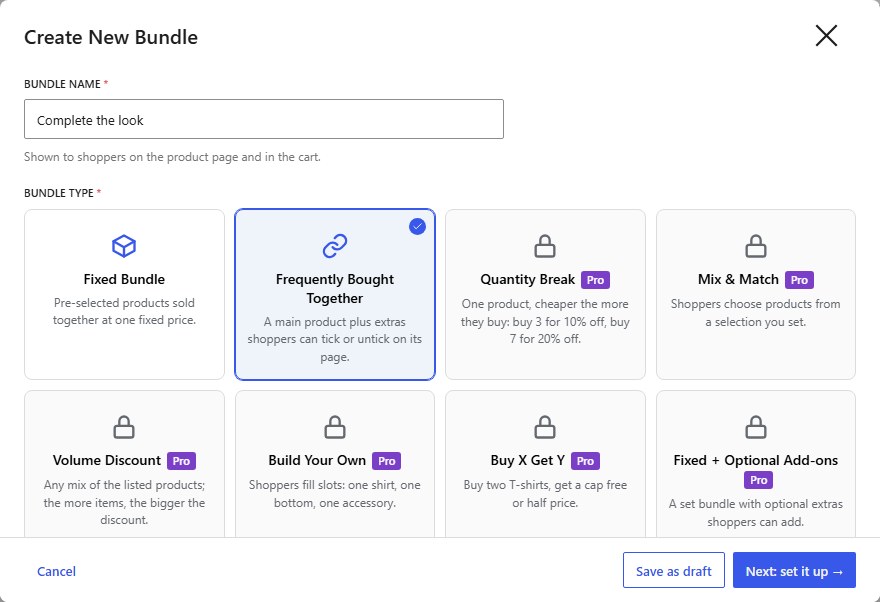
Type a name, choose Frequently Bought Together and the main product
Name it, for example Complete the look, and click Frequently Bought Together. Under Main product, choose the product whose page shows the offer. Then click Next: set it up.
-
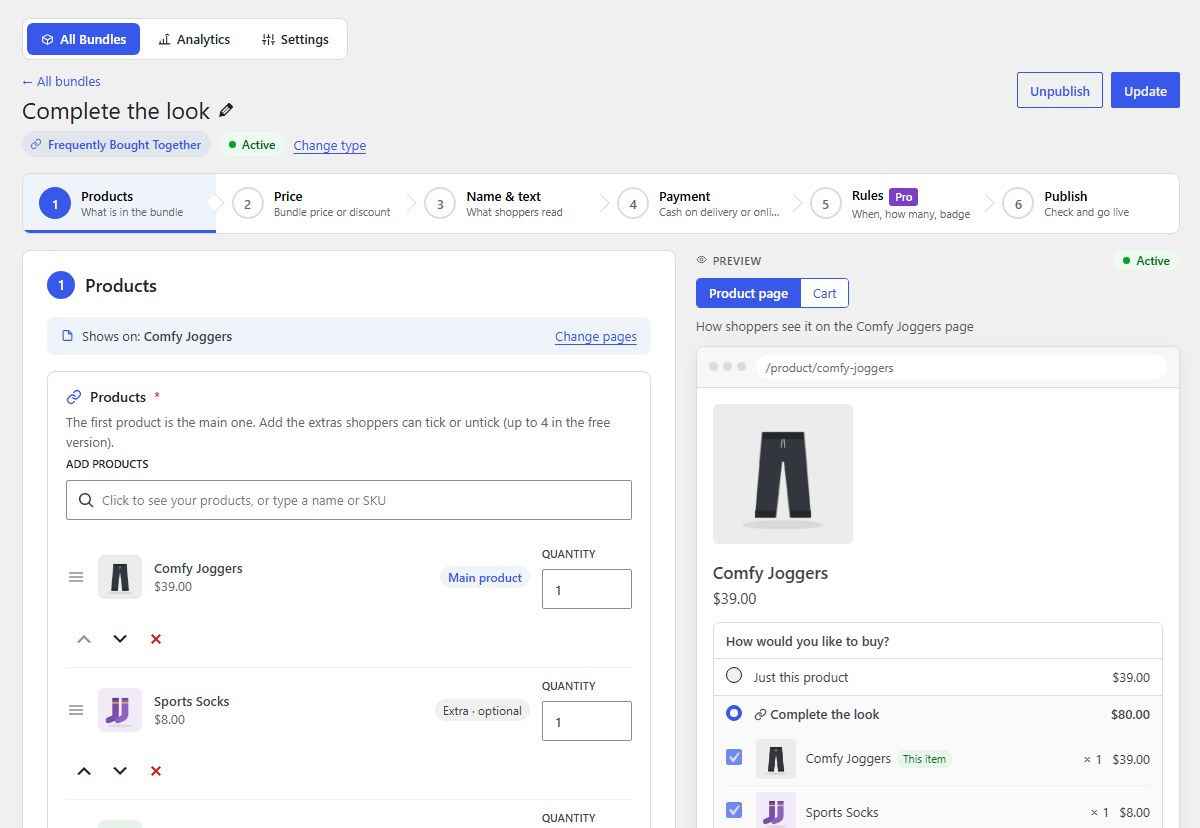
Products: add the extras
The first product is the main one. Add the extras shoppers can tick or untick: up to 4 in the free version, up to 10 with Pro. Set a quantity for each.
-
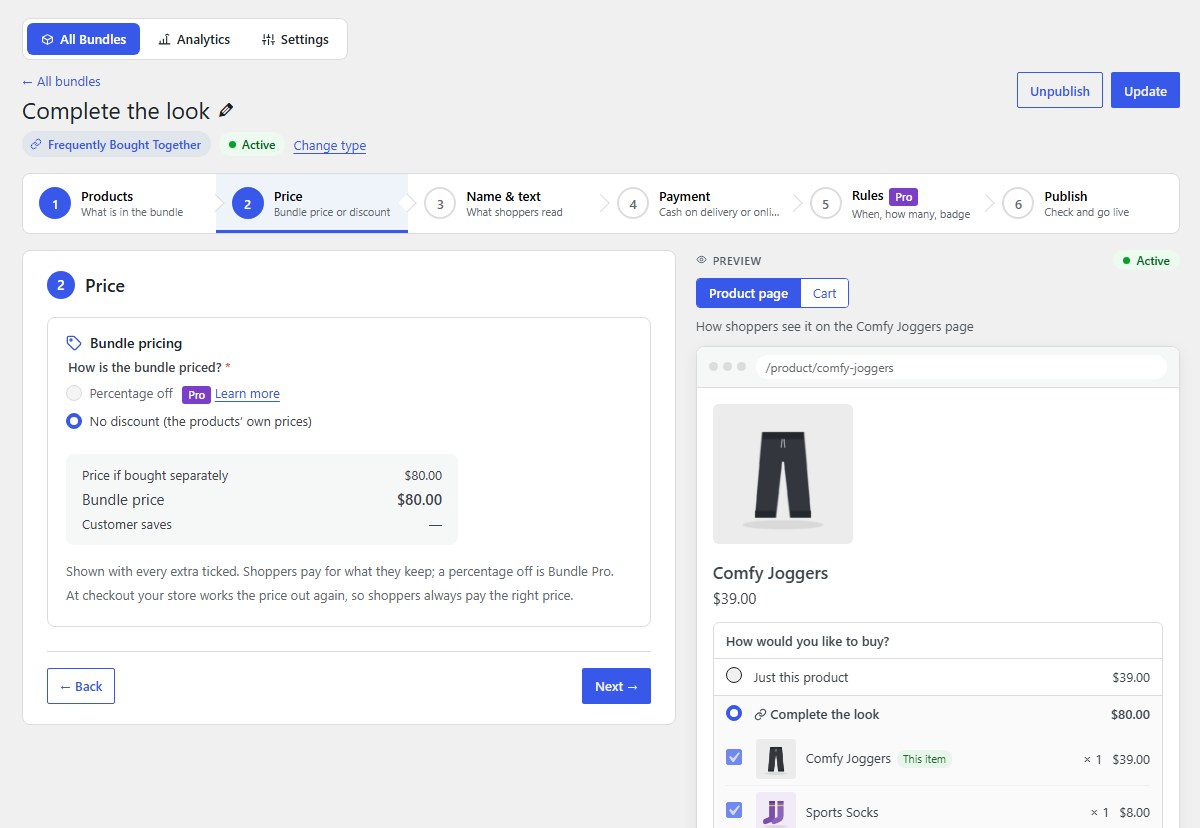
Price
In the free version, shoppers pay the products’ own prices for whatever they keep; the offer makes buying them together one click. The price is shown with every extra ticked.
-
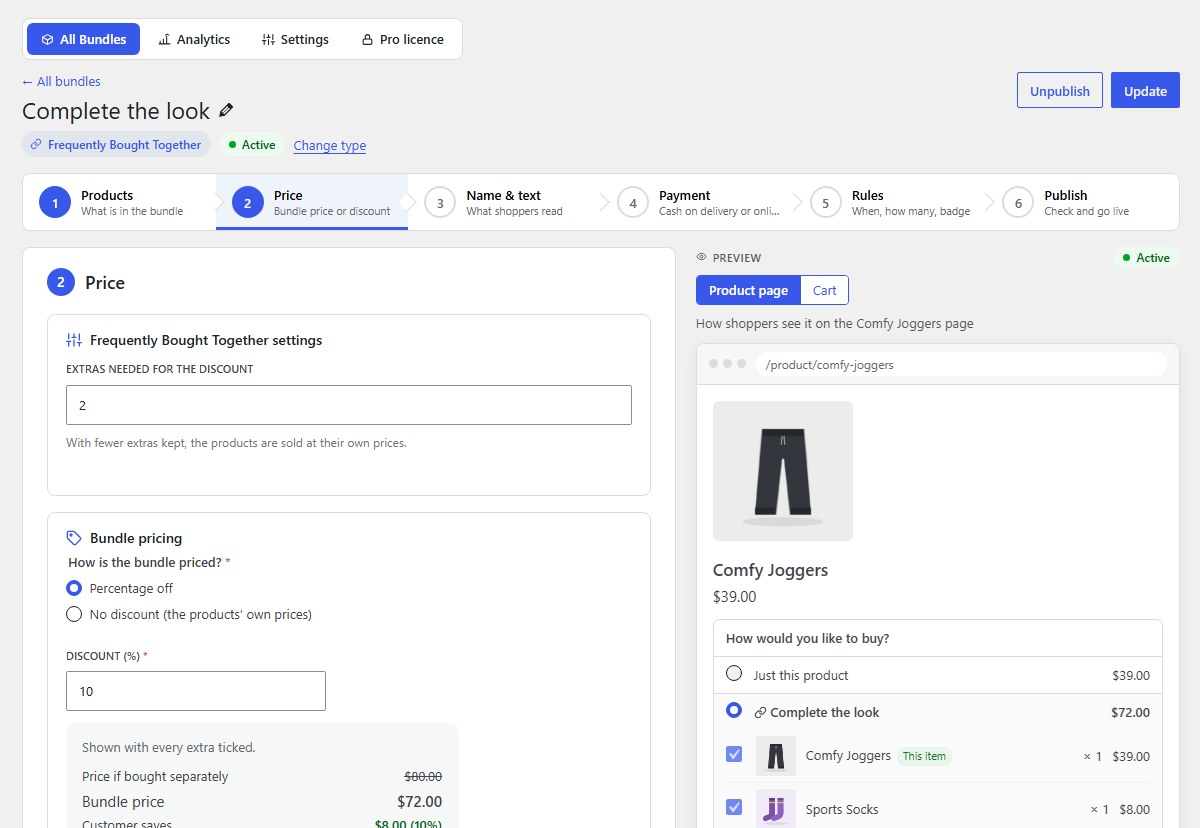
With Pro: a percentage off, and how many extras earn it Pro
Choose Percentage off and the discount, here 10%. Extras needed for the discount sets how many extras the shopper must keep; with fewer, the products are sold at their own prices.
-
Click Publish bundle
In 6. Publish, click Publish bundle. The offer shows on the main product’s page straight away.
-
What shoppers see
The main product is always in. The extras are ticked; the price updates as shoppers untick. With every extra unticked, only the main product goes to the cart.
-
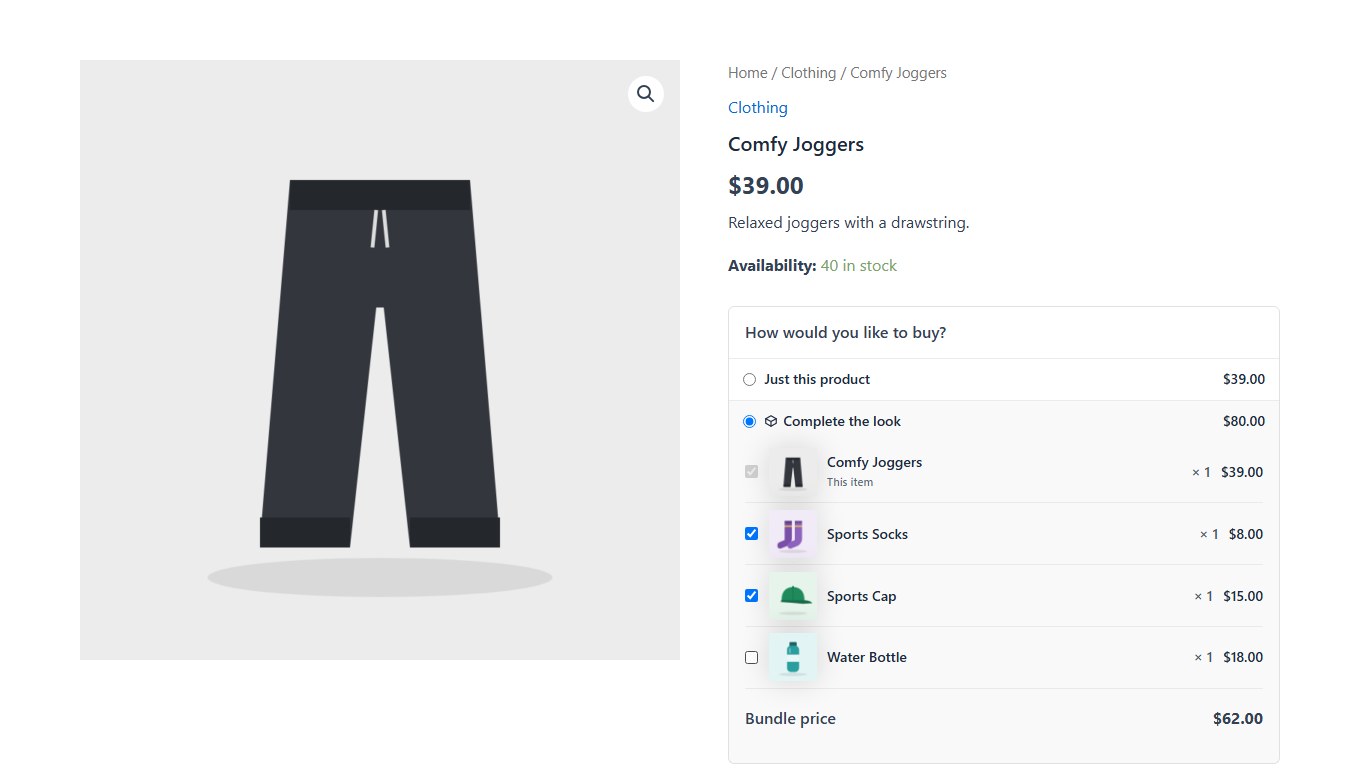
Shoppers untick what they don’t want
Here the water bottle is unticked, and the bundle price drops to match.
-
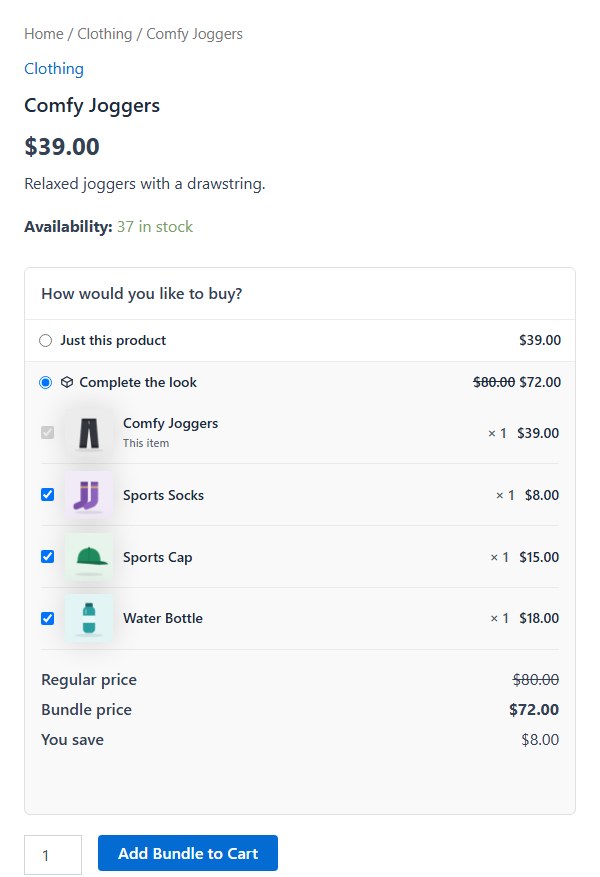
With Pro: the discount shows too Pro
Shoppers see the regular price, the bundle price and what they save.
Nanflows Bundles · Need help? support@nanflows.com