Help center › Bundle settings
Rules, badge and urgency Pro
Step 5 of the editor (Pro): when the bundle is on sale, how many fit in one order, a badge, a countdown and free shipping. Leave them empty for none.
-
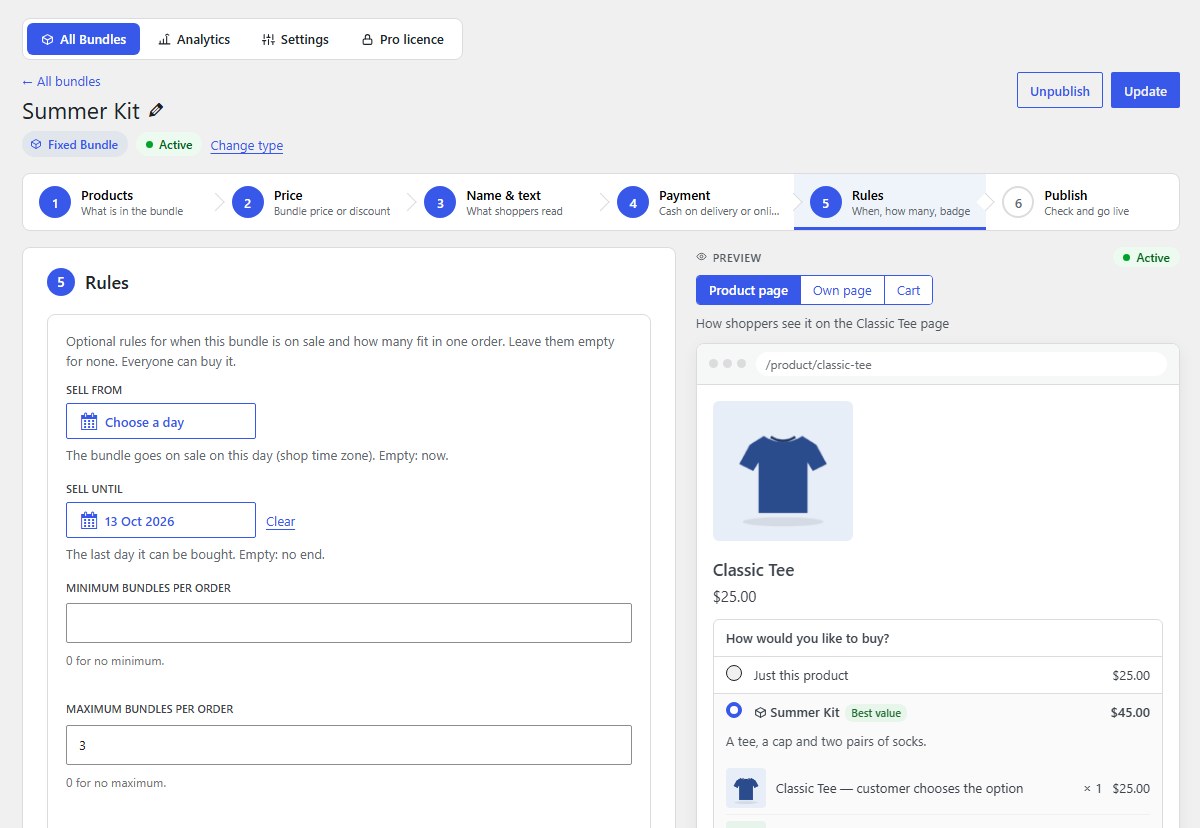
Schedule: sell from and until
Sell from: the bundle goes on sale on this day (shop time zone); empty means now. Sell until: the last day it can be bought; empty means no end. Use it for sales and seasons: the bundle starts and stops by itself.
-
Purchase limits
Minimum bundles per order and Maximum bundles per order. 0 means no minimum or no maximum.
-
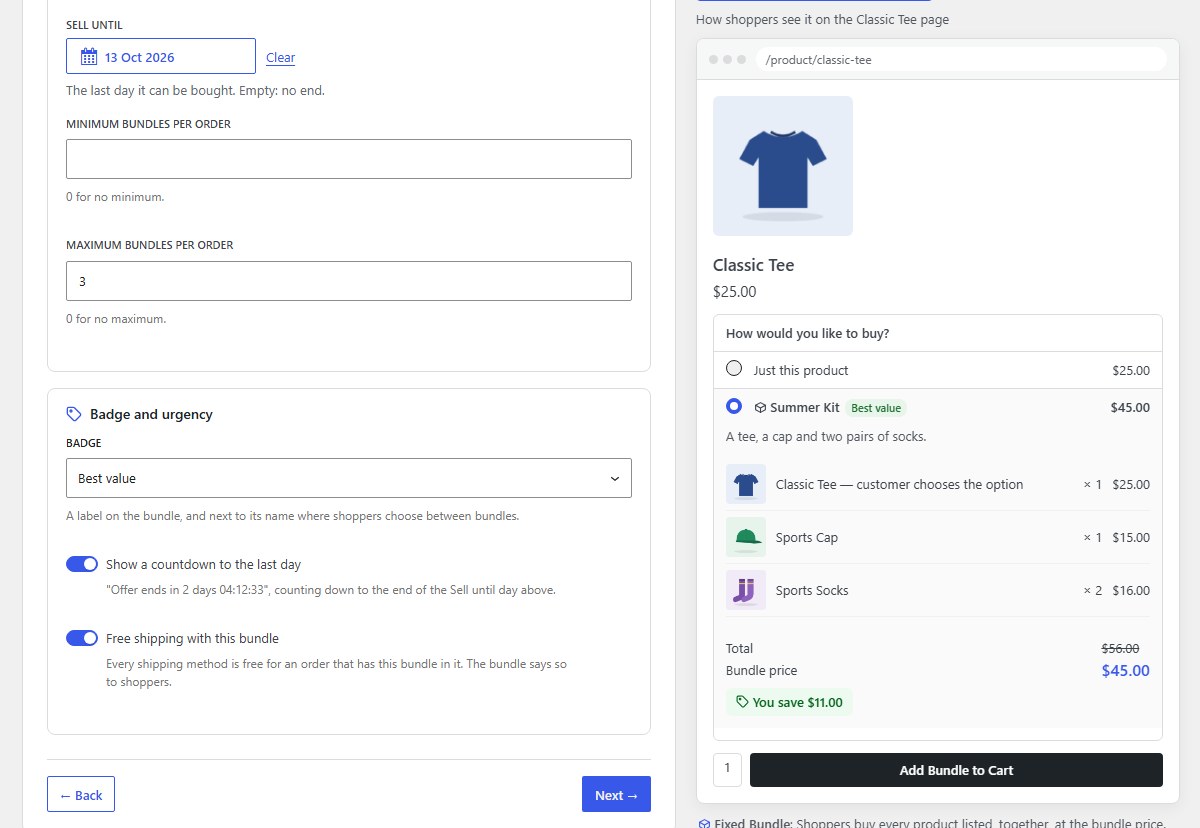
Badge and urgency
Badge: Best value, Most popular, Limited offer, or My own words (up to 30 characters, e.g. “Diwali special”). It shows on the bundle, and next to its name where shoppers choose between bundles. Show a countdown to the last day needs a Sell until day. Free shipping with this bundle makes every shipping method free for an order with this bundle in it.
-
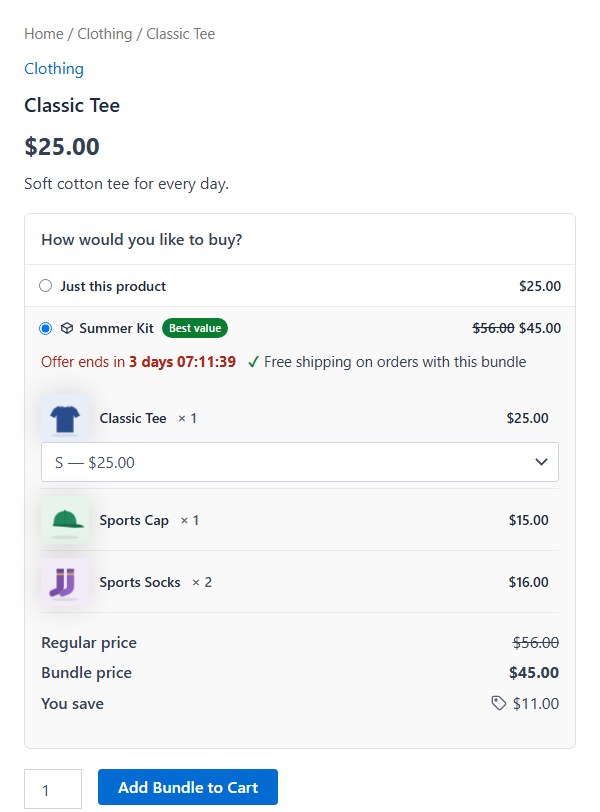
What shoppers see
The badge next to the bundle’s name, “Offer ends in 3 days 07:12:38” counting down, and “Free shipping on orders with this bundle”.
Nanflows Bundles · Need help? support@nanflows.com